
- Published: March 13, 2026
- Author: SEO Free Genius Team
- Reading time: ~8 minutes
If you prefer your own name or brand persona, you can swap “SEOFreeGenius Editorial Team” for your personal author name.
You know your old blog posts are gathering digital dust, but the thought of touching them and tanking your Google rankings is terrifying. You’re not imagining the risk—careless edits, mass AI rewrites, or deleting whole sections can absolutely hurt your SEO.
The flip side is that a strategic content refresh is one of the safest, most powerful ways to grow organic traffic, improve engagement, and strengthen your site’s authority without starting from scratch. Instead of throwing old posts away, you upgrade them into assets that better match today’s search intent, user expectations, and Google’s quality standards. [bruceclay] [seozoom] In this playbook, you’ll learn exactly how to refresh old content manually and ethically, when you should rewrite instead, and how to use free tools from SEOFreeGenius (https://seofreegenius.com) as smart assistants—not as autopilot content generators. Your expertise stays at the center; the tools simply make your process faster, safer, and more effective.[seofreegenius]
Introduction: Refresh vs. Rewrite (And Why It Matters)
Before you dive into editing, you need to know whether your post needs a refresh or a rewrite. This decision determines how aggressively you change the content and how carefully you’ll protect existing rankings.
- A content refresh keeps the same core topic, URL, and overall intent, but updates outdated facts, replaces weak examples, expands thin sections, and improves clarity and structure.
- A content rewrite changes the article more fundamentally—often shifting the main keyword, search intent, or angle because the original piece is too thin, low quality, or misaligned with what users actually want.
Both can succeed in SEO, but a refresh is usually safer when the page already ranks for something and brings in at least some traffic. A rewrite is better when the content is so weak or off‑target that trying to “patch” it would take more work than rebuilding it properly.
Section 1: Audit & Benchmarking (Before You Touch a Thing)
A content refresh should never start inside the editor. It starts with an audit. You need to know what’s working, what’s broken, and what success would look like after your updates.
1.1 Identify Which Articles Need a Refresh
Look for posts that:
- Used to perform well but are now declining in traffic.
- Cover topics where facts, tools, or recommendations have clearly changed.
- Get impressions but low click‑through rate (CTR).
- Attract clicks but have short time‑on‑page or high bounce/exit rate.
- Are clearly thin compared to what now ranks on page one.
You can spot these patterns quickly using:
- Google Search Console to see impressions, clicks, and rankings for each URL.
- Google Analytics (or an equivalent) to check engagement metrics like bounce rate, average engagement time, and conversion events.
- Manual Google searches for your main keywords to see if competitors now offer more detailed, fresher, or better‑structured content. [bruceclay]
Make a simple spreadsheet or doc with columns for URL, main keyword, current ranking, traffic, word count, and notes on content quality. This becomes your refresh queue and helps you prioritize high‑impact posts first.
1.2 Benchmark Your Current Performance
Before you change anything, benchmark:
- Current average position for the main keyword.
- Monthly clicks and impressions.
- Approximate word count.
- Conversion metrics, if applicable (email signups, leads, sales).
You can also run the URL through the Keyword Density Checker (https://seofreegenius.com/keyword-density-checker) to see how often your main keyword and related terms appear in the existing content. This gives you a baseline: maybe the keyword is barely present, or maybe it’s over‑stuffed.[seofreegenius].
If you have or later add a Google Index Checker on SEOFreeGenius, you’d also confirm that the URL is properly indexed and not suffering from crawl or indexing issues before you invest time into refreshing it.
Section 2: When to Refresh vs. When to Rewrite
Now that you know which posts are weak or outdated, you need to decide whether each one gets a refresh or a rewrite.
2.1 When a Content Refresh Is the Right Move
Choose a refresh when:
- The topic is still relevant and aligned with your current audience.
- The post gets some traffic or impressions already.
- The structure is “okay” but feels shallow or outdated.
- You can improve it by updating stats, adding new examples, and expanding sections.
A refresh usually involves:
- Updating stats, screenshots, tool mentions, and year‑sensitive references.
- Fixing weak headings and subheadings.
- Adding FAQs, common objections, or extra examples.
- Improving internal linking to your newer content and tools.
This approach respects any existing rankings while making the page more comprehensive and helpful.
2.2 When a Full Rewrite Is Safer
Go for a rewrite when:
- The article is extremely thin (e.g., 300–500 words on a competitive topic).
- The main keyword or search intent is completely wrong.
- The content is poorly written, confusing, or misleading.
- The topic needs a new angle that the current structure can’t support.
In rewrite scenarios, you might:
- Keep the same URL if it already has backlinks and some history, but completely rebuild the content.
- Or create a new URL with a better keyword focus, then 301‑redirect the old page if it’s beyond saving.
Being honest about when to rewrite builds long‑term trust with users and Google: you’re not trying to patch low‑quality content; you’re committing to genuinely helpful, up‑to‑date pages.[seozoom]
Section 3: The Refresh Workflow (Step‑by‑Step)
Once you’ve picked a page and decided it needs a refresh (not a full rewrite), follow this workflow to update it safely.
Step 1: Draft a New Outline and Fresh Ideas
Start outside the editor. Read your existing article and ask:
- Which sections feel thin or incomplete?
- Where are readers likely getting stuck or confused?
- What’s missing compared to top‑ranking competitors (e.g., FAQs, examples, screenshots, step‑by‑step instructions)?
Sketch a new outline that keeps what works but adds:
- Clearer section headings aligned with search intent.
- New subsections for updated tactics, tools, or examples.
- A more compelling introduction and conclusion.
If you get stuck on a specific paragraph or struggle to rephrase a complex explanation, use the Article Rewriter (https://seofreegenius.com/article-rewriter) as a brainstorming assistant.[seofreegenius]
Here’s how to use it safely:
- Paste just one or two sentences you’re struggling with, not the entire article.
- Click submit to generate alternate phrasings or angles.
- Read the output to get inspiration for better wording or structure.
Then follow this crucial rule:
[Input one or two sentences you’re struggling with to get inspiration for a better way to phrase them. Use the output as a draft idea, not as your final text. Never copy‑paste a large block directly into your article.]
The Article Rewriter (https://seofreegenius.com/article-rewriter) is there to shake you out of writer’s block and suggest alternative phrasing, not to mass‑produce content or replace your voice. You remain the author and editor.[seofreegenius]
Step 2: Manually Integrate and Edit in Your Own Voice
This is where the real value is created. Take your new outline and:
- Rewrite weak paragraphs in your natural tone.
- Add new data, up‑to‑date statistics, and current examples.
- Include personal experiences, case studies, or mini‑stories that show you actually understand the topic.
- Clarify steps, break up long walls of text, and add bullet points where it improves scannability.
If you used the Article Rewriter (https://seofreegenius.com/article-rewriter) for inspiration, manually rewrite the output again in your own words. Edit for accuracy, tone, and depth. This extra pass protects you from sounding generic and ensures your content reflects your brand’s expertise.[seofreegenius]
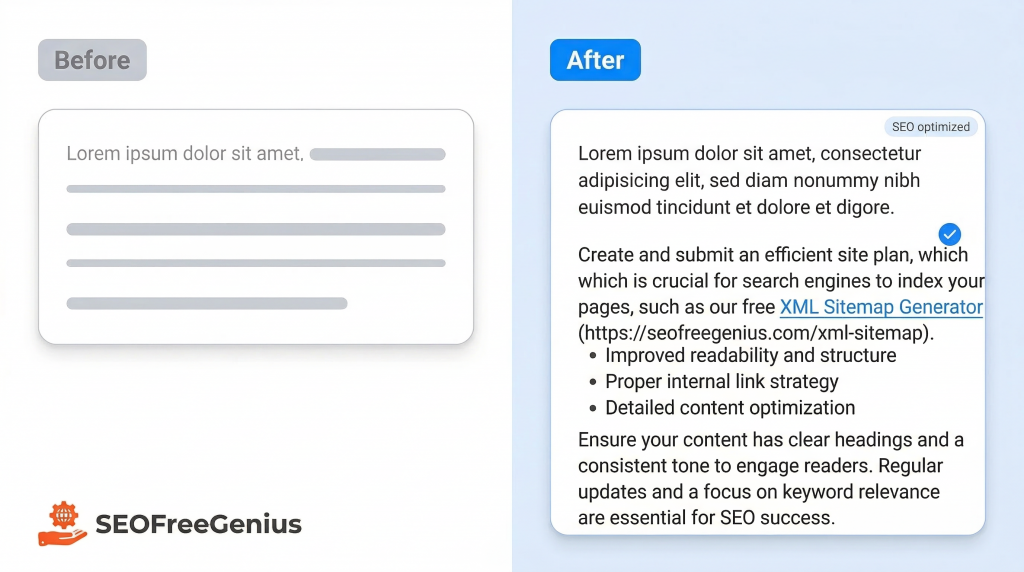
Step 3: Verify Originality with the Plagiarism Checker
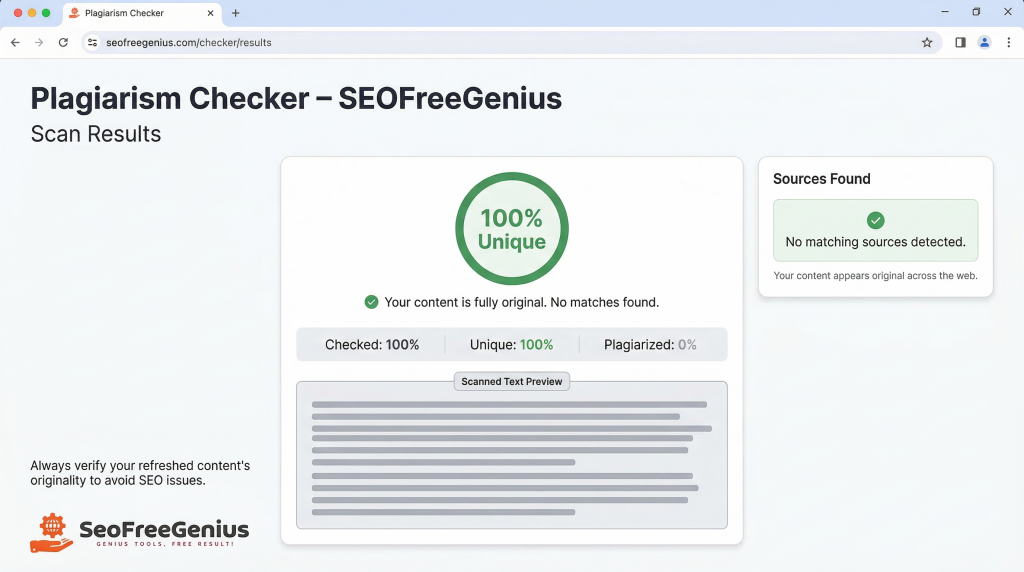
After you’ve finished your manual edits and you’re happy with the structure and voice, run your updated content through the Plagiarism Checker (https://seofreegenius.com/plagiarism-checker). [seofreegenius blog]
This tool scans your text against online sources and highlights any parts that are too similar to existing content. It’s especially important if:
- You used the Article Rewriter for inspiration.
- You referenced multiple sources while updating your facts.
- You’re refreshing content that already exists elsewhere on your own site.
Use it like this:
- Copy the refreshed article (or the new sections you changed most heavily).
- Paste it into the input box on the Plagiarism Checker page (https://seofreegenius.com/plagiarism-checker).
- Click the button to start the scan and wait for the uniqueness report.[seofreegenius]
If the tool highlights sentences with high similarity, manually rewrite those lines to add more of your own examples, explanations, and structure. Aim for a report that shows your content as original and not just lightly rephrased.
Step 4: Optimize for Length and Depth with the Word Counter
Next, you want to ensure your refreshed article is comprehensive enough to compete on page one—but not padded with fluff. The goal is depth, not wordy filler.[seofreegenius blog]
Use the Word Counter (https://seofreegenius.com/word-counter) to: [seofreegenius]
- Paste your full updated article into the text box.
- Click “Count Words” to instantly see word and character counts.
- Compare that number to the approximate word count of the top‑ranking pages for your main keyword.
If competitors are averaging 2,000 words and your updated article is 900, you likely need to add more substance: extra examples, FAQs, screenshots, or deeper explanations. If you’re already longer but still weaker, focus on quality and structure rather than adding more words.
A common scenario: a 1,200‑word article might need to become 1,800–2,000 words to truly be the most helpful, comprehensive guide on the topic. The Word Counter (https://seofreegenius.com/word-counter) gives you a clear baseline so you’re not guessing. [seofreegenius] [seofreegenius blog]
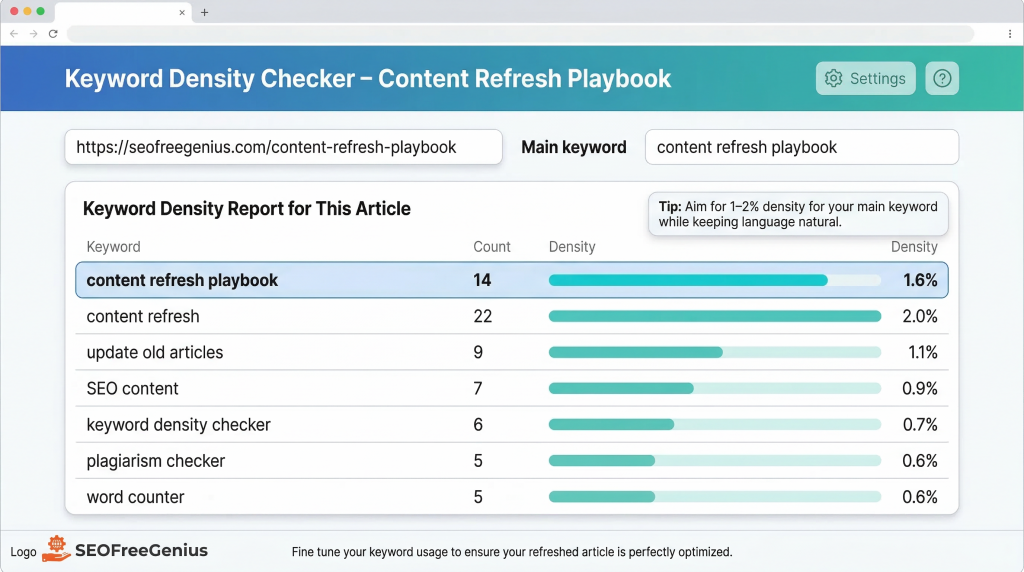
Step 5: Balance Your Keywords with the Keyword Density Checker
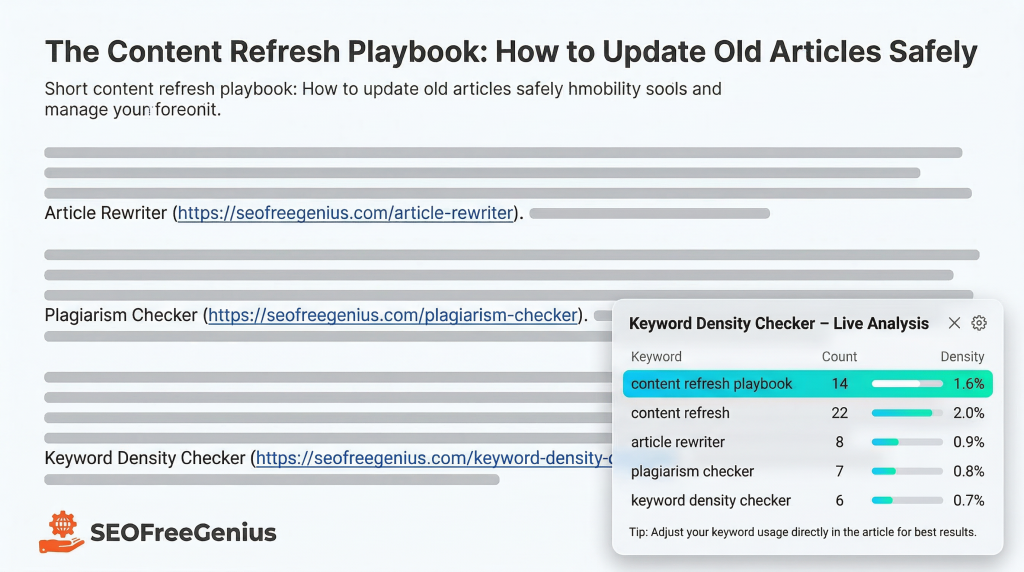
Finally, ensure your refreshed article is well‑optimized for your target keyword and related terms without drifting into keyword stuffing. This is where the Keyword Density Checker (https://seofreegenius.com/keyword-density-checker) comes in. [seofreegenius]
Use it like this:
- Publish the updated article (or use a staging URL if possible).
- Enter the full URL into the Keyword Density Checker tool (https://seofreegenius.com/keyword-density-checker).
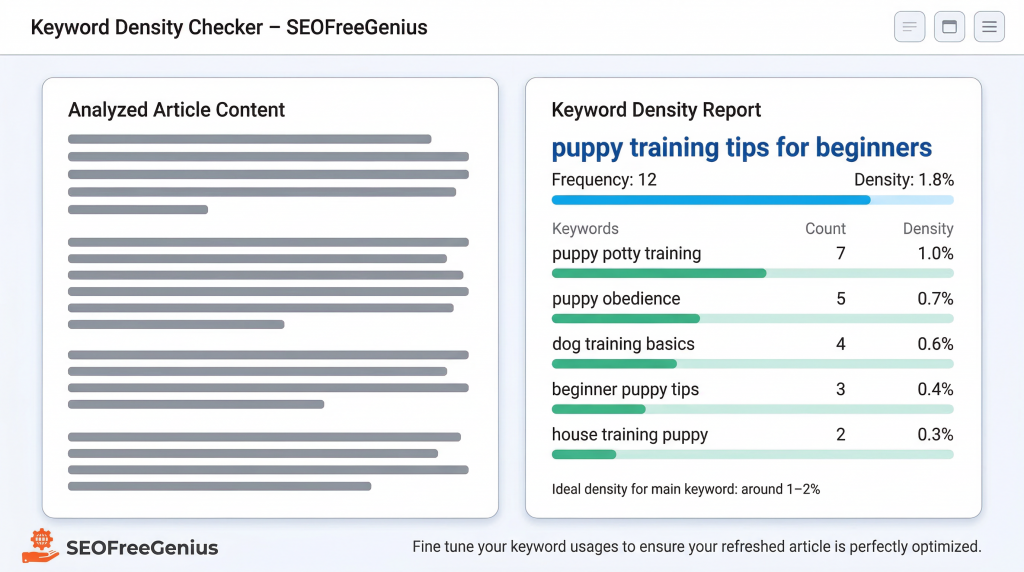
- Click “Submit” and review the report showing your most frequent words and phrases, their counts, and their density percentages.[seofreegenius]
What you’re looking for:
- Your main keyword appears naturally throughout the content, often in the H1, at least one subheading, and several times in the body.
- Density for the main keyword is roughly in the 1–2% range, not jammed into every other sentence.
- Related phrases and LSI concepts (variations, synonyms, and related topics) appear throughout the text in a natural way.
If your main keyword barely appears, you may need to weave it in more intentionally into headings and key paragraphs. If it appears too often, rewrite sentences to use synonyms or restructure phrases. The Keyword Density Checker (https://seofreegenius.com/keyword-density-checker) gives you objective data so you can fine‑tune your optimization instead of guessing.[seofreegenius]
Section 4: A Practical Example (From “Dog Training Tips” to “Puppy Training Tips for Beginners”)
Let’s walk through a simplified, practical example so you can see this workflow in action.
4.1 The Starting Point
Imagine you have an old article titled “Dog Training Tips”. It’s:
- 900 words long.
- Written several years ago.
- Getting modest traffic but losing rankings to newer, more specific guides.
Your new SEO goal is to target the keyword “puppy training tips for beginners” and align the article with what true beginners with new puppies actually need.
4.2 Step‑by‑Step Refresh
Step 1: Outline and Fresh Ideas
You review the existing article and notice:
- It mixes general dog training advice with some puppy‑specific tips.
- There’s no clear structure for “beginners.”
- It lacks step‑by‑step instructions and up‑to‑date best practices.
You draft a new outline:
- H1: Puppy Training Tips for Beginners
- Section 1: What New Puppy Owners Need to Know in Week 1
- Section 2: House Training Basics (with a daily routine)
- Section 3: Crate Training Without Stress
- Section 4: Simple Commands Every Puppy Should Learn First
- Section 5: Common Mistakes Beginners Make
For a tricky paragraph about “house training schedules,” you paste a sentence or two into the Article Rewriter (https://seofreegenius.com/article-rewriter) to get alternative ways to phrase the routine. You use the output as inspiration but rewrite it in your voice, adding your own examples.[seofreegenius]
Step 2: Manual Editing in Your Voice
You:
- Replace generic “dog training” wording with specific “puppy training tips for beginners.”
- Add a detailed morning‑to‑night house training routine.
- Include a personal story about how you trained your own puppy.
- Break up long paragraphs into bullet‑point lists for easier scanning.
You also insert internal links to relevant tools or related guides on your site where appropriate, such as a future checklist or downloadable training schedule.
Step 3: Originality Check
Once your updated article is written, you paste the full text into the Plagiarism Checker (https://seofreegenius.com/plagiarism-checker)
The scan shows a few sentences that are too similar to a popular dog training blog you referenced. You manually rewrite those sentences, adding more of your own experiences and changing the structure, then run the check again until you’re comfortable with the uniqueness score. [seofreegenius blog] [seofreegenius]
Step 4: Word Count and Depth
You paste the final content into the Word Counter (https://seofreegenius.com/word-counter) and see that it’s now 1,850 words.[seofreegenius]
You compare that to the top‑ranking pages for “puppy training tips for beginners,” which you estimate to be around 1,600–2,100 words each. Your article is now in the right range, with sections that feel complete and helpful rather than stretched.[seofreegenius blog]
Step 5: Keyword Density and LSI
After publishing, you enter the new URL into the Keyword Density Checker (https://seofreegenius.com/keyword-density-checker).
The report shows:
- “puppy training tips” appears several times at around 1.5% density.
- Related terms like “crate training,” “house training,” and “positive reinforcement” appear naturally throughout the content.
- No obvious keyword stuffing.
If the density were too low, you’d add the phrase “puppy training tips for beginners” into an extra subheading or conclusion sentence where it fits naturally. If it were too high, you’d swap out a few mentions for synonyms like “training your new puppy” to keep the text smooth.
Section 5: Internal & External Linking Strategy During a Refresh
A content refresh isn’t only about the text itself. Your internal and external links are powerful signals to users and search engines about the relevance and quality of your content.
5.1 Updating Internal Links
While refreshing, look for opportunities to:
- Link to your newer, highly relevant blog posts, guides, and tool pages.
- Replace outdated internal links that point to obsolete or underperforming content.
- Add contextual links where they naturally help the reader take the next step.
For seofreegenius.com, that might mean:
- Linking from an SEO content guide to tools like the Article Rewriter (https://seofreegenius.com/article-rewriter) when you mention rewriting a paragraph.[seofreegenius]
- Linking from a content quality section to the Plagiarism Checker (https://seofreegenius.com/plagiarism-checker).
- Linking from a keyword optimization topic to the Keyword Density Checker (https://seofreegenius.com/keyword-density-checker) and Word Counter (https://seofreegenius.com/word-counter). [seofreegenius]
These internal links help users discover your tools right when they need them and help search engines understand the topical structure of your site.
5.2 Smart External Linking for Authority
High‑quality external links reinforce your credibility and help your readers verify and explore key concepts.
For example:
- When discussing what makes content “high quality” or “useful,” link to a resource that explains concepts from Google’s Search Quality Evaluator Guidelines, such as a detailed checklist or guide that breaks down E‑E‑A‑T and “Needs Met” ratings (for example, a guide like Bruce Clay’s checklist or a similar breakdown). (https://www.bruceclay.com/blog/google-search-quality-rating-guidelines/)
- When citing SEO trends, algorithm updates, or best practices, link to a reputable industry publication such as Search Engine Journal, which regularly covers search news, strategies, and expert insights. (https://www.searchenginejournal.com)
Use external links sparingly but strategically:
- Choose a handful of highly authoritative sources.
- Link where they genuinely add value or context.
- Avoid low‑quality or spammy sites that could drag down perceived trust.
This combination of strong internal linking and carefully chosen external references signals to both users and algorithms that your refreshed content is trustworthy, current, and connected to the broader SEO ecosystem. [seozoom] [bruceclay]
Conclusion: Manual, Strategic, Tool‑Assisted Refreshes Win
Refreshing old content doesn’t have to be scary. When you approach it as a manual, strategic process—with your expertise at the center and smart tools supporting you—you can safely improve your rankings, traffic, and conversions without risking a “total rewrite disaster.”
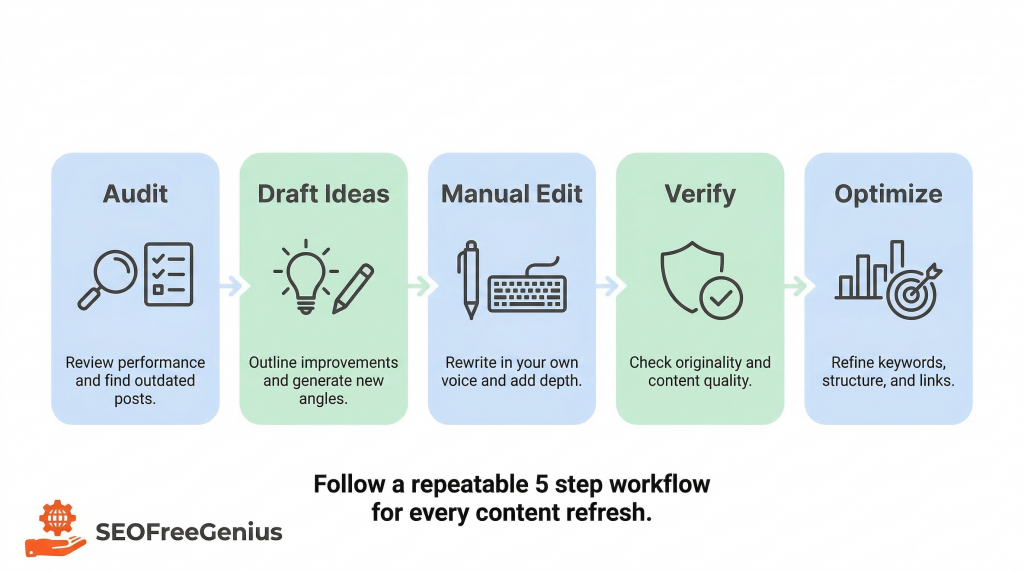
Your repeatable playbook looks like this:
- Audit & Benchmark: Identify underperforming, outdated posts and document their current metrics.
- Decide Refresh vs. Rewrite: Keep and enhance what works, rebuild what doesn’t.
- Refresh Workflow: Use the Article Rewriter (https://seofreegenius.com/article-rewriter) for inspiration only, then manually rewrite in your voice.[seofreegenius]
- Verify: Run your content through the Plagiarism Checker (https://seofreegenius.com/plagiarism-checker) to protect originality.[seofreegenius]
- Optimize: Use the Word Counter (https://seofreegenius.com/word-counter) for depth and the Keyword Density Checker (https://seofreegenius.com/keyword-density-checker) for balanced keyword usage. [Word Counter. Keyword Density Checker]
A content refresh done this way is not a shortcut; it’s a disciplined process that aligns perfectly with what Google’s quality guidelines reward: helpful, trustworthy, well‑maintained content that truly serves the user.[seozoom] [bruceclay]
If you’re ready to turn your outdated posts into traffic‑driving assets, start by picking one article from your archive and running it through this playbook today—then use the free tools on SEOFreeGenius (https://seofreegenius.com) to support you at each step.
Samir H. M. — SEO Expert
5+ years building SEO tools. SEOFreeGenius creator—50+ sites to #1.
All Articles →
Samir H. M. is the creator of [seofreegenius.com], offering 66+ free SEO tools from Riyadh. He’s hands-on tested and built features like plagiarism checkers and backlink tools, plus 36 guides to help sites rank better. Practical, no-BS advice for real users.