

Introduction
Technical SEO on shared hosting helps you get fast, crawlable pages even on budget servers by using caching, compression, and smart crawl controls.
Shared hosting limits resources but supports strong technical SEO through smart optimizations like caching, compression, and proper crawl controls. Google Search Central recommends making pages accessible, fast, and easy to crawl so search engines can discover and understand your content more efficiently. These steps improve speed and crawl efficiency without upgrading to expensive servers. Focus on configurations accessible via cPanel or .htaccess files for budget-friendly gains, according to Hosted.com and Rajsoftech Solutions. By implementing these technical SEO best practices, you can achieve competitive rankings even on budget-friendly hosting plans.
💡 Hosting Tip: Not sure if your shared server is down? Check your uptime instantly with our [Free Server Status Checker]. If it’s slow, your SEO will suffer.
Technical SEO on Shared Hosting: Optimize Site Speed

Technical SEO on Shared Hosting: Optimize Site Speed
Enable Gzip compression in .htaccess to shrink data transfer by up to 90%, reducing load times on shared servers, as recommended by Eukhost Blog. Google’s own guidance on page experience emphasizes that faster, more usable pages create a better experience for visitors and can support better search performance. Implement browser caching and lightweight caching plugins to serve static files faster without server overload. Use image optimization tools and lazy loading to cut HTTP requests, targeting under 50 per page, according to Eukhost Blog and Bruce Clay.
Minimize Render-Blocking Resources
Combine CSS/JS files and remove unused plugins to minimize render-blocking resources. Don’t guess. Use our [Website Speed & Size Checker] (Page Size Checker) to see exactly how big your files are and what to compress. These metrics directly impact user experience and search engine rankings, as emphasized by Eukhost Blog and Backlinko’s Technical SEO Guide.
Technical SEO on Shared Hosting: Enhance Crawlability
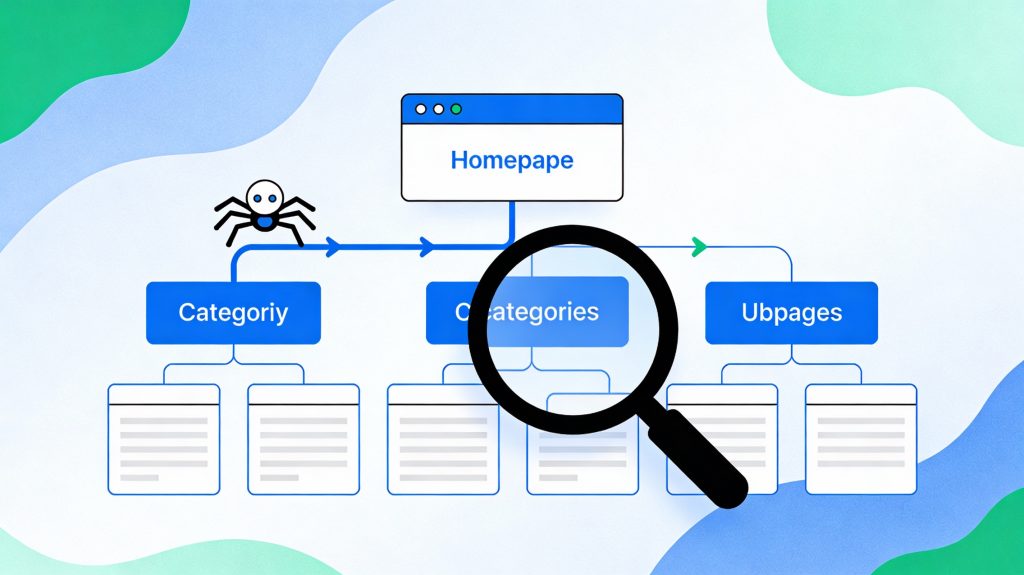
Control Crawl Access with Robots.txt
Control Crawl Access with Robots.txt Create a robots.txt file using the Robots.txt Generator to block non-essential folders like /admin/ while pointing bots to your sitemap. This prevents wasted crawl budget on pages that shouldn’t appear in search results. Shared hosting environments benefit significantly from this optimization, as crawl efficiency becomes critical with limited server resources, as detailed by SEOFreeGenius.
Submit XML Sitemaps
Generate an XML sitemap with the XML Sitemap Generator and submit it to Google Search Console for efficient crawling on resource-limited hosts. Sitemaps help search engines discover all your important pages, especially deep URLs that might otherwise be missed, according to SEOFreeGenius. This is particularly important for shared hosting environments where crawl rates can fluctuate.
Fix Errors and Preserve Crawl Budget
Fix 404 errors and use canonical tags to avoid duplicate content, preserving your limited crawl budget. Shared hosting can reduce crawl rates due to server fluctuations, so prioritize high-value pages with internal links. Find broken links that waste your crawl budget. Run a quick scan with our Link Analyzer Tool to see every internal and external link on your page.
Technical SEO on Shared Hosting: Server and Security Configuration

Choose the Right Hosting Features
Choose hosts with NVMe SSD storage and free SSL for HTTPS, a confirmed ranking factor, according to Rajsoftech Solutions. HTTPS encrypts data transmission and signals trustworthiness to both users and search engines. Many shared hosting providers like Spaceship now offer these features at no extra cost.
Implement .htaccess Redirects
Add .htaccess rules for redirects using the Htaccess Redirect Generator to handle URL changes cleanly, as recommended by SEOFreeGenius. Proper redirects preserve link equity and prevent broken URLs from damaging your SEO performance.
Monitor Meta Tags
Monitor meta tags with the Meta Tags Analyzer to ensure your titles and descriptions are optimized, as detailed by SEOFreeGenius. Well-crafted meta tags improve click-through rates from search results, directly impacting traffic.
Technical Quick Wins Checklist

- Upgrade to PHP 8+ and enable OPcache in cPanel for faster execution, according to Eukhost Blog
- Integrate a free CDN like Cloudflare to offload traffic from shared servers, reducing server load, as recommended by Backlinko’s Technical SEO Guide
- Use the Keyword CPC Calculator to understand keyword value for your content strategy: Keyword CPC Calculator
- Check website links with the Website Links Count Checker in the tools category to ensure proper internal linking
- Clean databases regularly and limit revisions in WordPress settings to reduce database overhead, per Eukhost Blog
- Monitor backlinks with the Backlink Checker to track your off-page SEO progress
Recommended Resources from SEOFreeGenius

If you are setting up technical SEO on shared hosting, these free tools can help you audit speed, crawlability, and metadata without extra software. Access these key tool categories to support your technical SEO efforts:
- Keywords Tools – Research keywords and understand search volume for targeting the right phrases
- Backlinks Tools – Analyze your link profile and discover new link opportunities
- Tracking Tools – Monitor your website performance and rankings over time
- Meta Tags Tools – Create and analyze meta titles and descriptions for optimization
Conclusion
Technical SEO on shared hosting is entirely feasible with the right approach. Focus on speed optimization, crawl efficiency, and proper server configuration to maximize your ranking potential without premium hosting expenses. Use free tools from seofreegenius.com to audit and monitor your progress, and return to the homepage regularly for updated SEO insights and techniques.
By systematically implementing these strategies—from caching and compression to robots.txt optimization and meta tag monitoring—you’ll build a solid technical SEO foundation that supports growth regardless of hosting limitations.
SEO Metadata
Focus Keyphrase: Technical SEO shared hosting
Focus Keyphrase: Technical SEO shared hosting
Meta Description: Learn budget-friendly technical SEO for shared hosting: speed up sites with caching, optimize crawlability via robots.txt and sitemaps, and rank faster without premium servers. Free tools included.
Slug: technical-seo-shared-hostingTags: shared hosting SEO, site speed optimization, crawl budget, robots.txt, XML sitemap, .htaccess tweaks, budget SEO, Core Web Vitals, hosting optimization, SEO tools.
"Complete Beginner SEO Cluster sequence for full foundation."
https://seofreegenius.com/beginner-seo-cluster/
Samir H. M. — SEO Expert
5+ years building SEO tools. SEOFreeGenius creator—50+ sites to #1.
All Articles →
Samir H. M. is the creator of [seofreegenius.com], offering 66+ free SEO tools from Riyadh. He’s hands-on tested and built features like plagiarism checkers and backlink tools, plus 36 guides to help sites rank better. Practical, no-BS advice for real users.