
Introduction
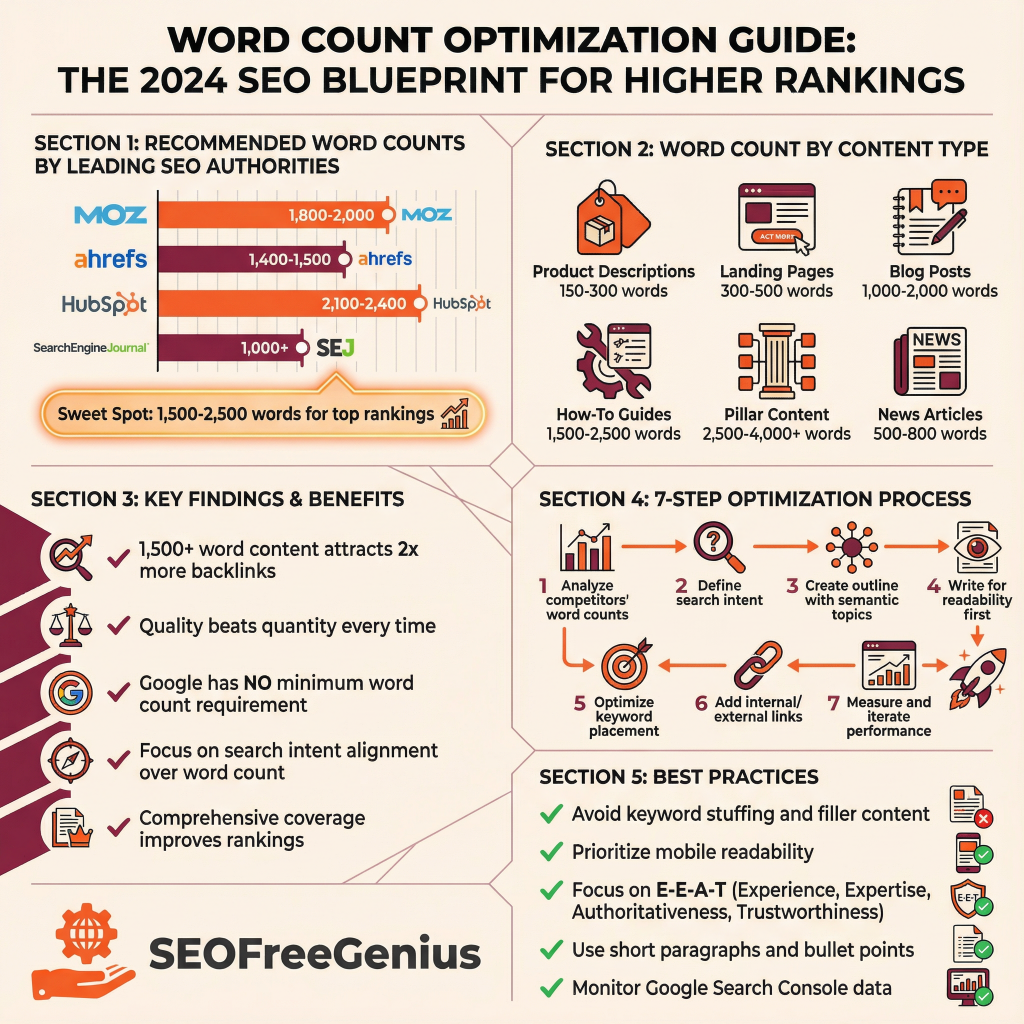
Word count remains one of the most misunderstood elements in modern SEO strategy. While many content creators ask “How many words do I need to rank?” the truth is far more nuanced. According to recent research from Semrush, a 1,000-word page can outrank a 3,000-word article if it better aligns with what your audience is searching for. Yet data consistently shows that content averaging 1,500 to 2,500 words performs well in search rankings, with top-ranking pages typically falling into this range. This comprehensive guide explores how to optimize word count for both Google ranking and user experience. You’ll learn that effective word count optimization is less about hitting a magic number and more about providing comprehensive, valuable information that satisfies search intent. Whether you’re publishing your first blog post or scaling an entire content strategy, understanding word count optimization will improve your visibility, attract more organic traffic, and establish your site as an authority in your niche.
What Is Word Count Optimization?
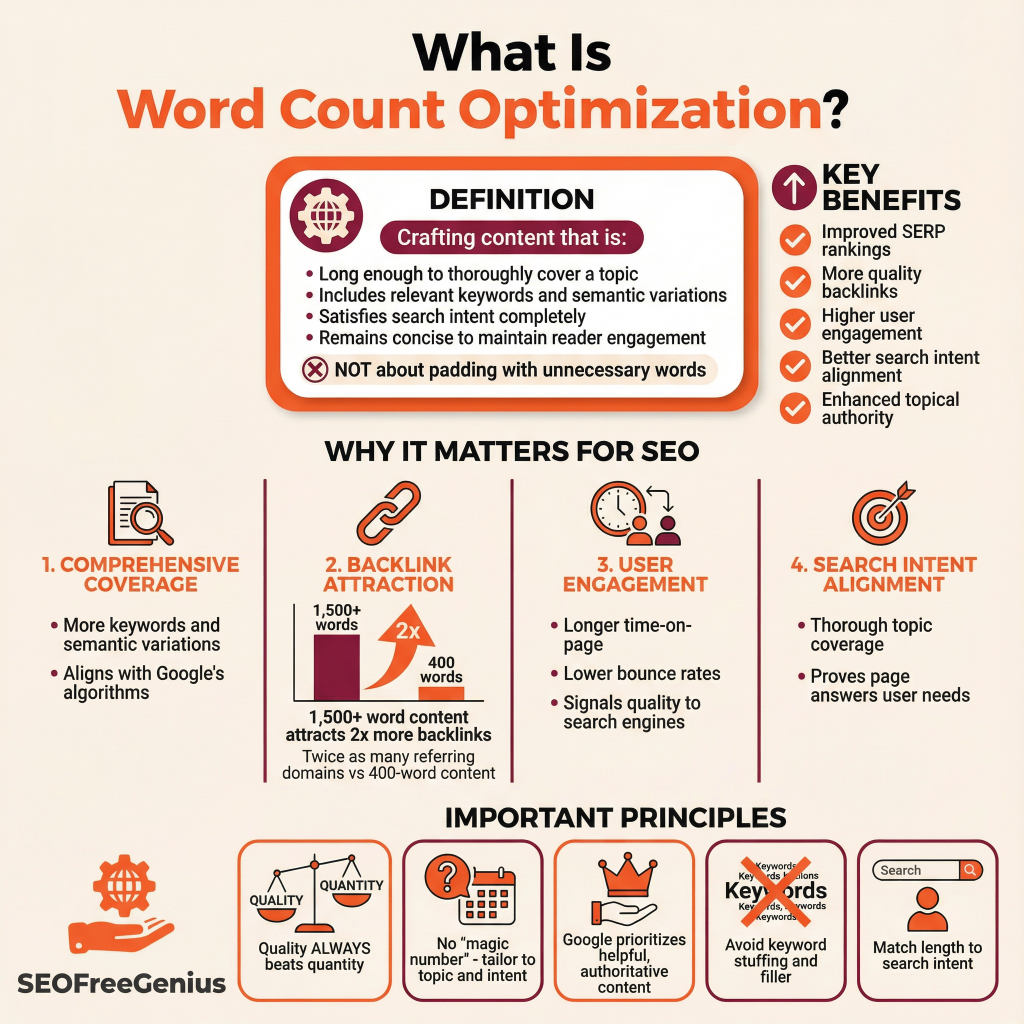
Word count optimization refers to crafting content that is long enough to thoroughly address a topic, provide real value, and include relevant keywords and semantic variations—while remaining concise enough to maintain reader engagement and scannable formatting.
It’s not about padding your article with unnecessary words. Instead, it’s about providing just enough depth to satisfy both search engines and your audience. SEOFreeGenius tools help writers count words and characters instantly to keep blog posts, titles, and meta descriptions within recommended SEO and platform limits.
It’s not just about visible text. Google also looks at your code-to-text balance. Check yours with our [Code to Text Ratio Checker].
Why does word count matter for SEO?
- Comprehensive coverage: Longer content naturally includes more keywords, semantic variations, and related topics that Google’s algorithms associate with the main topic.
- Backlink attraction: Content with more than 1,500 words attracts backlinks from twice the number of referring domains compared to 400-word content, according to [SEO industry benchmarks] (https://ahrefs.com/blog/blog-post-length/).
- User engagement: Detailed, well-structured content keeps readers on your page longer, reducing bounce rates and signaling quality to search engines.
- Search intent alignment: Comprehensive coverage of a topic demonstrates to Google that your page thoroughly answers what users are looking for.
The Data: What Research Says About Ideal Word Count
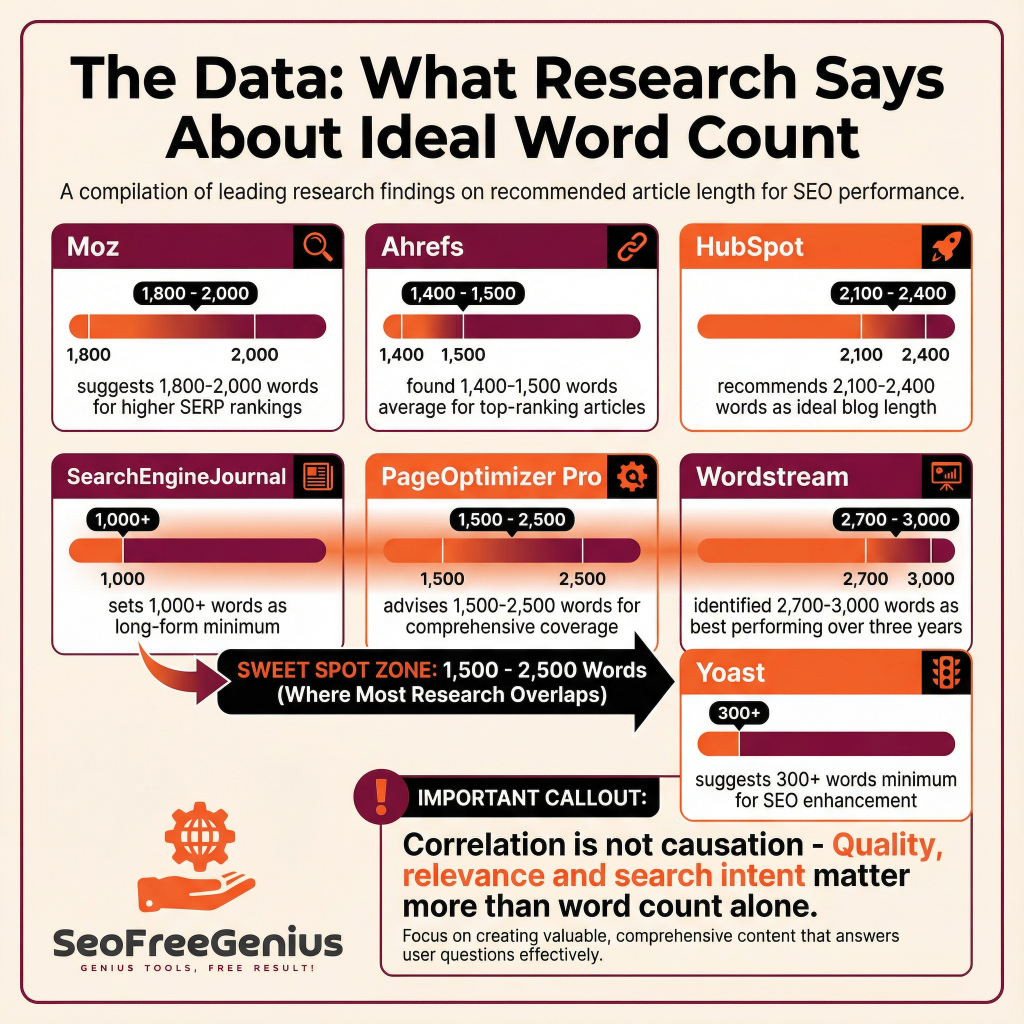
Recent studies provide clear evidence about word count performance. Let’s examine what leading SEO platforms and researchers have discovered:
| Study/Source | Recommended Word Count | Key Finding |
| Moz | 1,800-2,000 words | Articles in this range tend to rank higher in SERPs |
| Ahrefs | 1,400-1,500 words | Average of top-ranking articles in Google search results |
| HubSpot | 2,100-2,400 words | Ideal blog post length for SEO performance |
| SearchEngineJournal | 1,000+ words | Long-form content definition and ranking minimum |
| PageOptimizer Pro | 1,500-2,500 words | Range allowing comprehensive coverage with keywords |
| Wordstream | 2,700-3,000 words | Best-performing blogs over three years |
| Yoast | 300+ words (minimum) | Over 300 words enhances SEO and user experience |
Table 1: Word Count Recommendations by Leading SEO Authorities
Important caveat: Correlation does not equal causation. Just because longer articles rank higher doesn’t mean length alone causes rankings. Quality, relevance, and alignment with search intent matter far more.
Ideal Word Count by Content Type
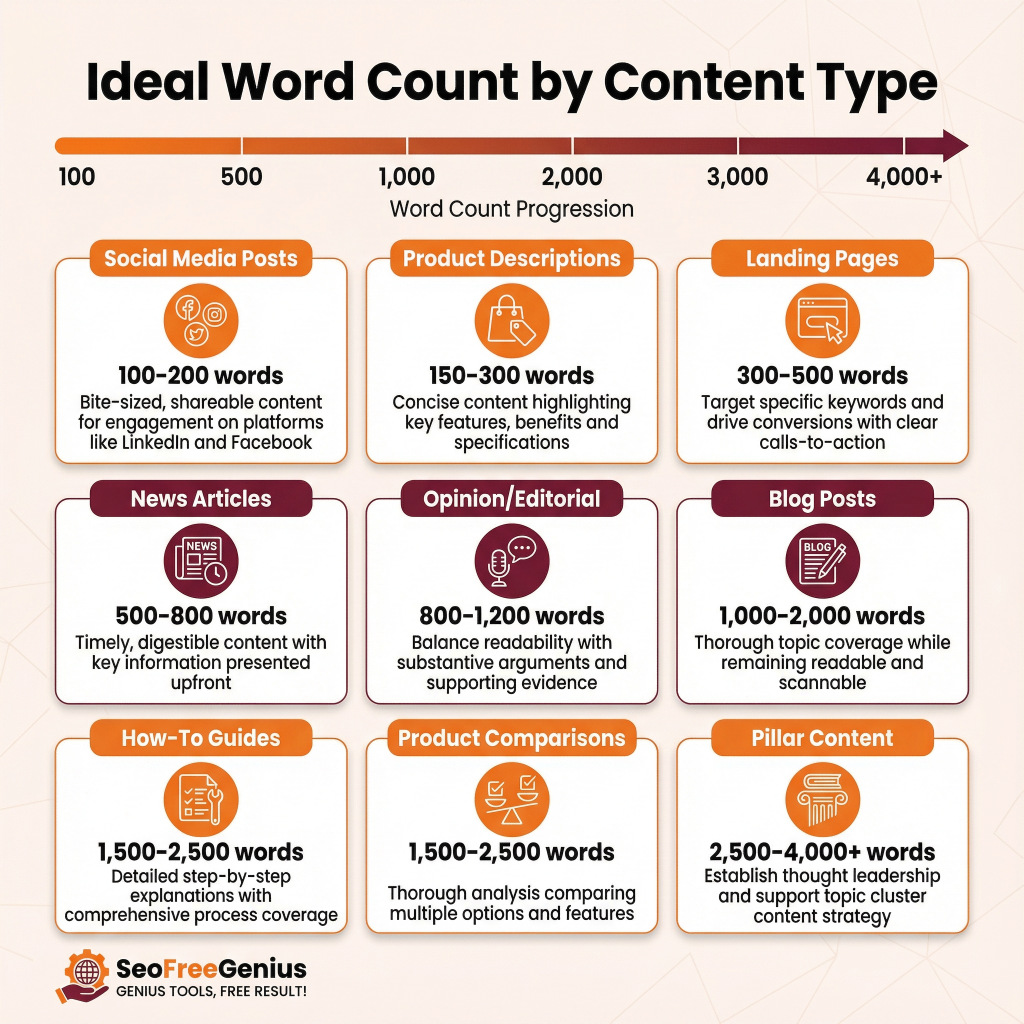
Different content types serve different purposes and therefore have different ideal word counts. Here’s what works best for each category:
- Product Descriptions: 150-300 words. Keep these concise while highlighting key features, benefits, and specs.
- Landing Pages: 300-500 words. Focused content targeting specific keywords with clear calls-to-action drives conversions better than lengthy pages.
- How-To Guides: 1,500-2,500 words. Step-by-step guides require detailed explanations, screenshots, and comprehensive coverage of the process.
- Blog Posts: 1,000-2,000 words. Standard blog posts should cover topics thoroughly while remaining readable and scannable.
- In-Depth Pillar Content: 2,500-4,000+ words. Cornerstone pages or pillar content that establishes thought leadership can be longer, especially when linking to and supporting cluster content.
- News/Breaking News: 500-800 words. News content should be timely and digestible, with key information upfront.
- Social Media Posts: 100-200 words. Bite-sized, shareable content for LinkedIn, Twitter/X, and Facebook engagement.
- Product Comparison: 1,500-2,500 words. Detailed comparisons require thorough analysis of multiple options and features.
- Opinion/Editorial: 800-1,200 words. Opinion pieces balance readability with substantive argument and supporting evidence.
Google’s Official Stance on Word Count
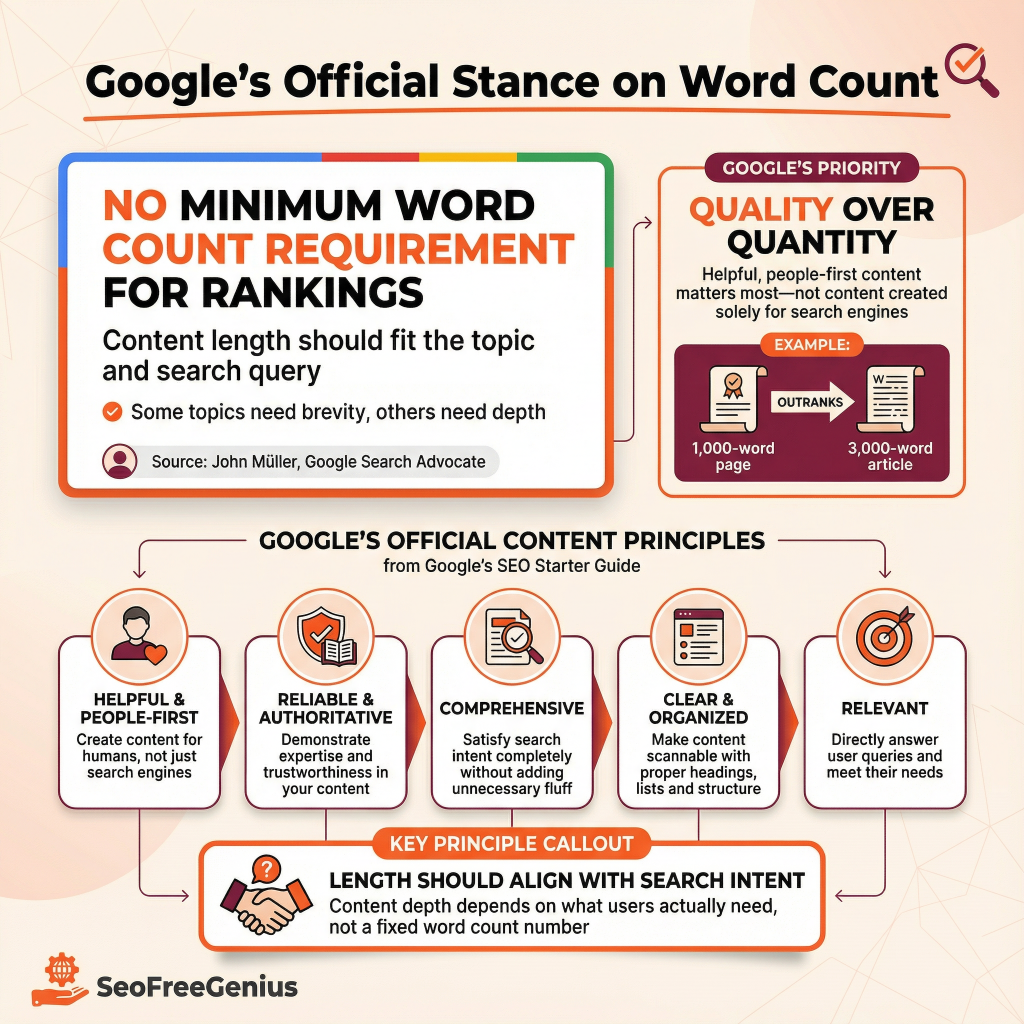
Google’s leadership has been remarkably clear on this topic: there is no minimum word count requirement for rankings.
John Müller, Search Advocate at Google, emphasizes that there is no one-size-fits-all answer to ideal text length. Instead, the focus should be finding the right length for each topic and each search query. Some content can be short and concise, while others require more detailed treatment.
Google’s SEO Starter Guide states that content should be:
- Helpful and people-first: Written for real people, not created solely for search engines to rank.
- Reliable and authoritative: Demonstrates expertise and includes credible sources and citations.
- Comprehensive: Addresses the topic thoroughly enough to satisfy search intent, but without unnecessary fluff.
- Clear and well-organized: Easy to scan with proper headings, lists, and formatting.
- Relevant: Directly answers what users are searching for without tangential information.
Quality consistently outweighs quantity in Google’s ranking algorithm.
Word Count vs. Content Quality: Why Quality Wins Every Time
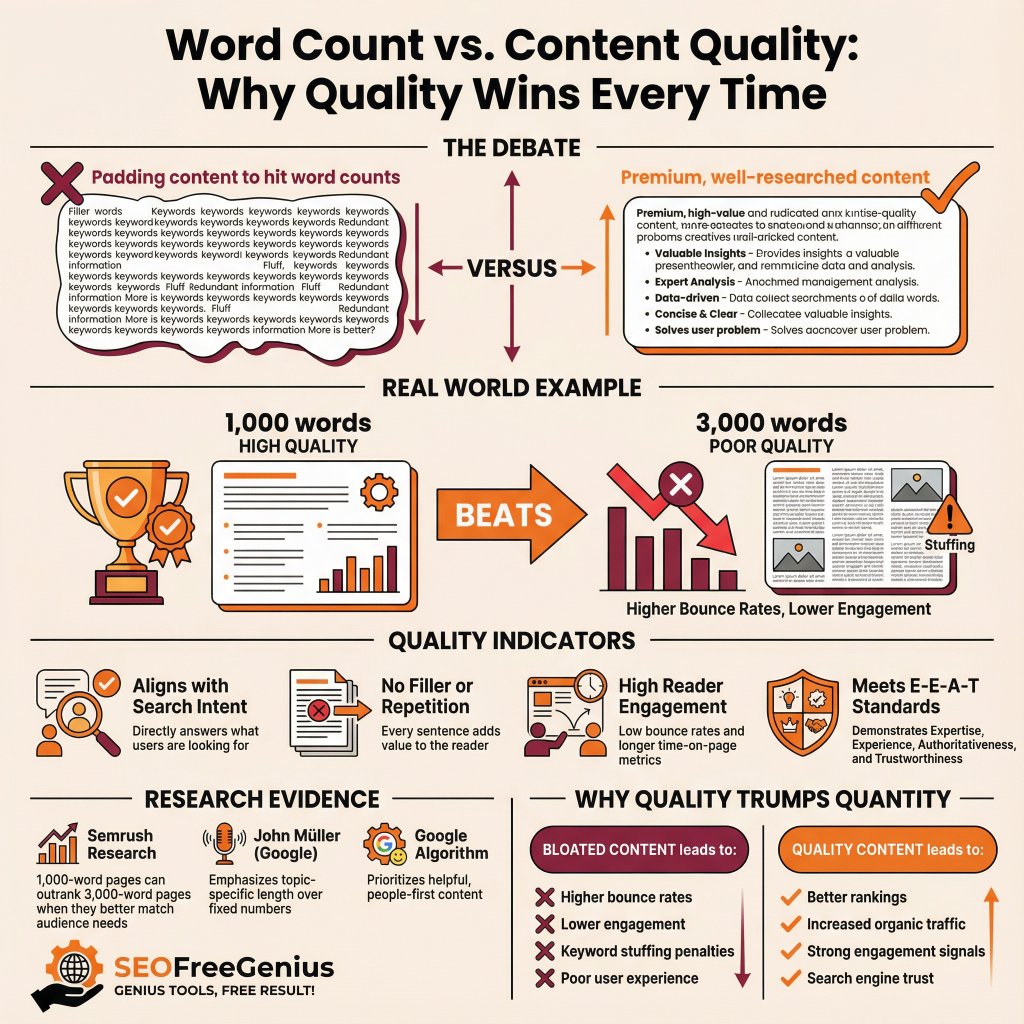
Here’s the critical truth: A 1,000-word page of premium, well-researched content will outrank a poorly written 3,000-word article every single time.
This distinction is crucial because many content creators misunderstand word count optimization. They believe the goal is to add more words—padding their content with repetition, filler, or information that doesn’t serve the reader. This approach backfires through:
- Higher bounce rates: Readers quickly detect filler content and leave, signaling poor user experience to Google.
- Lower time-on-page metrics: Short paragraphs of substance outperform bloated sections filled with redundancy.
- Reduced engagement: Readers don’t share or link to content that wastes their time.
- Keyword stuffing penalties: Artificially inflating keyword frequency harms SEO rather than helps it.
- Poor ranking signals: Low engagement metrics tell search engines your content doesn’t satisfy user intent.
According to Semrush research, the optimal approach is to create content that:
- Considers search intent: Understand what users actually want when they search for your topic
- Focuses on value over word count: Address the main topic and answer related questions users might have
- Analyzes top-ranking competitors: Research average content length of pages ranking in the top 10 for your target keywords
This gives you a baseline for the minimum length needed to compete effectively—without overdoing it.
The SEO Content Optimization Process: Step by Step
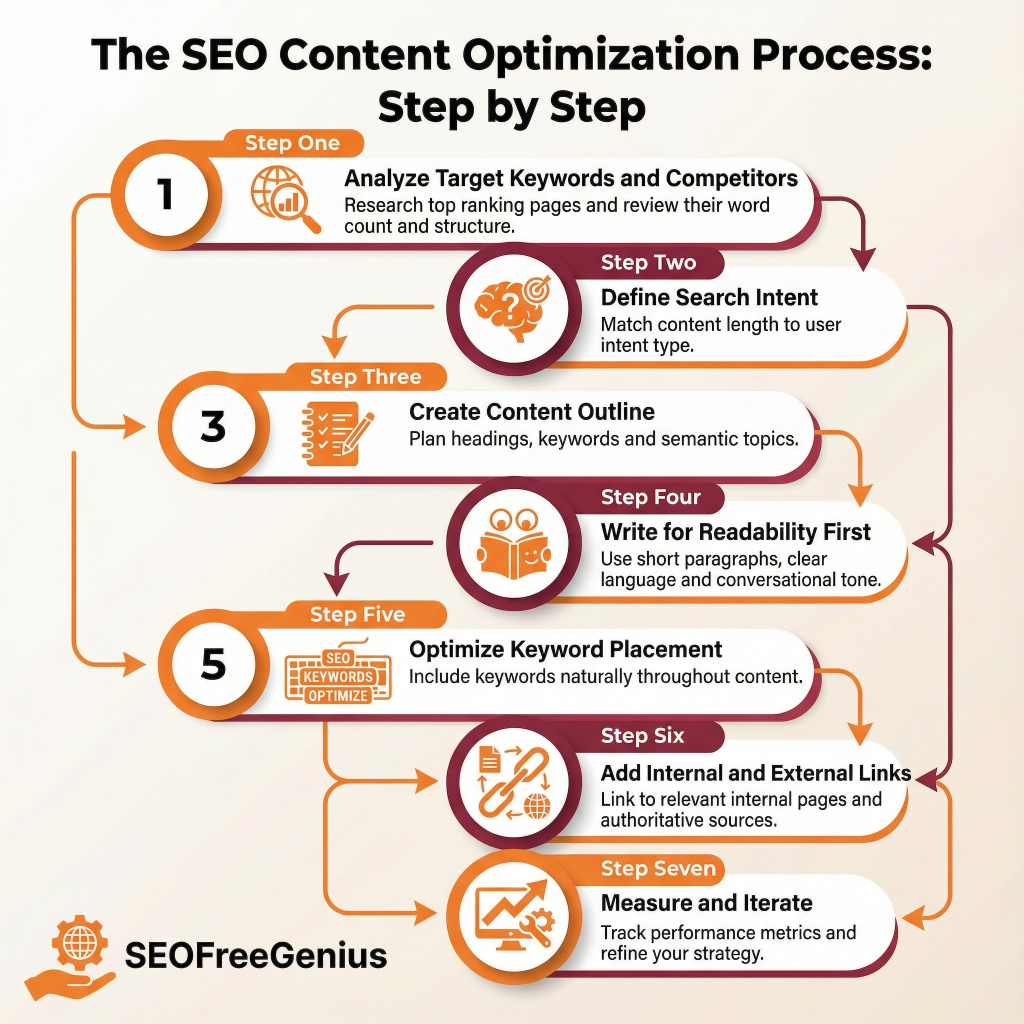
Creating optimized content with the right word count involves a strategic process. SEOFreeGenius provides free tools to help you audit and optimize your content throughout this process.
Step 1: Analyze Your Target Keywords and Competitors
Before you write, research what’s already ranking for your target keywords. Use SEO tools to check the average word count of the top 10 results. This gives you your baseline.
Action items:
- Identify 5-7 top-ranking pages for your target keyword
- Note their average word count using SEOFreeGenius Word Counter
- Review their structure and depth
- Aim to create content that’s at least as comprehensive, if not more so
Step 2: Define Your Search Intent
Understanding the “why” behind search queries is critical. Are searchers looking for:
- Information: Educational content explaining a concept
- Navigation: Help finding a specific website or resource
- Commercial: Comparison content helping with purchase decisions
- Transactional: Pages to complete a purchase or action
Your word count should match the depth required by search intent. An informational query may require 2,000+ words, while a transactional query might need only 400-600 words with a clear CTA.
Step 3: Create Your Content Outline
Outline your content to match semantic topics that Google expects. Use tools like Surfer SEO to discover semantically related words and topics that naturally expand your content. This ensures your word count grows organically by covering related topics, not by padding.
Your outline should include:
- Main H1 title
- 3-5 H2 sections covering major subtopics
- H3 subsections providing specific details
- Natural keyword variations and semantic topics
- Related questions your audience might ask
Step 4: Write for Readability First
During writing, prioritize clear communication over word count:
- Keep paragraphs to 2-4 sentences maximum
- Use short sentences (15-20 words average)
- Break up text with bullet points and lists
- Use bold for key terms and concepts
- Include descriptive subheadings to guide readers
- Write in active voice and conversational tone
- Avoid jargon or define technical terms clearly
Step 5: Optimize Keyword Placement
While avoiding keyword stuffing, naturally incorporate your main keyword and variations:
- First 100 words: Include your main keyword in the opening paragraph
- Throughout body: Aim for 1-2 keyword mentions per 100 words
- Headings: Include keywords naturally in H2 and H3 headers
- Semantically related terms: Naturally include synonyms and related concepts
Step 6: Add Internal and External Links
Links provide context and value to readers while signaling topical authority to Google:
- Internal links (3-7): Link to related content on your site to keep readers engaged and distribute ranking power. Use descriptive anchor text like “free keyword tools” rather than “click here.”
- External links (1-3): Link to authoritative sources to back up claims and provide additional value. Use natural anchor text.
- Proper link formatting: Add target=”_blank” rel=”noopener noreferrer” to external links for security and user experience.
After publishing, track performance using Google Search Console. Monitor:
- Impressions: How often your page appears in search results
- Click-through rate: Percentage of searchers clicking your result
- Average ranking position: Where you rank for your target keyword
- Time-on-page: How long readers spend on your content
Use this data to refine your word count strategy. If you’re ranking position 5-20 with decent impressions but low CTR, updating your title and description might help—and you may discover your content length wasn’t the issue.
Common Word Count Mistakes to Avoid
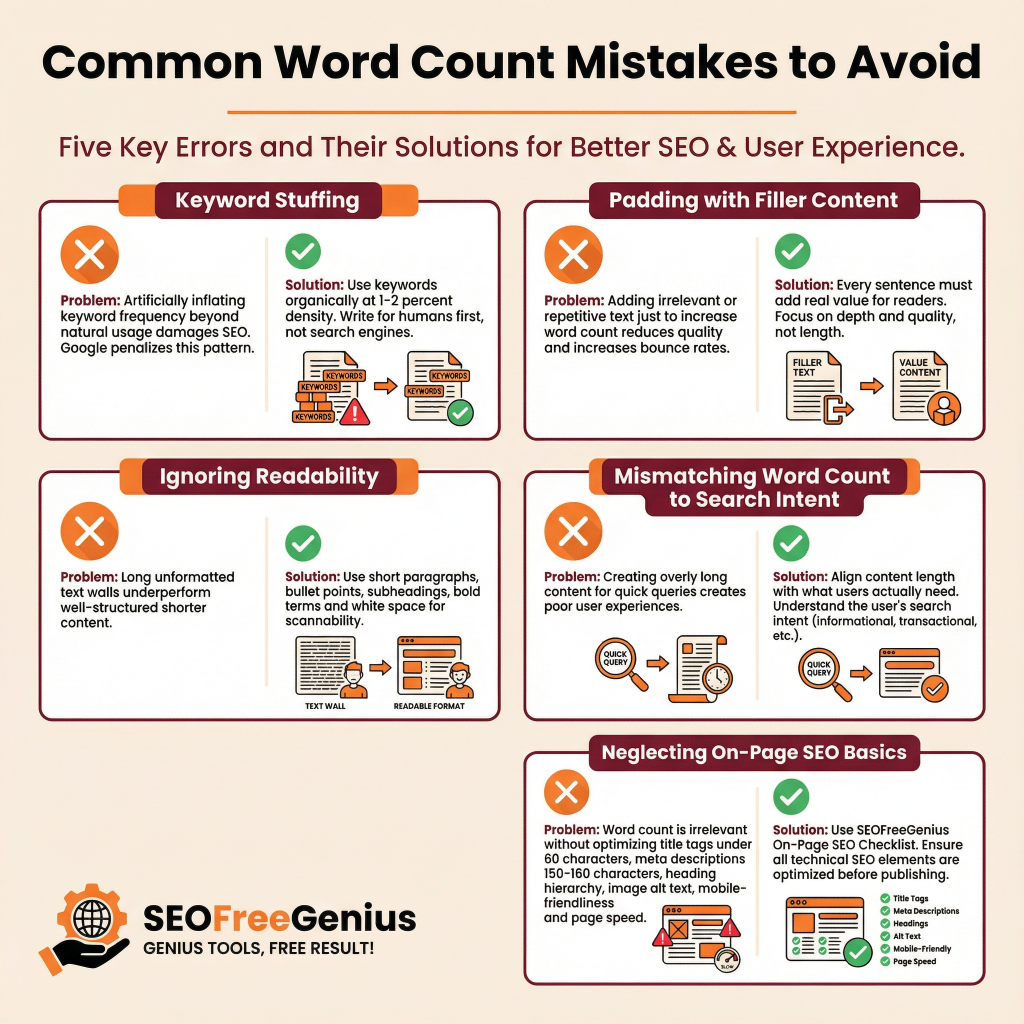
Artificially inflating keyword frequency to reach a specific word count damages SEO. Google’s algorithms recognize this pattern and rank such pages lower. Keyword density should be organic—typically around 1-2% of total words for your primary keyword.
Don’t guess your percentage. Use our [Keyword Density Checker] to ensure you stay in the safe 1-2% range.
Mistake 2: Padding Content with Filler
Adding irrelevant information, repetition, or tangential topics to increase word count reduces quality and increases bounce rates. Every sentence should serve your reader.
Mistake 3: Ignoring Readability
A 2,500-word wall of text performs worse than a well-formatted 1,500-word article. Use:
- Short paragraphs
- Bullet points
- Subheadings
- Bolded key terms
- White space
Mistake 4: Mismatching Word Count to Search Intent
Providing 3,000 words when searchers want a quick answer to “How do I reset my password?” creates a poor user experience. Match content length to what your audience actually needs.
Mistake 5: Neglecting On-Page SEO Basics
Word count means nothing if you overlook:
- Compelling title tag (under 60 characters)
- Descriptive meta description (150-160 characters)
- Proper heading hierarchy (one H1 per page)
- Alt text for images
- Mobile-friendly formatting
- Fast page load speed
SEOFreeGenius provides a free On-Page SEO Checklist that helps you optimize all on-page elements in one afternoon.
Titles and descriptions are critical. Validate them instantly with our [Meta Tags Analyzer].
Word Count Optimization by Industry
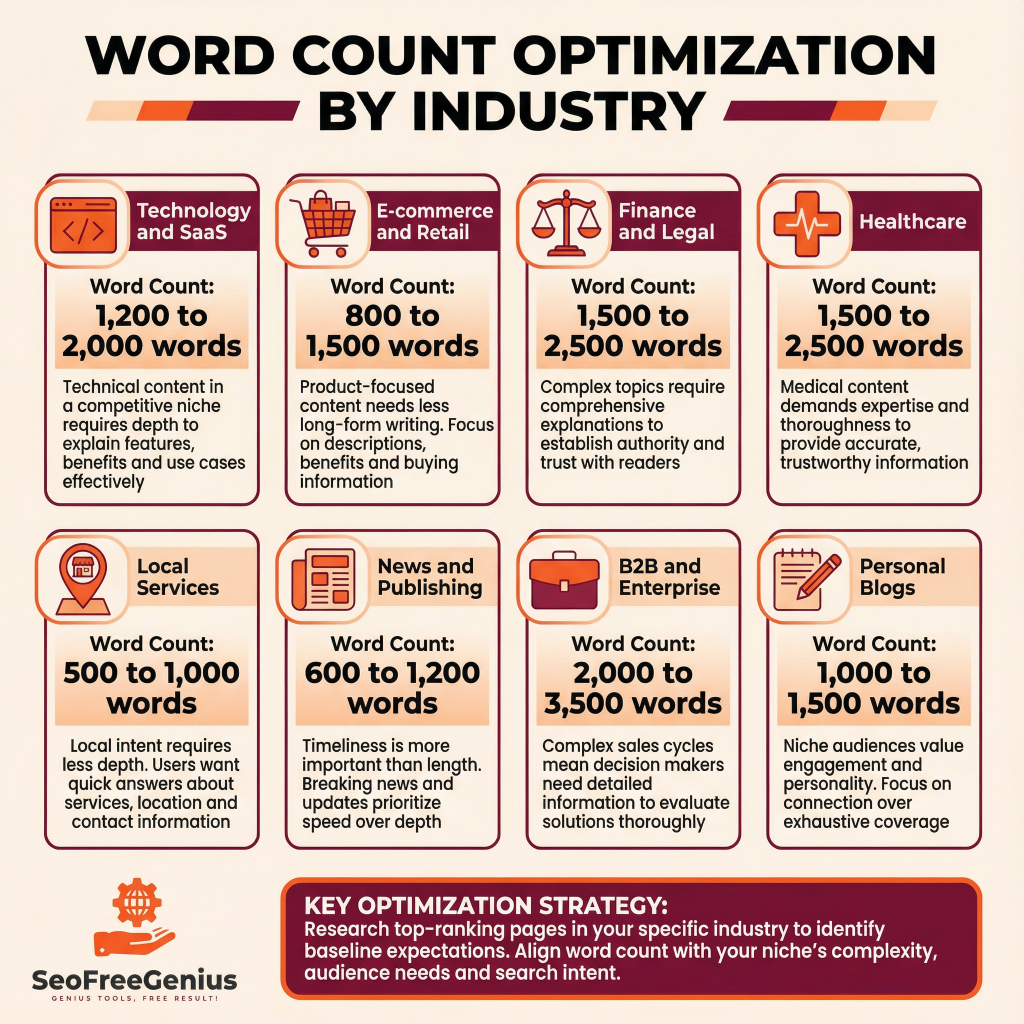
Word count performance varies by industry and niche. Here’s guidance for specific sectors:
| Industry | Recommended Word Count | Reason |
| Technology/SaaS | 1,200-2,000 | Technical but competitive niche |
| E-commerce/Retail | 800-1,500 | Product-focused, less long-form |
| Finance/Legal | 1,500-2,500 | Complex, requires comprehensive explanation |
| Healthcare | 1,500-2,500 | Expertise and thoroughness required |
| Local Services | 500-1,000 | Local intent requires less depth |
| News/Publishing | 600-1,200 | Timeliness more important than length |
| B2B/Enterprise | 2,000-3,500 | Complex sales cycle, decision makers need detail |
| Personal Blogs | 1,000-1,500 | Niche audience, engagement matters most |
Table 2: Recommended Word Count by Industry
Research top-ranking pages in your specific industry to identify baseline expectations for your niche.
Tools for Word Count Optimization
Several free and premium tools help optimize content length and on-page SEO:
- SEOFreeGenius Word Counter: Instantly count words and characters, perfect for ensuring content meets minimum requirements before publication.
- Google Search Console: Monitor your page’s rankings, impressions, and CTR to see if word count changes impact performance.
- Google PageSpeed Insights: Check mobile and desktop performance, as page speed is a ranking factor.
- SEOFreeGenius Meta Tags Analyzer: Analyze a URL to see its title, description, and identify optimization opportunities.
- Keyword Research Tools: SEOFreeGenius offers free keyword research to identify target keywords and search volume.
- Surfer SEO (Free version): Get AI recommendations on word count, keyword usage, and content optimization.
- Semrush: Comprehensive SEO suite with content optimization and competitive analysis
- Ahrefs: Detailed content analysis with keyword research and backlink data
- Moz: Content recommendations and rank tracking
- Yoast SEO: WordPress plugin providing real-time on-page optimization guidance
Mobile-First Content Optimization
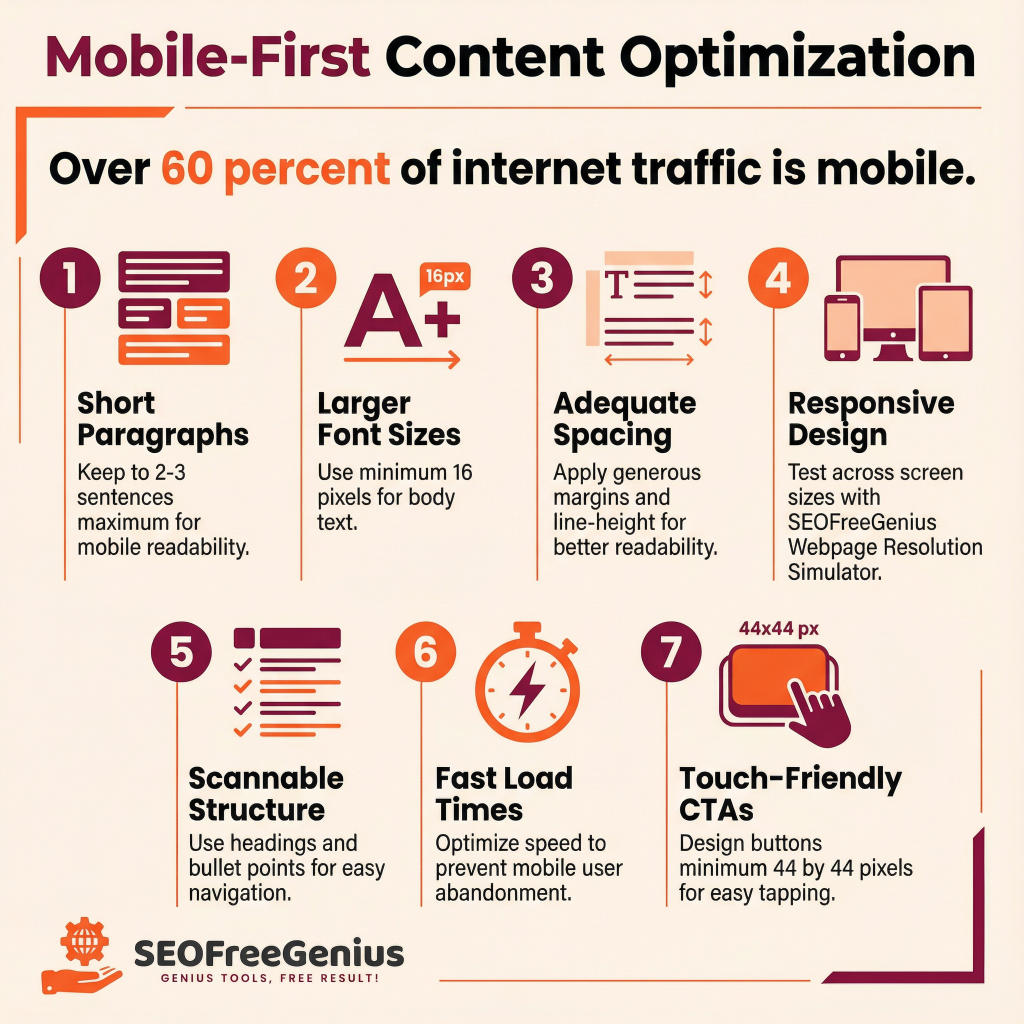
Mobile-First Content Optimization
With over 60% of internet traffic now mobile, optimizing for mobile readability is critical. Word count alone doesn’t matter if readers can’t easily consume your content on small screens.
Mobile optimization best practices:
- Short paragraphs: 2-3 sentences per paragraph maximum
- Larger font sizes: Minimum 16px for body text
- Adequate spacing: Generous margins and line-height improve readability
- Responsive design: Test your page at multiple screen sizes using SEOFreeGenius Webpage Resolution Simulator
- Scannable structure: Heavy use of headings and bullet points
- Fast load times: Mobile users abandon slow-loading pages
- Touch-friendly CTAs: Buttons should be easily tappable (minimum 44x44px)
The Future of Word Count and SEO
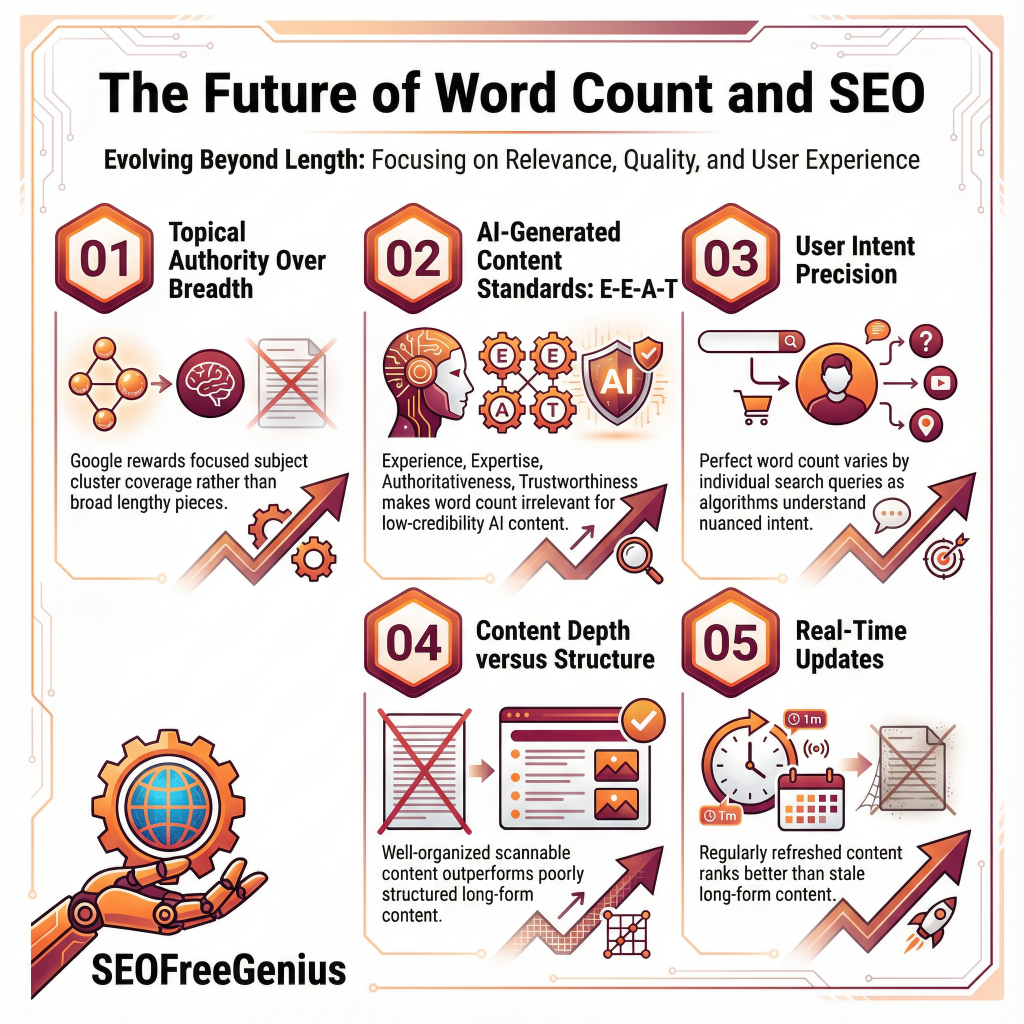
As search algorithms continue to evolve, the focus is shifting from quantity to relevance and user satisfaction. Several trends are emerging:
1. Topical Authority Over Breadth
Google increasingly rewards topical authority—sites that comprehensively cover a subject cluster. This might mean fewer, more focused articles rather than broad 5,000-word pieces.
2. AI-Generated Content Standards
With AI-generated content becoming prevalent, Google is placing higher emphasis on demonstrating genuine expertise (E-E-A-T: Experience, Expertise, Authoritativeness, Trustworthiness). Word count is irrelevant if content lacks credibility.
Search algorithms are becoming better at understanding nuanced search intent. The perfect word count will vary more by individual query rather than by topic category.
4. Content Depth vs. Content Structure
Well-organized, properly formatted content outperforms poorly structured long-form content. Structure and scannability matter as much as depth.
Content that’s regularly updated with fresh information ranks better than stale long-form content. Search engines increasingly value maintenance and relevance.
Action Plan: Implementing Word Count Optimization
- [ ] Identify your top 5 target keywords
- [ ] Analyze word count of top-10 ranking pages for each keyword
- [ ] Use SEOFreeGenius tools to establish baseline metrics
- [ ] Document average word count across your target keywords
- [ ] Review your existing high-performing content
- [ ] Identify underperforming pages that might benefit from expansion
- [ ] Check for thin content (under 300 words) that could be expanded
- [ ] Prioritize pages with good rankings but low CTR for improvement
Week 3: Content Creation/Optimization
- [ ] Create outline for new content or optimization
- [ ] Draft content with focus on quality and value
- [ ] Use SEOFreeGenius Word Counter to monitor length
- [ ] Add internal links strategically
Week 4: Publication and Monitoring
- [ ] Publish or update content
- [ ] Submit to Google Search Console for indexing
- [ ] Monitor performance weekly in Search Console
- [ ] Track rankings, impressions, and CTR
- [ ] Review monthly performance data
- [ ] Identify quick wins for CTR improvement
- [ ] Test title and description variations
- [ ] Expand or consolidate content based on performance
Conclusion
Word count optimization for SEO is not about hitting a magic number—it’s about providing comprehensive, valuable content that satisfies your audience’s needs while aligning with search intent. The evidence is clear: articles averaging 1,500 to 2,500 words tend to rank well, but only when combined with exceptional writing quality, proper on-page optimization, and strategic internal linking.
Remember these key principles:
- Quality always beats quantity: A 1,000-word masterpiece outranks a 3,000-word mess
- Search intent drives length: Match content depth to what your audience needs
- Analyze your competition: Use top-ranking pages as your baseline
- Optimize everything: Word count is just one element of comprehensive SEO
- Focus on real value: Every word should serve your reader
Start with SEOFreeGenius free tools to analyze your current content and competition. Implement the step-by-step optimization process outlined above, monitor your performance in Google Search Console, and adjust based on real data rather than assumptions.
By mastering word count optimization alongside quality writing, on-page SEO, and strategic linking, you’ll build content that ranks higher, attracts more qualified traffic, and establishes genuine authority in your niche. The future of SEO belongs to sites that balance depth with clarity, comprehensiveness with readability, and optimization with authenticity.
Start optimizing today, and watch your rankings climb.
References
[1] Google Search Central. (2025). Search Engine Optimization (SEO) Starter Guide. https://developers.google.com/search/docs/fundamentals/seo-starter-guide
[2] Semrush. (2025). What is the best content length for SEO? https://www.semrush.com/blog/what-is-the-best-content-length-for-seo/
[3] PageOptimizer Pro. (2024). Ideal Word Count For SEO In 2024. https://www.pageoptimizer.pro/blog/ideal-word-count-for-seo-in-2024
[4] Neil Patel. (2025). The Best Content Length for SEO and Subject Matter Depth. https://neilpatel.com/blog/best-content-length-seo/
[5] SEOFreeGenius. (2025). How Google Finds and Ranks Your Website. https://seofreegenius.com/blog/how-google-ranks-websites/
[6] Yoast. (2025). Word count and SEO: how long should an article or page be? https://yoast.com/blog-post-word-count-seo/
[7] SEOFreeGenius. (2025). On-page SEO checklist for small websites. https://seofreegenius.com/blog/on-page-seo-checklist-for-small-websites-you-can-do-this-in-one-afternoon/
[8] Red Search. (2025). Best Word Count for SEO in 2024: Data-Driven Insights. https://www.redsearch.com.au/resources/best-word-count-seo/
[9] SearchEngineJournal. (2024). What’s The Ideal Blog Post Length For SEO? https://www.searchenginejournal.com/ideal-blog-post-length-for-seo/255633/
[10] ContentBase AI. (2025). Ideal Blog Post Length for SEO in 2024: Word Count Guide. https://contentbase.ai/blog/blog-length-for-seo
Samir H. M. — SEO Expert
5+ years building SEO tools. SEOFreeGenius creator—50+ sites to #1.
All Articles →
Samir H. M. is the creator of [seofreegenius.com], offering 66+ free SEO tools from Riyadh. He’s hands-on tested and built features like plagiarism checkers and backlink tools, plus 36 guides to help sites rank better. Practical, no-BS advice for real users.