
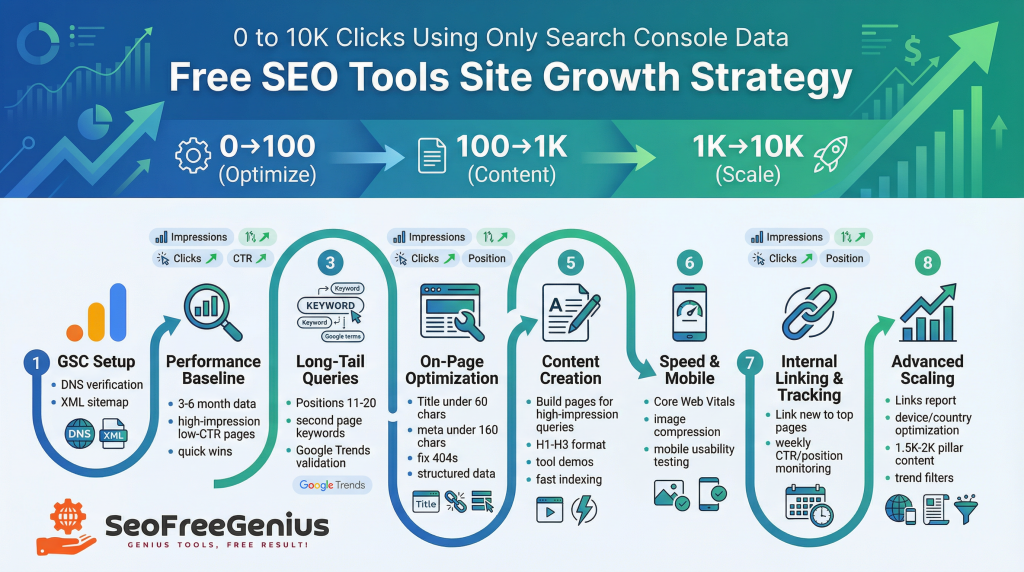
Introduction
In the competitive world of digital marketing, launching a free SEO tools site can be a game-changer for attracting organic traffic. But how do you scale from zero clicks to 10,000 without spending on ads or premium tools? The answer lies in leveraging Google Search Console (GSC) data strategically. As the owner of SeoFreeGenius.com, a platform offering 100% free SEO tools, I’ve applied these exact methods to grow my site. This guide walks you through the process step by step, focusing on clarity and actionable insights to help your site rank better and get indexed faster by Google.
What is Google Search Console and Why It’s Your Secret Weapon
Google Search Console is a free service provided by Google that helps website owners monitor, maintain, and troubleshoot their site’s presence in Google Search results. Unlike paid tools like Ahrefs or Semrush, GSC provides direct data from Google itself, including search queries, impressions, clicks, and average positions. This makes it ideal for bootstrapped sites like free SEO tools platforms. To get started, verify your site in GSC by adding your domain (e.g., seofreegenius.com) and submitting your sitemap. This ensures Google indexes your pages efficiently. For detailed setup instructions, visit Google’s official guide at https://search.google.com/search-console/about.
Ultimate 2026 Free SEO Growth Blueprint: 8 Steps to 10K Clicks Using Only Search Console Data
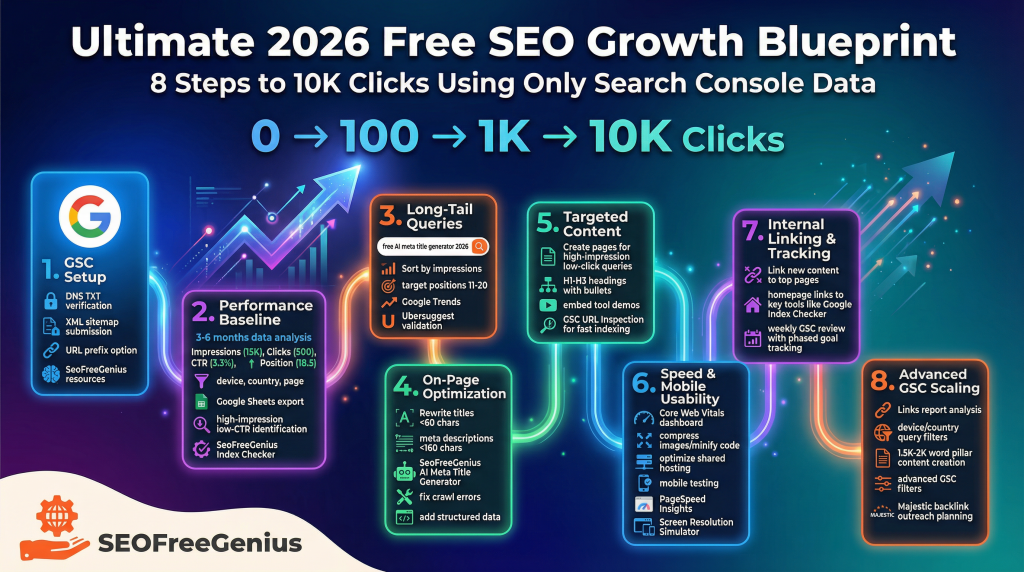
In 2026, growing a free SEO tools site from zero to 10,000 monthly clicks is entirely possible without paid tools or ads. This guide reveals the exact 8-step process I used on SeoFreeGenius.com — leveraging Google Search Console data to uncover hidden opportunities, optimize content, and drive explosive organic traffic. Follow these steps to accelerate indexing, boost rankings, and scale sustainably
Step 1: Set Up and Verify Google Search Console Properly
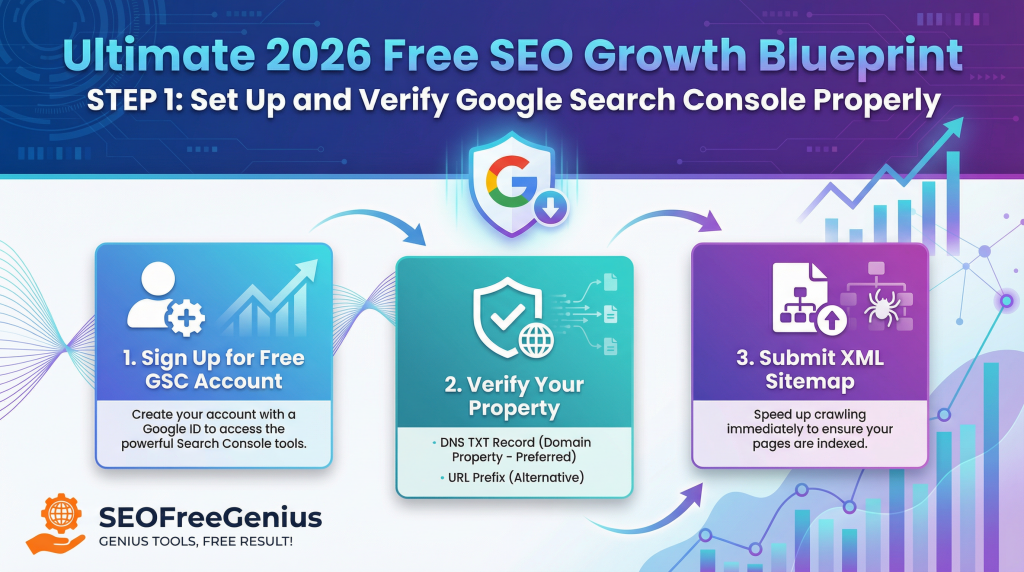
- Sign up for a free account at Google Search Console
- Verify your domain property (preferred method: DNS TXT record) for full data coverage
- Submit your XML sitemap immediately in the Sitemaps section to accelerate crawling
- Use URL prefix property only if you cannot verify domain
- Follow Ahrefs Webmaster Tools setup guide (free indexing/sitemap tool): https://ahrefs.com/webmaster-tools
- Check our beginner-friendly tips at SeoFreeGenius Beginner SEO Cluster
- Troubleshoot verification issues with help from Search Engine Journal: https://www.searchenginejournal.com/google-search-console-guide/
Step 2: Dive Deep into Performance Data for Baseline Insights
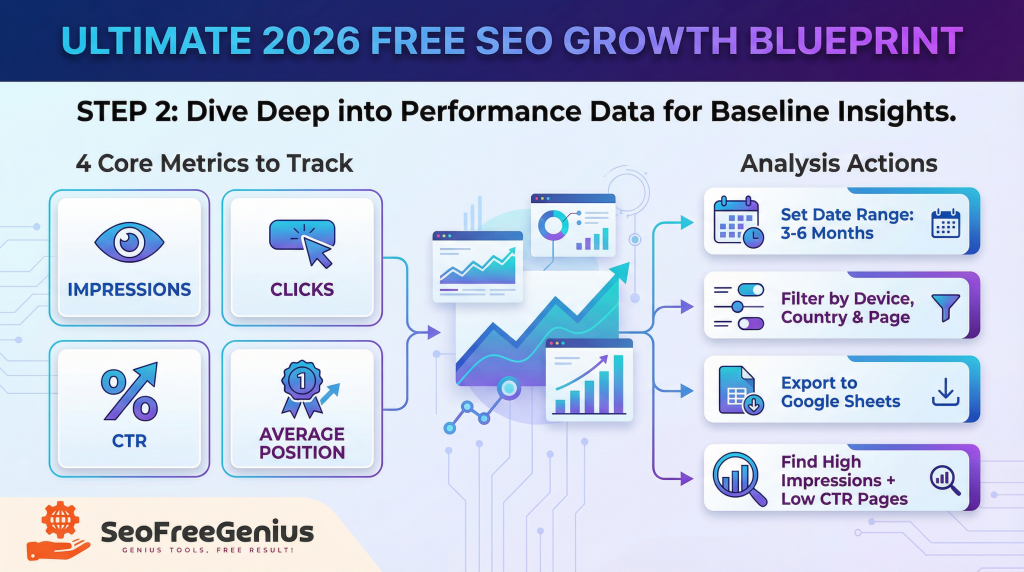
- Go to the Performance report and set date range to last 3–6 months (or since launch)
- Focus on four core metrics: Impressions, Clicks, CTR, and Average Position
- Filter by device, country, and page to spot patterns quickly
- Export raw data to Google Sheets for custom sorting and analysis
- Identify pages with high impressions but low CTR — these offer the fastest wins
- Use our Google Index Checker tool to confirm page indexing status
- Learn advanced analysis techniques from Semrush
Step 3: Discover High-Potential Long-Tail Queries
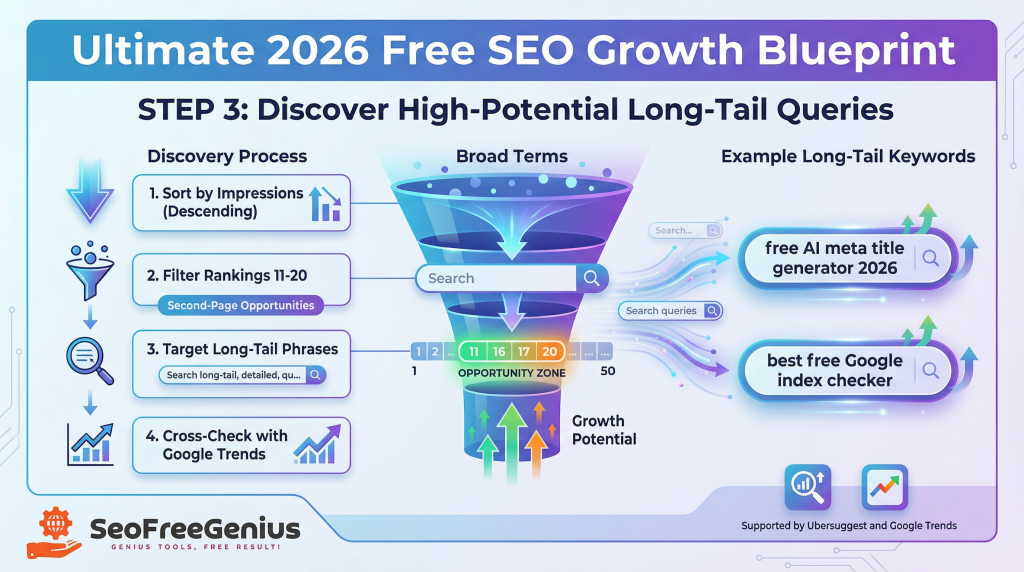
- In the Queries tab, sort by Impressions (descending)
- Filter for queries ranking in positions 11–20 (second-page goldmine)
- Target long-tail phrases like “free AI meta title generator 2026” or “best free Google index checker”
- Expansion Hack: Don’t guess—generate hundreds of relevant long-tail variations instantly with our [Keywords Suggestion Tool].
- Cross-check promising terms with Google Trends.
- Refine your list using our free Keyword Research guide.
- Explore long-tail keyword strategies from Yoast.
- Use free external tools like Ubersuggest for volume estimates.
Step 4: Optimize On-Page Elements with GSC Insights
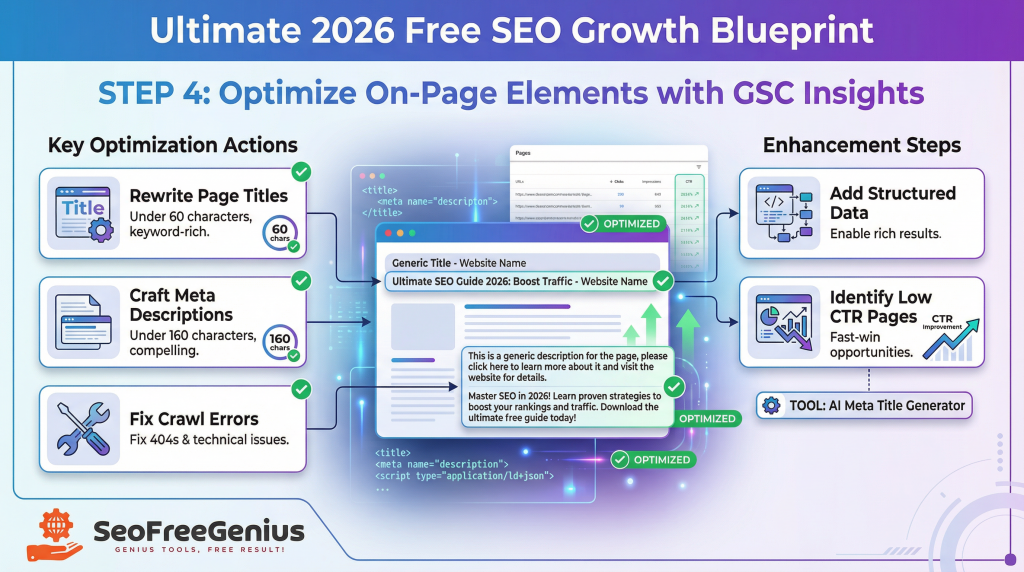
- Use the Pages report to find your lowest CTR URLs
- Rewrite page titles to be under 60 characters and keyword-rich
- Craft compelling meta descriptions under 160 characters
- Write Faster: Struggle with summaries? Let our [AI SEO Meta Description Generator] write click-worthy descriptions for you in seconds.
- Generate optimized titles instantly with our AI Meta Title Generator.
- Fix crawl errors (especially 404s) using our complete guide: https://seofreegenius.com/blog/fix-404-errors-fast-a-complete-guide-to-protecting-your-seo/
- Follow Moz’s proven on-page SEO checklist: https://moz.com/learn/seo/on-page-seo
- Validate structured data with Schema Markup Validator: https://validator.schema.org/
Step 5: Create Targeted Content to Capture Missed Opportunities
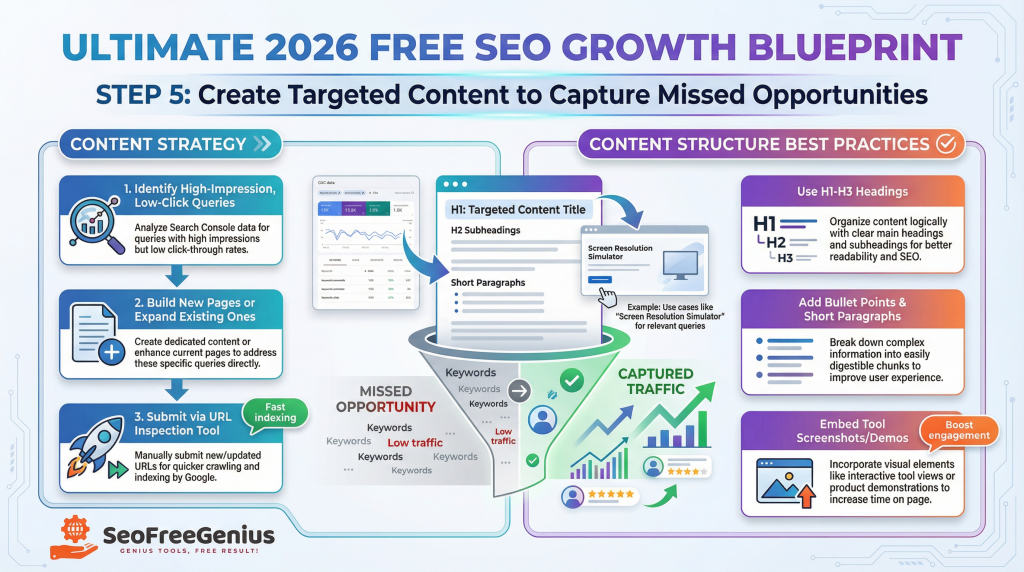
- Build new pages or expand existing ones based on high-impression, low-click queries
- Use H1–H3 headings, bullet points, and short paragraphs for better readability
- Embed screenshots or demos of your tools to increase engagement
- Submit every new/updated page via GSC URL Inspection tool for fast indexing
- See an example in action with our Screen Resolution Simulator.
- Get content structure inspiration from Backlinko.
- Strengthen related topics with our Backlink Analysis beginner guide: https://seofreegenius.com/blog/backlink-analysis-for-beginners-a-complete-guide-to-strengthening/
Step 6: Improve Site Speed and Mobile Usability
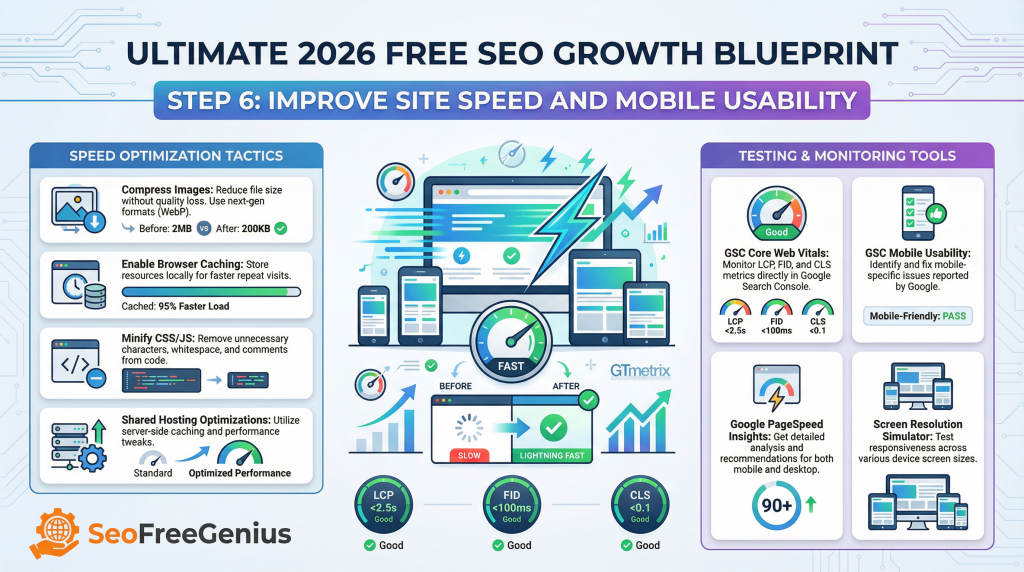
- Check Core Web Vitals report for speed and stability issues
- Compress images, enable browser caching, and minify CSS/JS
- Apply proven shared hosting speed optimizations: https://seofreegenius.com/blog/how-to-maximize-site-speed-on-shared-hosting-essential-optimization-strategies-for-seo/
- Test mobile-friendliness using GSC Mobile Usability report
- Run free speed audits with Pingdom Speed Test Free page load + performance grade from global servers.
- Verify responsiveness across devices with our Screen Resolution Simulator.
- Use GTmetrix for additional free performance recommendations.
Step 7: Strengthen Internal Linking and Track Weekly Progress
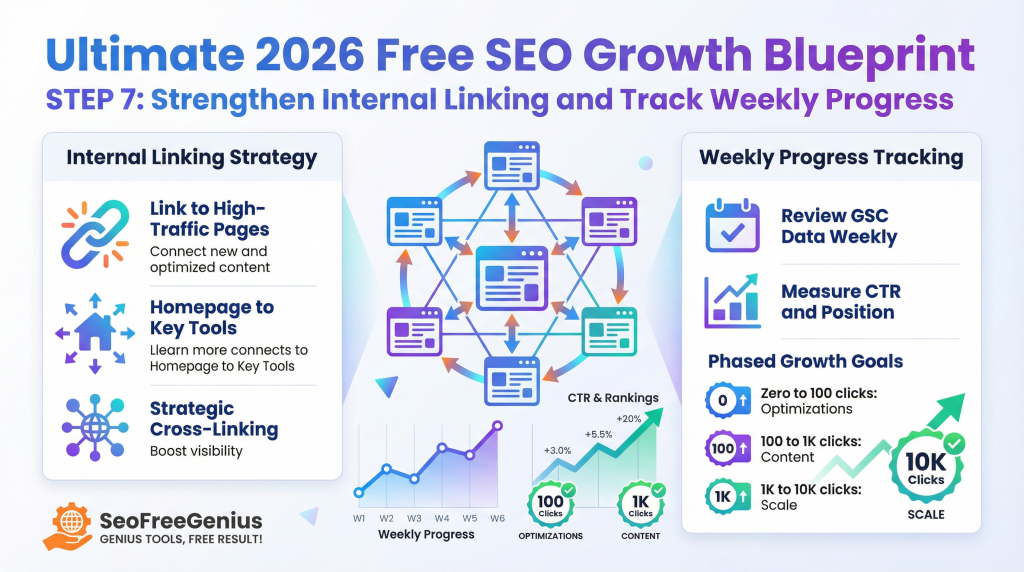
- Link new/optimized content to your highest-traffic pages
- Place strategic internal links from homepage to key tools (example: https://seofreegenius.com/google-index-checker/)
- Review GSC data every week to measure CTR and position improvements
- Set phased goals: 0→100 clicks (optimizations), 100→1K (content), 1K→10K (scale)
- Master meta tag strategy with our Meta Tags Masterclass: https://seofreegenius.com/blog/meta-tags-masterclass/.
- Learn advanced internal linking tactics from Ahrefs.
Step 8: Leverage Advanced GSC Features for Long-Term Scaling
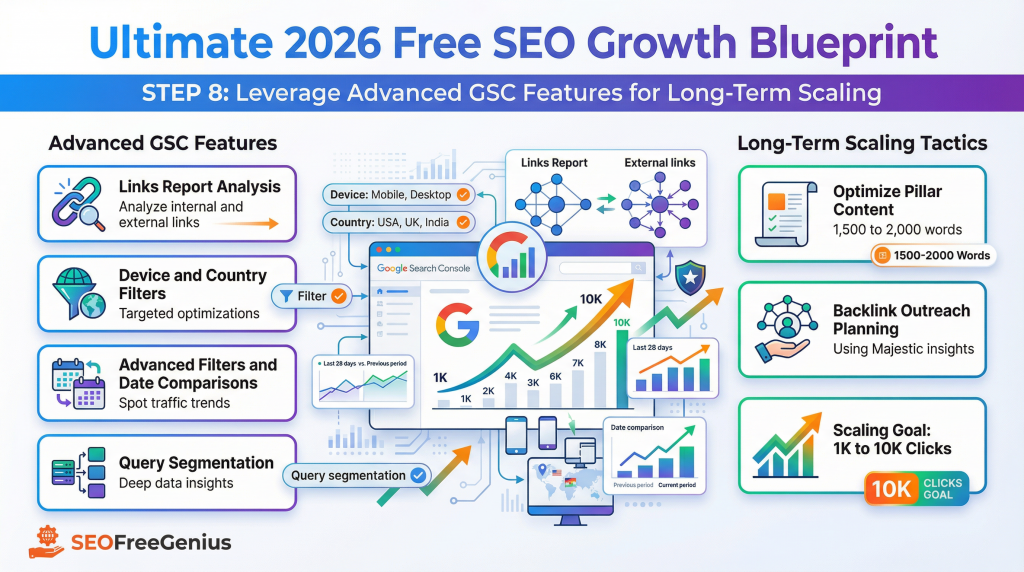
- Explore the Links report to understand internal & external link structure
- Audit Yourself: Get a complete breakdown of every link on your page—internal and external—using our free [Link Analyzer].
- Filter queries by device and country for targeted optimizations
- Aim for 1,500–2,000 words on pillar content — see our guide: https://seofreegenius.com/blog/word-count-optimization-guide-the-2024-seo-blueprint-for-higher-rankings/
- Use advanced filters and date comparisons for trend spotting
- Master deeper GSC techniques with Search Engine Journal: https://www.searchenginejournal.com/advanced-google-search-console-tips/
- Plan future backlink outreach using insights from Majestic.
Conclusion
This 8-step blueprint, powered exclusively by Google Search Console data, transformed SeoFreeGenius.com from zero to thousands of monthly clicks. Start implementing today with our full suite of 100% free SEO tools at https://seofreegenius.com/. Consistency, data-driven decisions, and regular monitoring are the keys to sustainable 2026 growth in Google’s ever-evolving landscape. For ongoing tips, subscribe to our blog at https://seofreegenius.com/blog/ and explore external communities like SEO Chat forums at https://forums.seochat.com/. Monitor progress weekly and adapt—your traffic breakthrough awaits!
Samir H. M. — SEO Expert
5+ years building SEO tools. SEOFreeGenius creator—50+ sites to #1.
All Articles →
Samir H. M. is the creator of [seofreegenius.com], offering 66+ free SEO tools from Riyadh. He’s hands-on tested and built features like plagiarism checkers and backlink tools, plus 36 guides to help sites rank better. Practical, no-BS advice for real users.