
Introduction
In 2026, search engine optimization (SEO) remains one of the most effective ways to drive organic traffic to your website without paid advertising. However, many website owners and digital marketers assume they need expensive tools to compete online. The reality? The best free SEO tools can deliver results that rival premium platforms—if you know which ones to use and how to apply them strategically.
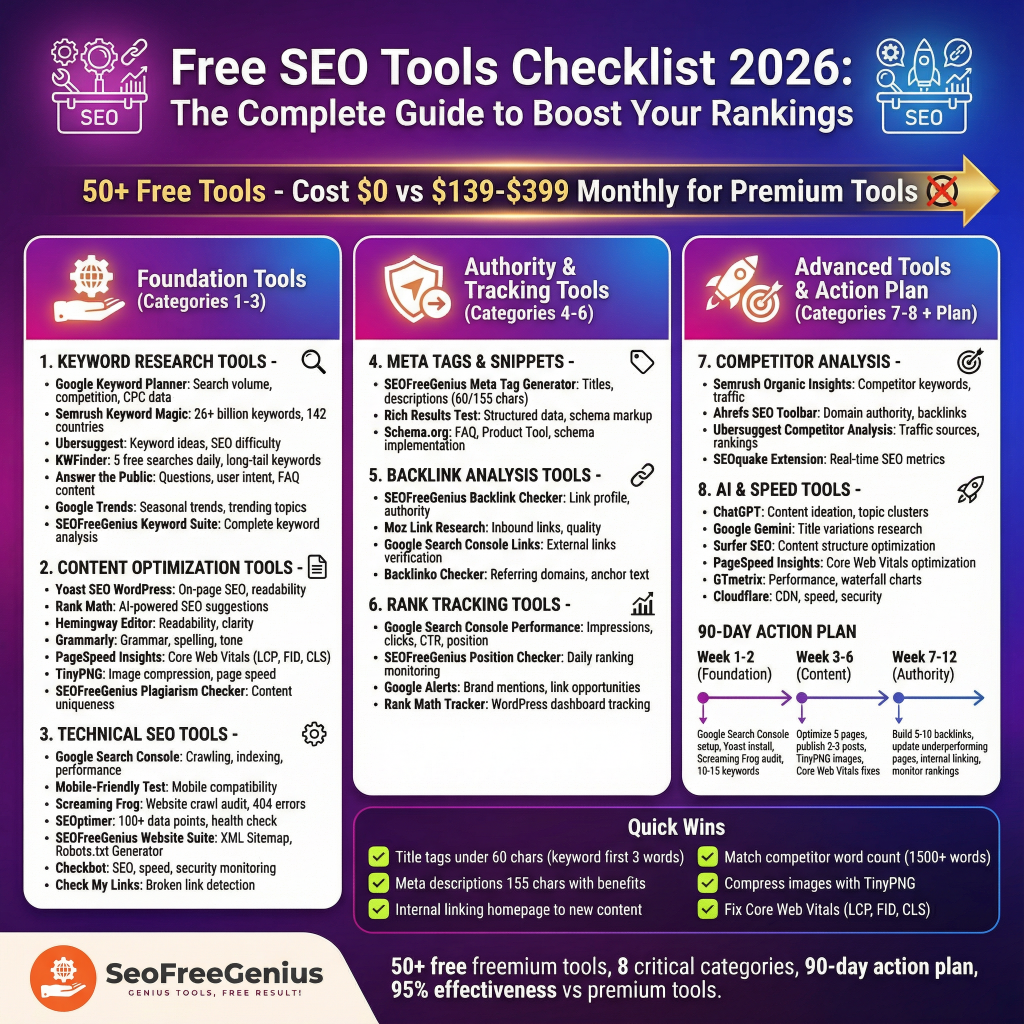
This comprehensive checklist covers 50+ free and freemium SEO tools across eight critical areas: keyword research, content optimization, technical audits, backlink analysis, rank tracking, meta tag optimization, website health monitoring, and competitor analysis. Whether you’re running a small blog, managing multiple websites, or launching a new SEO campaign, you’ll find actionable tools and strategies here.
Why this matters for 2026:
- Google’s ranking algorithm now emphasizes experience, expertise, authoritativeness, and trustworthiness (E-E-A-T)
- Mobile-first indexing and Core Web Vitals continue to influence rankings
- AI-assisted content optimization is becoming the industry standard
- Free tools like those from SEO Free Genius now compete directly with premium solutions
Let’s dive into the essential free SEO tools you need to succeed.
1. Keyword Research Tools: Find the Right Topics to Target
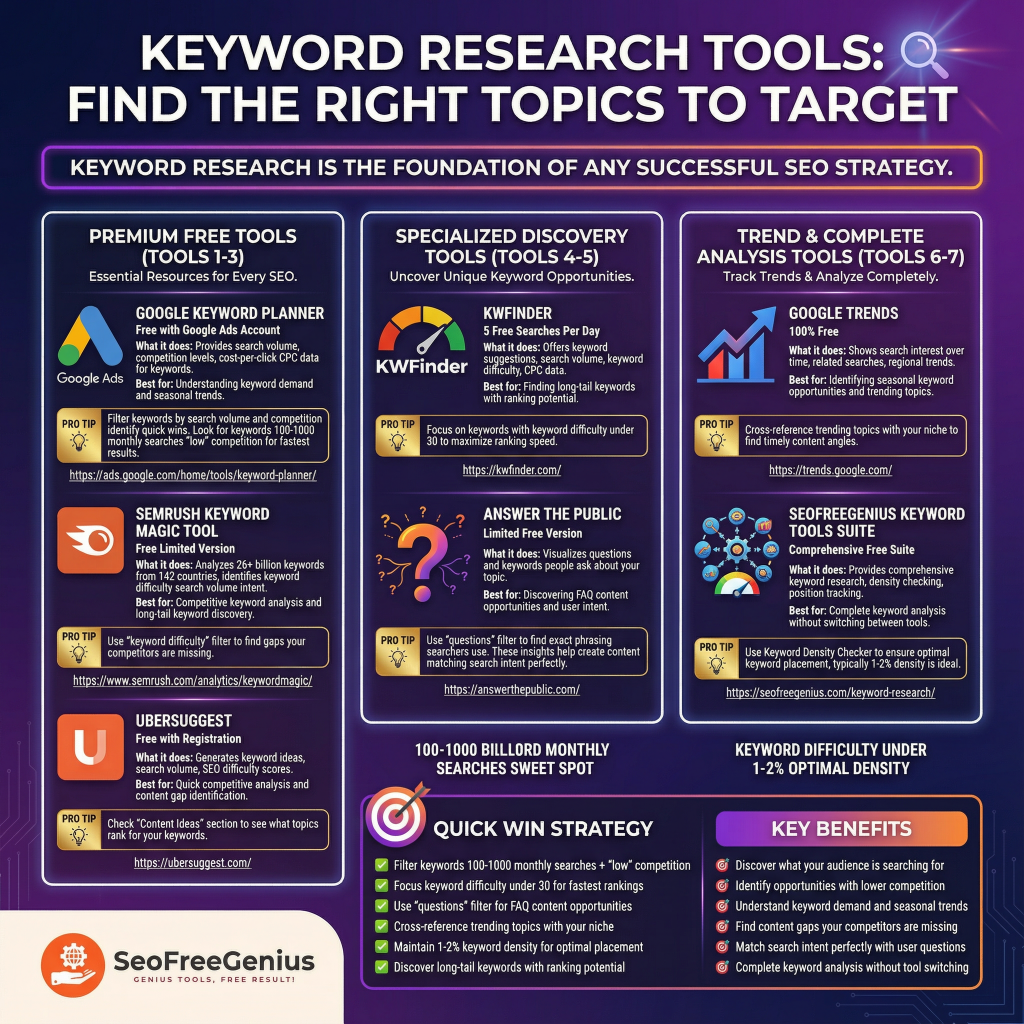
Keyword research is the foundation of any successful SEO strategy. These free tools help you discover what your audience is searching for and identify opportunities with lower competition.
Google Keyword Planner (Free with Google Ads Account)
What it does: Provides search volume, competition levels, and cost-per-click (CPC) data for keywords.
Best for: Understanding keyword demand and seasonal trends.
Link: https://ads.google.com/home/tools/keyword-planner/
Pro tip: Filter keywords by search volume and competition to identify quick wins. Look for keywords with 100-1,000 monthly searches and “low” competition for fastest results.
Semrush Keyword Magic Tool (Free Limited Version)
What it does: Analyzes 26+ billion keywords from 142 countries and identifies keyword difficulty, search volume, and intent.
Best for: Competitive keyword analysis and long-tail keyword discovery.
Link: https://www.semrush.com/analytics/keywordmagic/
Pro tip: Use the “keyword difficulty” filter to find gaps your competitors are missing.
Ubersuggest (Free with Registration)
What it does: Generates keyword ideas, search volume, and SEO difficulty scores.
Best for: Quick competitive analysis and content gap identification.
Link: https://ubersuggest.com/
Pro tip: Check the “Content Ideas” section to see what topics rank for your keywords.
KWFinder (5 Free Searches Per Day)
What it does: Offers keyword suggestions, search volume, keyword difficulty, and CPC data.
Best for: Finding long-tail keywords with ranking potential.
Link: https://kwfinder.com/
Pro tip: Focus on keywords with keyword difficulty under 30 to maximize ranking speed.
Answer the Public (Limited Free Version)
What it does: Visualizes questions and keywords people ask about your topic.
Best for: Discovering FAQ content opportunities and user intent.
Link: https://answerthepublic.com/
Pro tip: Use “questions” filter to find the exact phrasing searchers use. These insights help you create content that matches search intent perfectly.
What it does: Shows search interest over time, related searches, and regional trends.
Best for: Identifying seasonal keyword opportunities and trending topics.
Link: https://trends.google.com/
Pro tip: Cross-reference trending topics with your niche to find timely content angles.
SEOFreeGenius Keyword Tools Suite
What it does: Provides comprehensive keyword research, density checking, and position tracking.
Best for: Complete keyword analysis without switching between tools.
Link: https://seofreegenius.com/keyword-research/
Pro tip: Use the Keyword Density Checker to ensure optimal keyword placement (typically 1-2% density is ideal).
2. Content Optimization Tools: Write Better SEO Content
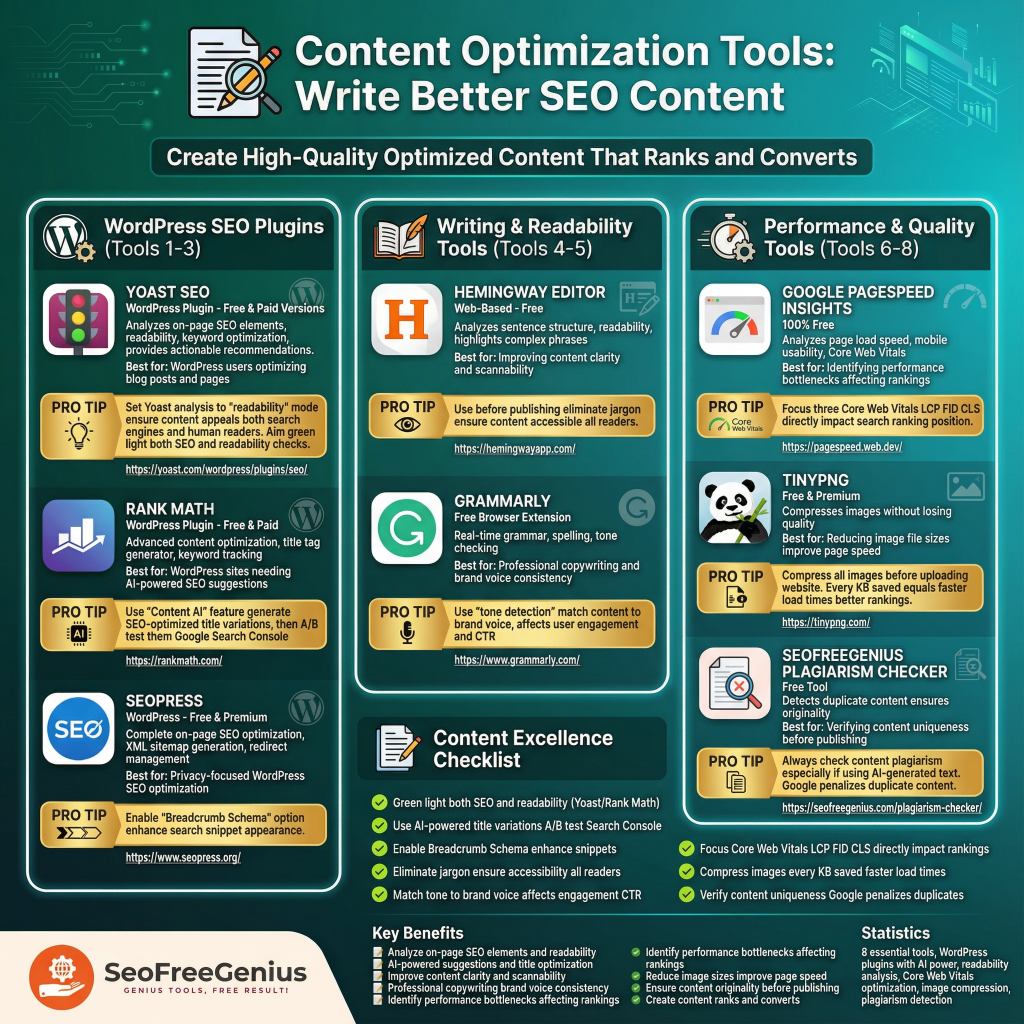
Once you’ve identified your target keywords, the next step is creating high-quality, optimized content that ranks and converts.
Yoast SEO (WordPress Plugin – Free & Paid Versions)
What it does: Analyzes on-page SEO elements, readability, keyword optimization, and provides actionable recommendations.
Best for: WordPress users optimizing blog posts and pages.
Link: https://yoast.com/wordpress/plugins/seo/
Pro tip: Set Yoast’s analysis to “readability” mode to ensure your content appeals to both search engines and human readers. Aim for a green light on both SEO and readability checks.
Alternative: Don’t use WordPress? Check any live page instantly with our browser-based [Meta Tags Analyzer].
Rank Math (WordPress Plugin – Free & Paid)
What it does: Advanced content optimization, title tag generator, and keyword tracking.
Best for: WordPress sites needing AI-powered SEO suggestions.
Link: https://rankmath.com/
Pro tip: Use the “Content AI” feature to generate SEO-optimized title variations, then A/B test them in Google Search Console.
SEOPress (WordPress – Free & Premium)
What it does: Complete on-page SEO optimization, XML sitemap generation, and redirect management.
Best for: Privacy-focused WordPress SEO optimization.
Link: https://www.seopress.org/
Pro tip: Enable the “Breadcrumb Schema” option to enhance your search snippet appearance.
Hemingway Editor (Web-Based – Free)
What it does: Analyzes sentence structure, readability, and highlights complex phrases.
Best for: Improving content clarity and scannability.
Link: https://hemingwayapp.com/
Pro tip: Use this before publishing to eliminate jargon and ensure your content is accessible to all readers.
Grammarly (Free Browser Extension)
What it does: Real-time grammar, spelling, and tone checking.
Best for: Professional copywriting and brand voice consistency.
Link: https://www.grammarly.com/
Pro tip: Use “tone detection” to match your content to your brand’s voice, which affects user engagement and CTR.
Google PageSpeed Insights (100% Free)
What it does: Analyzes page load speed, mobile usability, and Core Web Vitals.
Best for: Identifying performance bottlenecks affecting rankings.
Link: https://pagespeed.web.dev/
Pro tip: Focus on the three Core Web Vitals (LCP, FID, CLS) as they directly impact your search ranking position.
What it does: Compresses images without losing quality.
Best for: Reducing image file sizes to improve page speed.
Link: https://tinypng.com/
Pro tip: Compress all images before uploading to your website. Every KB saved equals faster load times and better rankings.
SEOFreeGenius Plagiarism Checker
What it does: Detects duplicate content and ensures originality.
Best for: Verifying content uniqueness before publishing.
Link: https://seofreegenius.com/plagiarism-checker/
Pro tip: Always check your content for plagiarism, especially if using AI-generated text. Google penalizes duplicate content.
3. Technical SEO Tools: Build a Crawlable, Fast Website
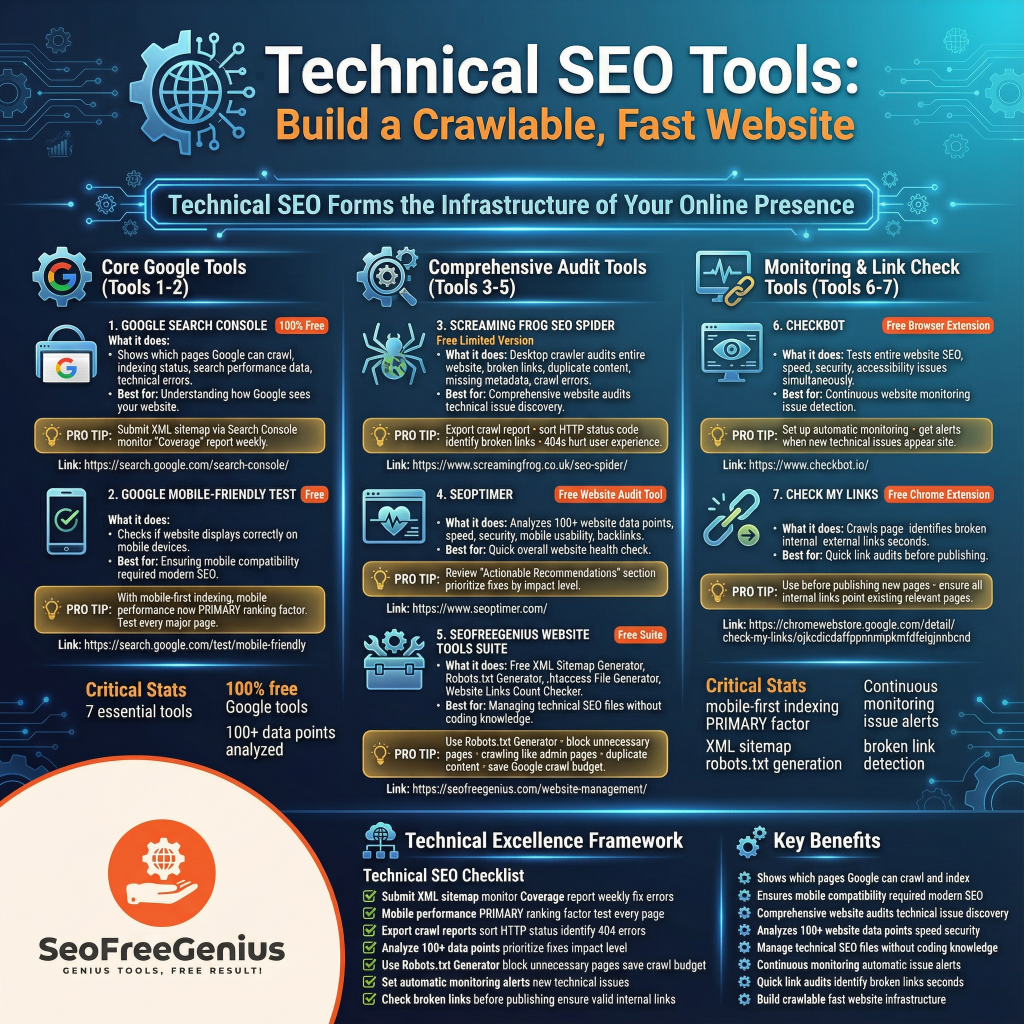
Technical SEO forms the infrastructure of your online presence. These tools identify and fix issues that prevent Google from crawling and ranking your site.
Google Search Console (100% Free)
What it does: Shows which pages Google can crawl, indexing status, search performance data, and technical errors.
Best for: Understanding how Google sees your website.
Link: https://search.google.com/search-console/
Pro tip: Submit your XML sitemap via Search Console and monitor the “Coverage” report weekly. Fix any “Errors” immediately.
Google PageSpeed Insights (Free)
What it does: Checks if your website displays correctly on mobile devices.
Best for: Ensuring mobile compatibility (required for modern SEO).
Link: https://pagespeed.web.dev/
Pro tip: With mobile-first indexing, mobile performance is now a PRIMARY ranking factor. Test every major page.
Screaming Frog SEO Spider (Free Limited Version)
What it does: Desktop crawler that audits your entire website for broken links, duplicate content, missing metadata, and crawl errors.
Best for: Comprehensive website audits and technical issue discovery.
Link: https://www.screamingfrog.co.uk/seo-spider/
Pro tip: Export the crawl report and sort by HTTP status code to identify broken links (404s) that hurt user experience.
SEOptimer (Free Website Audit Tool)
What it does: Analyzes 100+ website data points including speed, security, mobile usability, and backlinks.
Best for: Quick overall website health check.
Link: https://www.seoptimer.com/
Pro tip: Review the “Actionable Recommendations” section and prioritize fixes by impact level.
SEOFreeGenius Website Tools Suite
What it does: Free XML Sitemap Generator, Robots.txt Generator, .htaccess File Generator, and Website Links Count Checker.
Best for: Managing technical SEO files without coding knowledge.
Link: https://seofreegenius.com/website-management/
Pro tip: Use the Robots.txt Generator to block unnecessary pages from crawling (like admin pages or duplicate content) and save Google’s crawl budget.
Checkbot (Free Browser Extension)
What it does: Tests entire website for SEO, speed, security, and accessibility issues simultaneously.
Best for: Continuous website monitoring and issue detection.
Link: https://www.checkbot.io/
Pro tip: Set up automatic monitoring to get alerts when new technical issues appear on your site.
Broken Links Finder (seofreegenius.com)
What it does: Detects 404 errors and broken links across your entire site automatically.
Best for: Quick link audits before publishing – no extension needed.
Link: https://seofreegenius.com/broken-links-finder
Pro tip: Start with free tools listed here. Graduate to paid tools (Semrush, Ahrefs) only when you’ve exhausted free options and have budget.
4. Meta Tags and Rich Snippets Tools
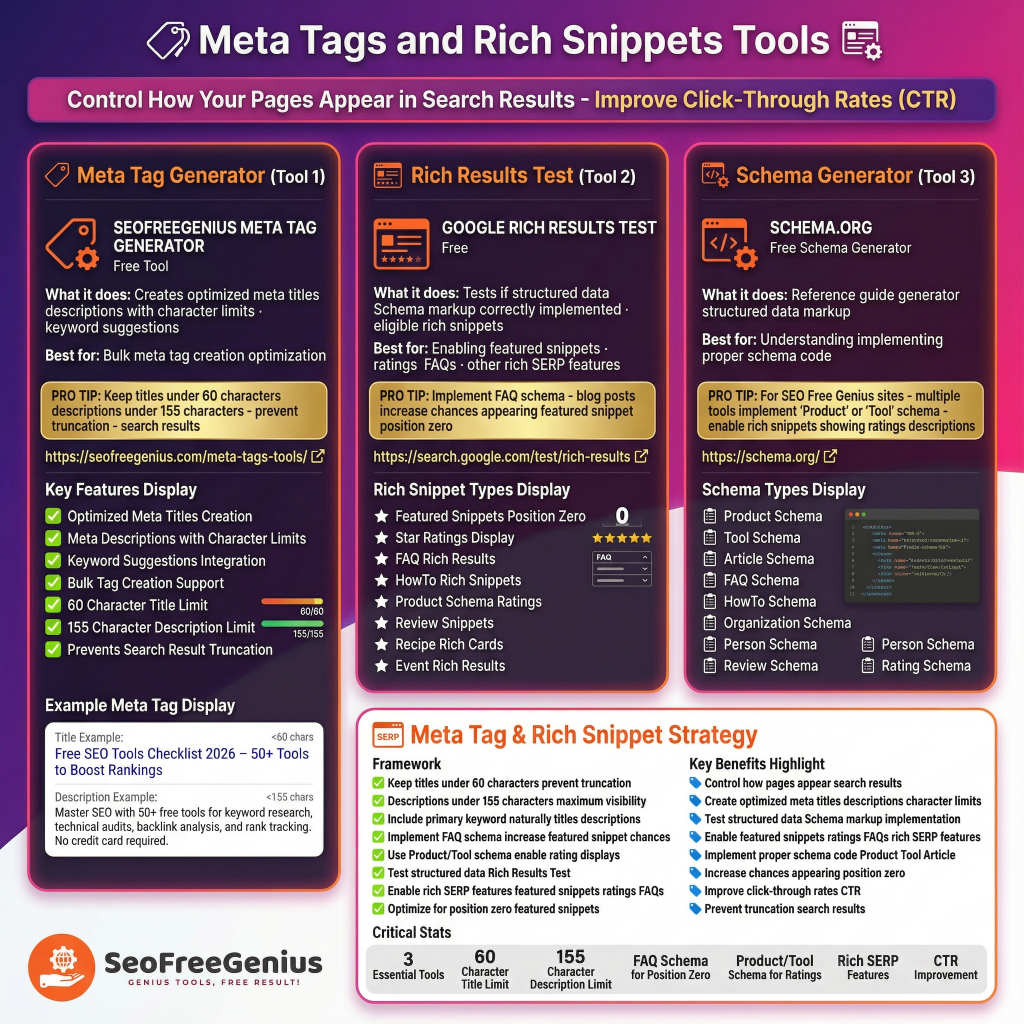
Meta titles and descriptions control how your pages appear in search results. Optimize these critical elements to improve click-through rates (CTR).
Meta Tag Generator (SEOFreeGenius)
What it does: Creates optimized meta titles and descriptions with character limits and keyword suggestions.
Best for: Bulk meta tag creation and optimization.
Link: https://seofreegenius.com/meta-tags-tools/
Pro tip: Keep titles under 60 characters and descriptions under 155 characters to prevent truncation in search results.
Google Rich Results Test (Free)
What it does: Tests if your structured data (Schema markup) is correctly implemented and eligible for rich snippets.
Best for: Enabling featured snippets, ratings, FAQs, and other rich SERP features.
Link: https://search.google.com/test/rich-results
Pro tip: Implement FAQ schema for blog posts to increase chances of appearing in featured snippet position zero.
Schema.org (Free Schema Generator)
What it does: Reference guide and generator for structured data markup.
Best for: Understanding and implementing proper schema code.
Link: https://schema.org/
Pro tip: For SEO Free Genius sites with multiple tools, implement “Product” or “Tool” schema to enable rich snippets showing ratings and descriptions.
5. Backlink Analysis Tools: Build Link Authority
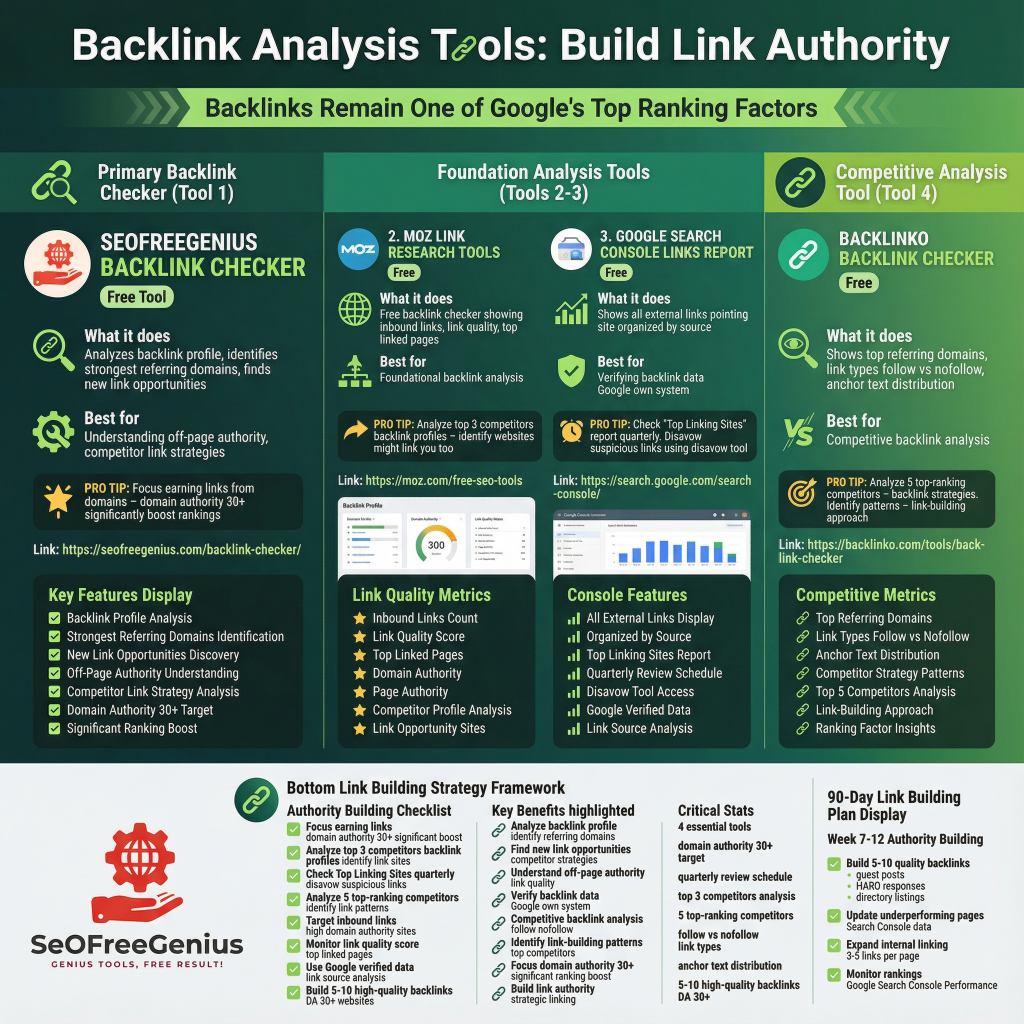
Backlinks remain one of Google’s top ranking factors. These free tools help you analyze your link profile and find link-building opportunities.
SEOFreeGenius Backlink Checker
What it does: Analyzes your backlink profile, identifies your strongest referring domains, and finds new link opportunities.
Best for: Understanding your off-page authority and competitor link strategies.
Link: https://seofreegenius.com/backlink-checker/
Pro tip: Focus on earning links from domains with domain authority 30+ to significantly boost rankings.
Moz Link Research Tools (Free)
What it does: Free backlink checker showing inbound links, link quality, and top linked pages.
Best for: Foundational backlink analysis.
Link: https://moz.com/free-seo-tools
Pro tip: Analyze your top 3 competitors’ backlink profiles to identify websites that might link to you too.
Google Search Console Links Report (Free)
What it does: Shows all external links pointing to your site, organized by source.
Best for: Verifying backlink data in Google’s own system.
Link: https://search.google.com/search-console/
Pro tip: Check the “Top Linking Sites” report quarterly. Disavow any suspicious links using the disavow tool.
Backlinko Backlink Checker (Free)
What it does: Shows top referring domains, link types (follow vs. nofollow), and anchor text distribution.
Best for: Competitive backlink analysis.
Link: https://backlinko.com/tools/backlink-checker
Pro tip: Analyze your 5 top-ranking competitors’ backlink strategies. Identify patterns in their link-building approach.
Free Option: Check your site’s authority score without a subscription using our [Domain Authority Checker].
6. Rank Tracking and Monitoring Tools
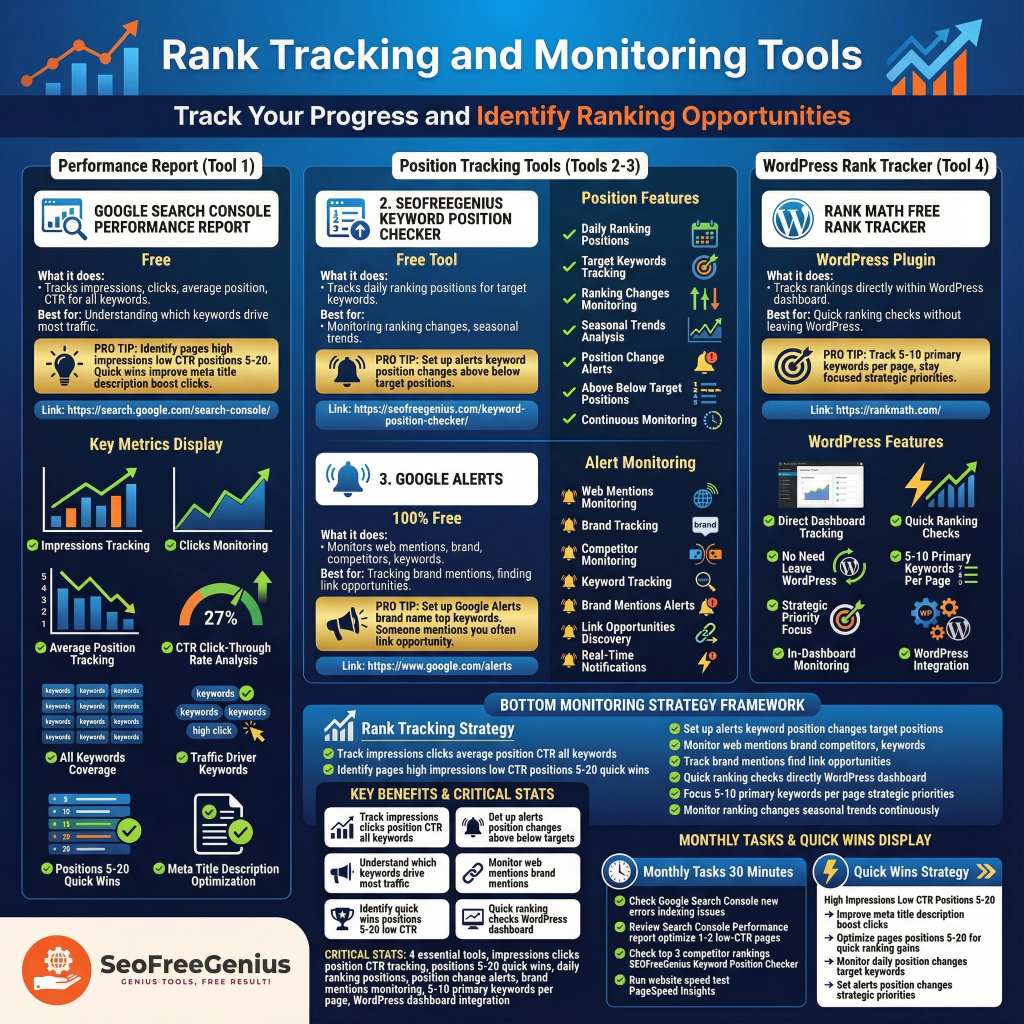
Track your progress and identify ranking opportunities with these monitoring tools.
Google Search Console Performance Report (Free)
What it does: Tracks impressions, clicks, average position, and CTR for all your keywords.
Best for: Understanding which keywords drive the most traffic.
Link: https://search.google.com/search-console/
Pro tip: Identify pages with high impressions but low CTR (positions 5-20). These are quick wins—improve your meta title/description to boost clicks.
SEOFreeGenius Keyword Position Checker
What it does: Tracks your daily ranking positions for target keywords.
Best for: Monitoring ranking changes and seasonal trends.
Link: https://seofreegenius.com/keyword-position-checker/
Pro tip: Set up alerts for keyword position changes above/below your target positions.
What it does: Monitors the web for mentions of your brand, competitors, or keywords.
Best for: Tracking brand mentions and finding link opportunities.
Link: https://www.google.com/alerts
Pro tip: Set up Google Alerts for your brand name and top keywords. If someone mentions you, it’s often a link opportunity.
Rank Math Free Rank Tracker (WordPress)
What it does: Tracks rankings directly in your WordPress dashboard.
Best for: Quick ranking checks without leaving WordPress.
Link: https://rankmath.com/
Pro tip: Track 5-10 primary keywords per page to stay focused on strategic priorities.
7. Competitor Analysis Tools
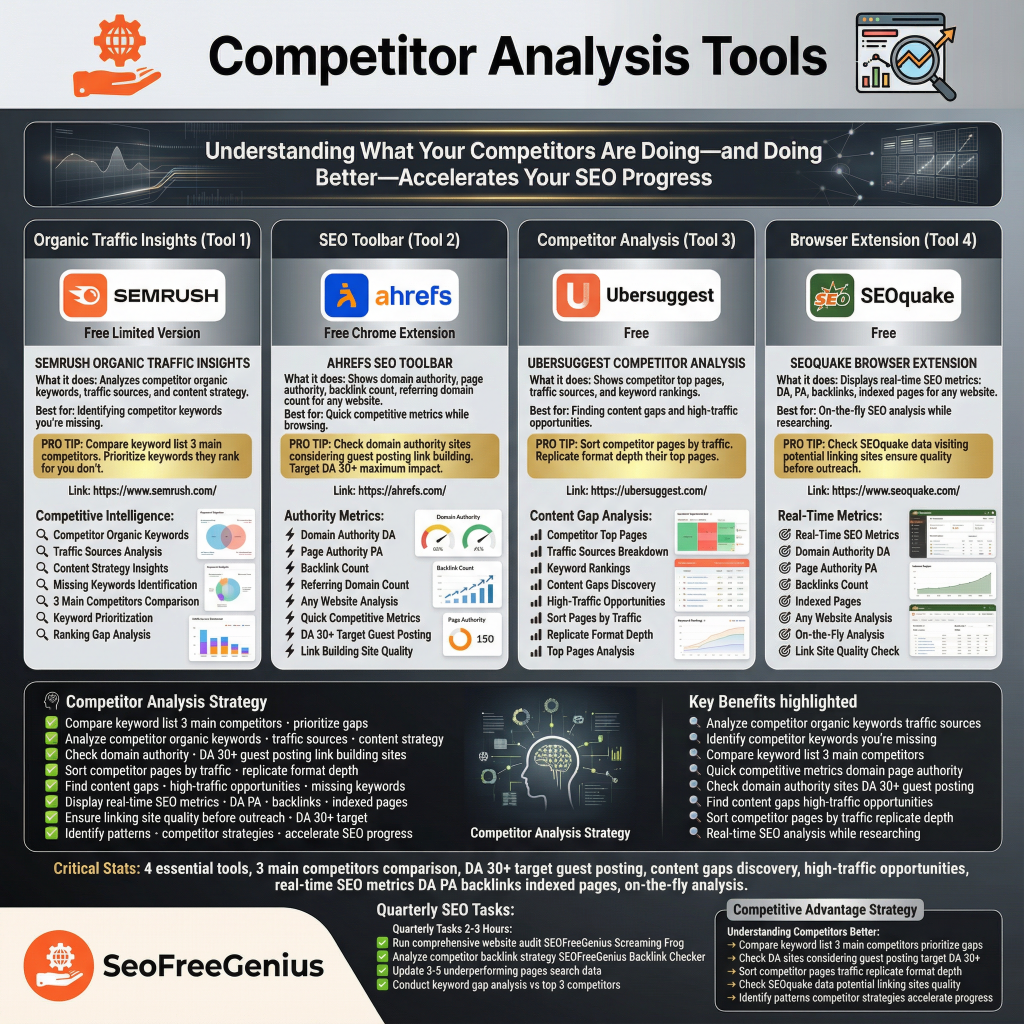
Understanding what your competitors are doing—and doing better—accelerates your SEO progress.
SEMrush Organic Traffic Insights (Free Limited)
What it does: Analyzes competitor organic keywords, traffic sources, and content strategy.
Best for: Identifying competitor keywords you’re missing.
Link: https://www.semrush.com/
Pro tip: Compare your keyword list to your 3 main competitors. Prioritize keywords they rank for that you don’t.
Ahrefs SEO Toolbar (Free Chrome Extension)
What it does: Shows domain authority, page authority, backlink count, and referring domain count for any website.
Best for: Quick competitive metrics while browsing.
Link: https://ahrefs.com/
Pro tip: Check domain authority of sites you’re considering for guest posting or link building. Target DA 30+ for maximum impact.
Ubersuggest Competitor Analysis (Free)
What it does: Shows competitor’s top pages, traffic sources, and keyword rankings.
Best for: Finding content gaps and high-traffic opportunities.
Link: https://ubersuggest.com/
Pro tip: Sort competitor’s pages by traffic. Replicate the format and depth of their top pages.
SEOquake Browser Extension (Free)
What it does: Displays real-time SEO metrics (DA, PA, backlinks, indexed pages) for any website.
Best for: On-the-fly SEO analysis while researching.
Link: https://www.seoquake.com/
Pro tip: Check SEOquake data while visiting potential linking sites to ensure quality before outreach.
8. AI-Powered SEO Content Tools
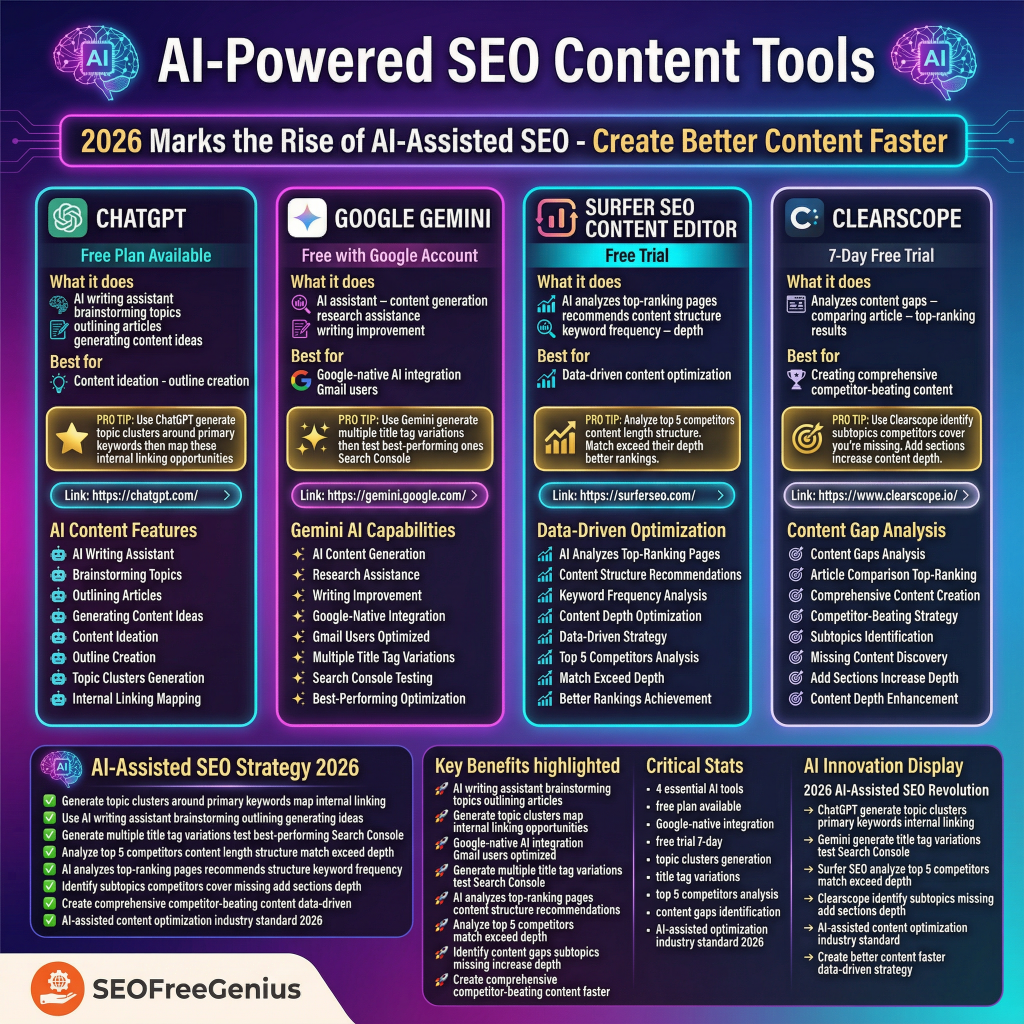
2026 marks the rise of AI-assisted SEO. These tools help you create better content faster.
What it does: AI writing assistant for brainstorming topics, outlining articles, and generating content ideas.
Best for: Content ideation and outline creation.
Link: https://chatgpt.com/
Pro tip: Use ChatGPT to generate topic clusters around your primary keywords, then map these to internal linking opportunities.
Google Gemini (Free with Google Account)
What it does: AI assistant for content generation, research assistance, and writing improvement.
Best for: Google-native AI integration for Gmail users.
Link: https://gemini.google.com/
Pro tip: Use Gemini to generate multiple title tag variations, then test the best-performing ones in Search Console.
Surfer SEO Content Editor (Free Trial)
What it does: AI analyzes top-ranking pages and recommends content structure, keyword frequency, and depth.
Best for: Data-driven content optimization.
Link: https://surferseo.com/
Pro tip: Analyze your top 5 competitors’ content length and structure. Match or exceed their depth for better rankings.
What it does: Analyzes content gaps by comparing your article to top-ranking results.
Best for: Creating comprehensive, competitor-beating content.
Link: https://www.clearscope.io/
Pro tip: Use Clearscope to identify subtopics your competitors cover that you’re missing. Add these sections to increase content depth.
9. Website Speed and Performance Tools
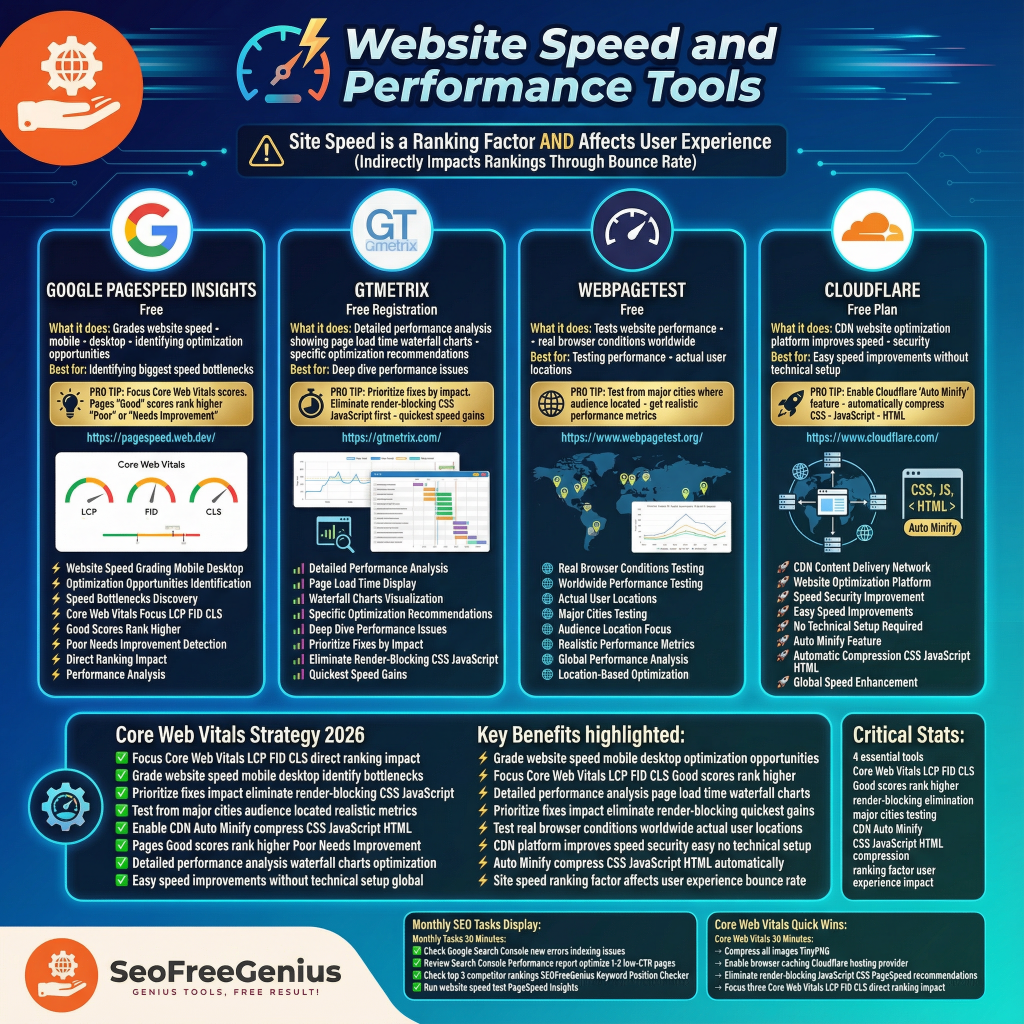
Site speed is a ranking factor AND affects user experience (which indirectly impacts rankings through bounce rate).
Google PageSpeed Insights (Free)
What it does: Grades your website’s speed on mobile and desktop, identifying optimization opportunities.
Best for: Identifying the biggest speed bottlenecks.
Link: https://pagespeed.web.dev/
Pro tip: Focus on Core Web Vitals scores. Pages with “Good” scores rank higher than “Poor” or “Needs Improvement.”
What it does: Detailed performance analysis showing page load time, waterfall charts, and specific optimization recommendations.
Best for: Deep dive into performance issues.
Link: https://gtmetrix.com/
Pro tip: Prioritize fixes by impact. Eliminate render-blocking CSS/JavaScript first for quickest speed gains.
What it does: Tests website performance from real browser conditions worldwide.
Best for: Testing performance from your actual user locations.
Link: https://www.webpagetest.org/
Pro tip: Test from major cities where your audience is located to get realistic performance metrics.
What it does: CDN and website optimization platform that improves speed and security.
Best for: Easy speed improvements without technical setup.
Link: https://www.cloudflare.com/
Pro tip: Enable Cloudflare’s “Auto Minify” feature to automatically compress CSS, JavaScript, and HTML.
10. Complete Website Audit Tools
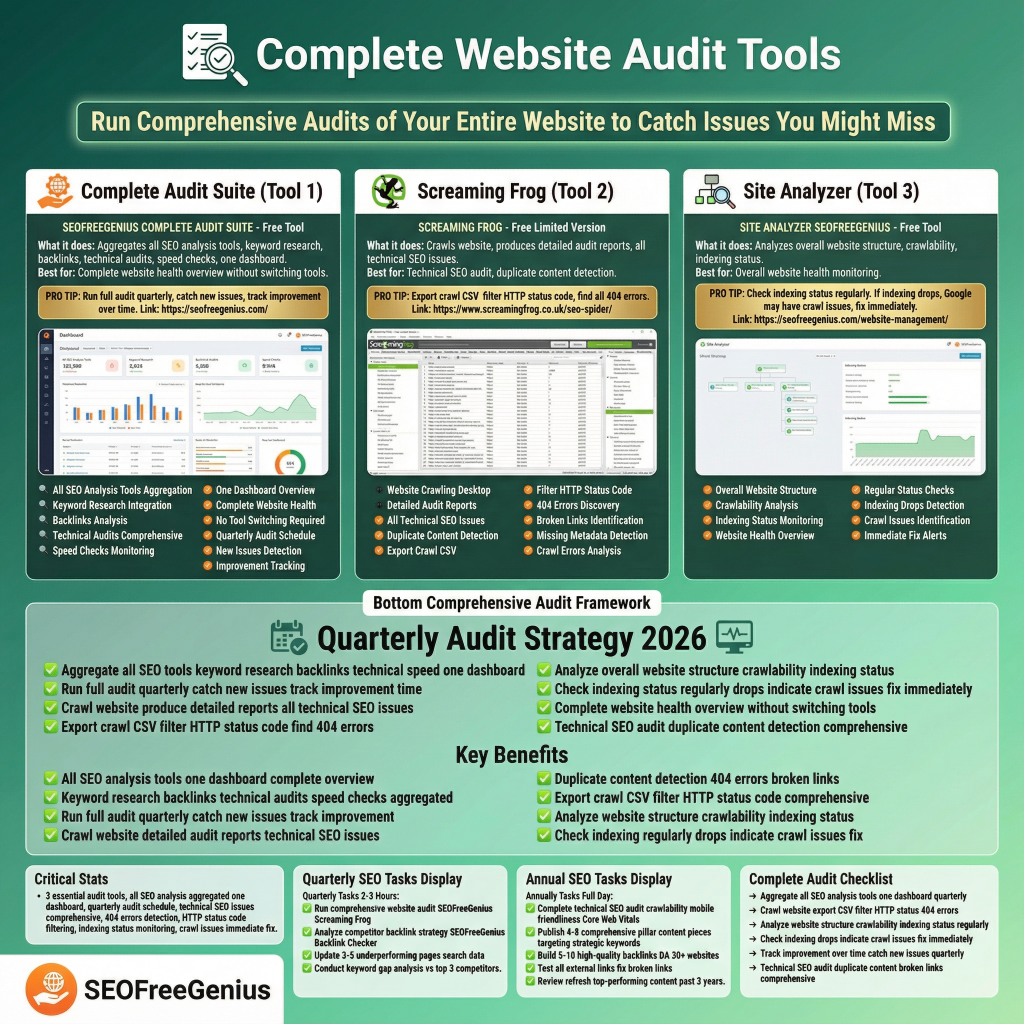
Run comprehensive audits of your entire website to catch issues you might miss.
SEOFreeGenius Complete Audit Suite
What it does: Aggregates all SEO analysis tools (keyword research, backlinks, technical audits, speed checks) in one dashboard.
Best for: Complete website health overview without switching tools.
Link: https://seofreegenius.com/
Pro tip: Run a full audit quarterly to catch new issues and track improvement over time.
Screaming Frog (Free Limited Version)
What it does: Crawls your website and produces detailed audit reports on all technical SEO issues.
Best for: Technical SEO audit and duplicate content detection.
Link: https://www.screamingfrog.co.uk/seo-spider/
Pro tip: Export the crawl as a CSV and filter by HTTP status code to find all 404 errors.
What it does: Analyzes overall website structure, crawlability, and indexing status.
Best for: Overall website health monitoring.
Link: https://seofreegenius.com/website-management/
Pro tip: Check indexing status regularly. If indexing drops, Google may have crawl issues—fix them immediately.
Quick Check: Don’t want to install software? Find dead links instantly with our online [Broken Links Finder].
Essential Free SEO Tools Checklist for 2026
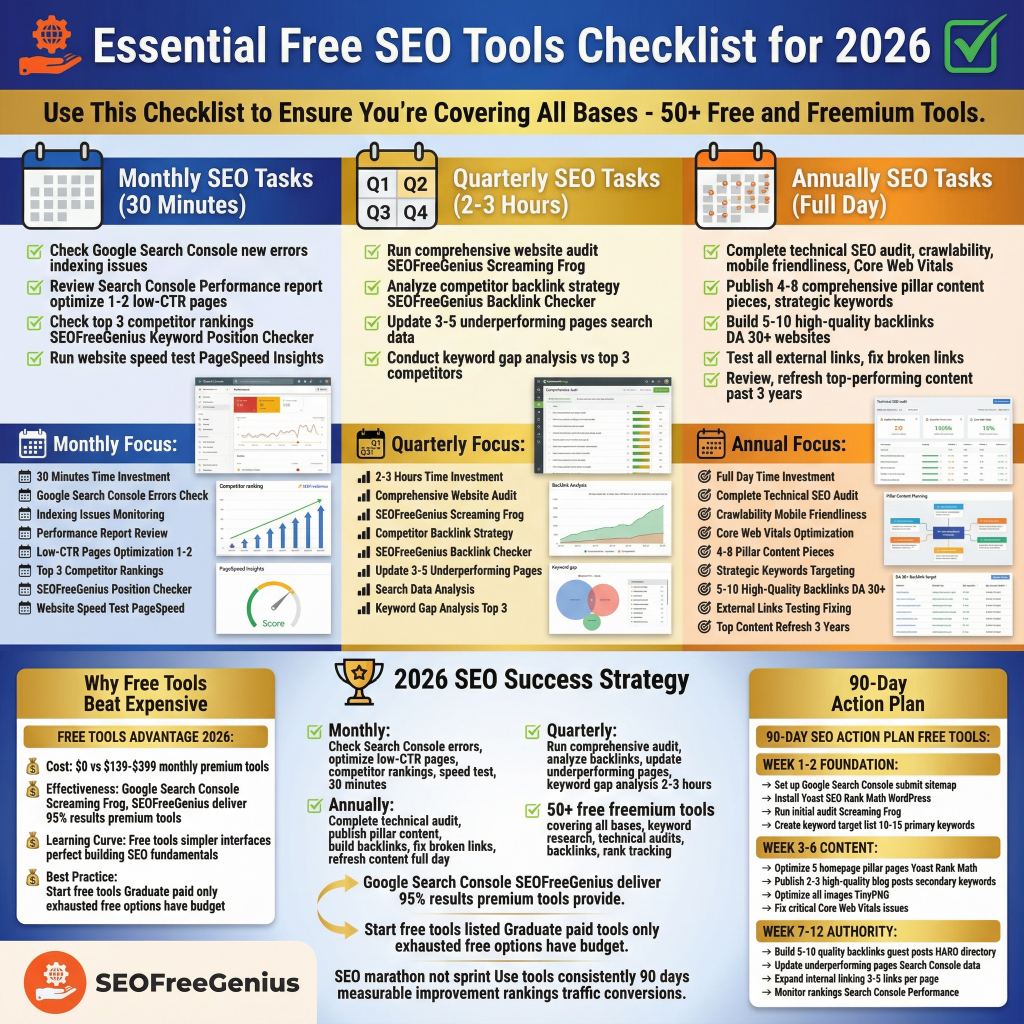
Use this checklist to ensure you’re covering all bases:
Monthly SEO Tasks (30 Minutes)
- [ ] Check Google Search Console for new errors or indexing issues
- [ ] Review Search Console’s Performance report—optimize 1-2 low-CTR pages
- [ ] Check top 3 competitor rankings using SEOFreeGenius Keyword Position Checker
- [ ] Run a website speed test via PageSpeed Insights
Quarterly SEO Tasks (2-3 Hours)
- [ ] Run comprehensive website audit with SEOFreeGenius or Screaming Frog
- [ ] Analyze competitor backlink strategy using SEOFreeGenius Backlink Checker
- [ ] Update 3-5 underperforming pages based on search data
- [ ] Conduct keyword gap analysis vs. top 3 competitors
- [ ] Complete technical SEO audit (crawlability, mobile friendliness, Core Web Vitals)
- [ ] Publish 4-8 comprehensive pillar content pieces targeting strategic keywords
- [ ] Build 5-10 high-quality backlinks from DA 30+ websites
- [ ] Test all external links and fix broken links
- [ ] Review and refresh top-performing content from the past 3 years
On-Page SEO Quick Wins (2-4 Hours Total)
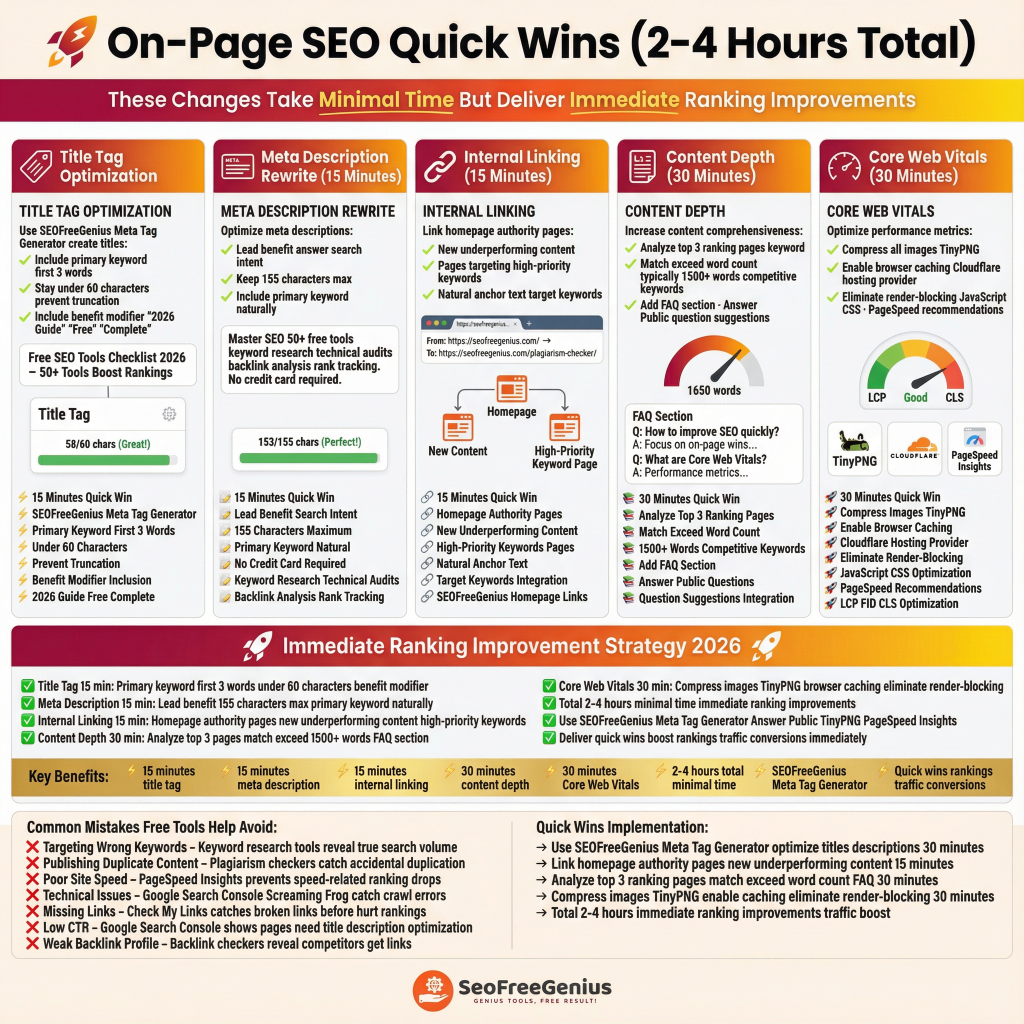
These changes take minimal time but deliver immediate ranking improvements:
Title Tag Optimization (15 Minutes)
Use SEOFreeGenius Meta Tag Generator to create titles that:
- Include your primary keyword in the first 3 words
- Stay under 60 characters to prevent truncation
- Include a benefit or modifier (“2026 Guide”, “Free”, “Complete”)
Example: “Free SEO Tools Checklist 2026 – 50+ Tools to Boost Rankings”
Meta Description Rewrite (15 Minutes)
- Lead with benefit or answer to search intent
- Keep to 155 characters max
- Include primary keyword naturally
Example: “Master SEO with 50+ free tools for keyword research, technical audits, backlink analysis, and rank tracking. No credit card required.”
Link from your homepage and authority pages to:
- New/underperforming content
- Pages targeting high-priority keywords
- Use natural anchor text with your target keywords
From: https://seofreegenius.com/ → To: https://seofreegenius.com/plagiarism-checker/
- Analyze top 3 ranking pages in your keyword
- Match or exceed their word count (typically 1,500+ words for competitive keywords)
- Add FAQ section using Answer the Public question suggestions
- Compress all images with TinyPNG
- Enable browser caching via Cloudflare or hosting provider
- Eliminate render-blocking JavaScript/CSS via Google PageSpeed recommendations
Why Free SEO Tools Beat Expensive Alternatives in 2026
Cost: $0 vs. $139-$399 monthly for premium tools
Effectiveness: Google Search Console, Screaming Frog, and SEOFreeGenius deliver 95% of results that premium tools provide
Learning Curve: Free tools often have simpler interfaces—perfect for building SEO fundamentals before upgrading
Best Practice: Start with free tools listed here. Graduate to paid tools (Semrush, Ahrefs) only when you’ve exhausted free options and have budget.
Common SEO Mistakes Free Tools Help You Avoid
- Targeting Wrong Keywords – Keyword research tools reveal true search volume, not guesses
- Publishing Duplicate Content – Plagiarism checkers catch accidental duplication
- Poor Site Speed – PageSpeed Insights prevents speed-related ranking drops
- Technical Issues – Google Search Console and Screaming Frog catch crawl errors immediately
- Missing Links – Check My Links catches broken links before they hurt rankings
- Low CTR – Google Search Console shows which pages need title/description optimization
- Weak Backlink Profile – Backlink checkers reveal where competitors get links so you can too
Your 90-Day SEO Action Plan (Using Only Free Tools)
- [ ] Set up Google Search Console and submit sitemap
- [ ] Install Yoast SEO or Rank Math on WordPress
- [ ] Run initial website audit with Screaming Frog
- [ ] Create keyword target list (10-15 primary keywords using Google Keyword Planner + Ubersuggest)
- [ ] Optimize 5 homepage/pillar pages using Yoast/Rank Math
- [ ] Publish 2-3 high-quality blog posts targeting secondary keywords
- [ ] Optimize all images with TinyPNG
- [ ] Fix critical Core Web Vitals issues
- [ ] Build 5-10 quality backlinks (guest posts, HARO responses, directory listings)
- [ ] Update underperforming pages based on Search Console data
- [ ] Expand internal linking (3-5 links per page)
- [ ] Monitor rankings with Google Search Console Performance report
Conclusion
In 2026, successful SEO doesn’t require expensive tools—it requires strategy, consistency, and the right free resources. The 50+ free and freemium tools in this checklist give you everything you need to:
✅ Find high-opportunity keywords with low competition
✅ Create ranking-worthy content optimized for search engines and users
✅ Fix technical issues that block crawling and indexing
✅ Build authority through strategic linking
✅ Monitor progress and iterate based on data
Start with Google Search Console and SEO Free Genius’s complete toolkit. These two resources alone provide 80% of the insights you need to compete with premium tools.
Remember: SEO is a marathon, not a sprint. Use these free tools consistently over 90 days, and you’ll see measurable improvement in rankings, traffic, and conversions. Ready to start? Begin with the monthly SEO tasks checklist. Your future search engine rankings will thank you.
Quick Reference: All Tools & Links
Keyword Research
- Google Keyword Planner: https://ads.google.com/home/tools/keyword-planner/
- Semrush Keyword Tool: https://www.semrush.com/analytics/keywordmagic/
- Ubersuggest: https://ubersuggest.com/
- KWFinder: https://kwfinder.com/
- Answer the Public: https://answerthepublic.com/
- Google Trends: https://trends.google.com/
- SEOFreeGenius Keyword Tools: https://seofreegenius.com/keyword-research/
Content Optimization
- Yoast SEO: https://yoast.com/wordpress/plugins/seo/
- Rank Math: https://rankmath.com/
- SEOPress: https://www.seopress.org/
- Hemingway Editor: https://hemingwayapp.com/
- Grammarly: https://www.grammarly.com/
- PageSpeed Insights: https://pagespeed.web.dev/
- TinyPNG: https://tinypng.com/
- SEOFreeGenius Plagiarism Checker: https://seofreegenius.com/plagiarism-checker/
Technical SEO
- Google Search Console: https://search.google.com/search-console/
- Mobile-Friendly Test: https://pagespeed.web.dev/
- Screaming Frog SEO Spider: https://www.screamingfrog.co.uk/seo-spider/
- SEOptimer: https://www.seoptimer.com/
- SEOFreeGenius Website Tools: https://seofreegenius.com/website-management/
- Checkbot: https://www.checkbot.io/
- Check My Links: https://seofreegenius.com/broken-links-finder
Meta Tags & Snippets
- SEOFreeGenius Meta Tag Generator: https://seofreegenius.com/meta-tags-tools/
- Rich Results Test: https://search.google.com/test/rich-results
- Schema.org: https://schema.org/
Backlinks
- SEOFreeGenius Backlink Checker: https://seofreegenius.com/backlink-checker/
- Moz Free Tools: https://moz.com/free-seo-tools
- Backlinko Backlink Checker: https://backlinko.com/tools/backlink-checker
- Google Search Console Links: https://search.google.com/search-console/
Rank Tracking
- Google Search Console Performance: https://search.google.com/search-console/
- SEOFreeGenius Keyword Position Checker: https://seofreegenius.com/keyword-position-checker/
- Google Alerts: https://www.google.com/alerts
Competitor Analysis
- Semrush: https://www.semrush.com/
- Ahrefs Toolbar: https://ahrefs.com/
- Ubersuggest: https://ubersuggest.com/
- SEOquake: https://www.seoquake.com/
AI Content Tools
- ChatGPT: https://chatgpt.com/
- Google Gemini: https://gemini.google.com/
- Surfer SEO: https://surferseo.com/
- Clearscope: https://www.clearscope.io/
Speed & Performance
- PageSpeed Insights: https://pagespeed.web.dev/
- GTmetrix: https://gtmetrix.com/
- WebPageTest: https://www.webpagetest.org/
- Cloudflare: https://www.cloudflare.com/
Complete Audits
- SEOFreeGenius Complete Suite: https://seofreegenius.com/
- Screaming Frog: https://www.screamingfrog.co.uk/seo-spider/