
Introduction
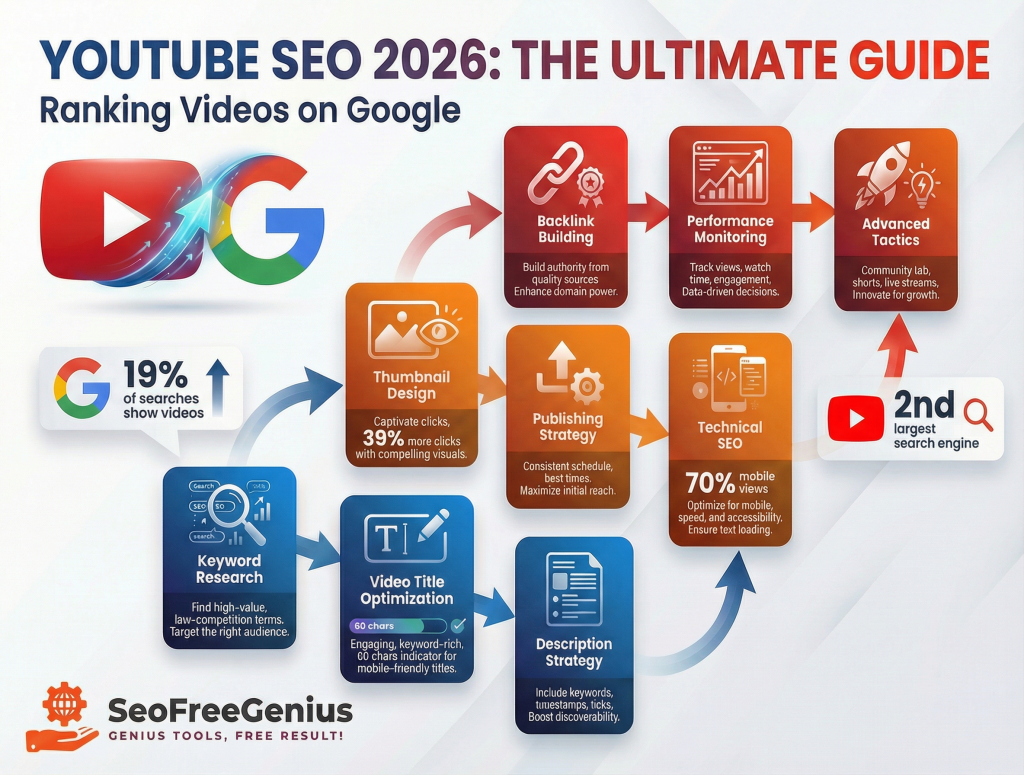
Mastering YouTube SEO 2026 is essential for ranking videos on Google and maximizing your content’s visibility. In 2026, YouTube has solidified its place as the second-largest search engine, and Google increasingly blends video results into organic search rankings.
This comprehensive YouTube SEO 2026 guide reveals the exact strategies and tools needed to rank your videos on both YouTube and Google in 2026.
Why YouTube SEO Matters More Than Ever in 2026
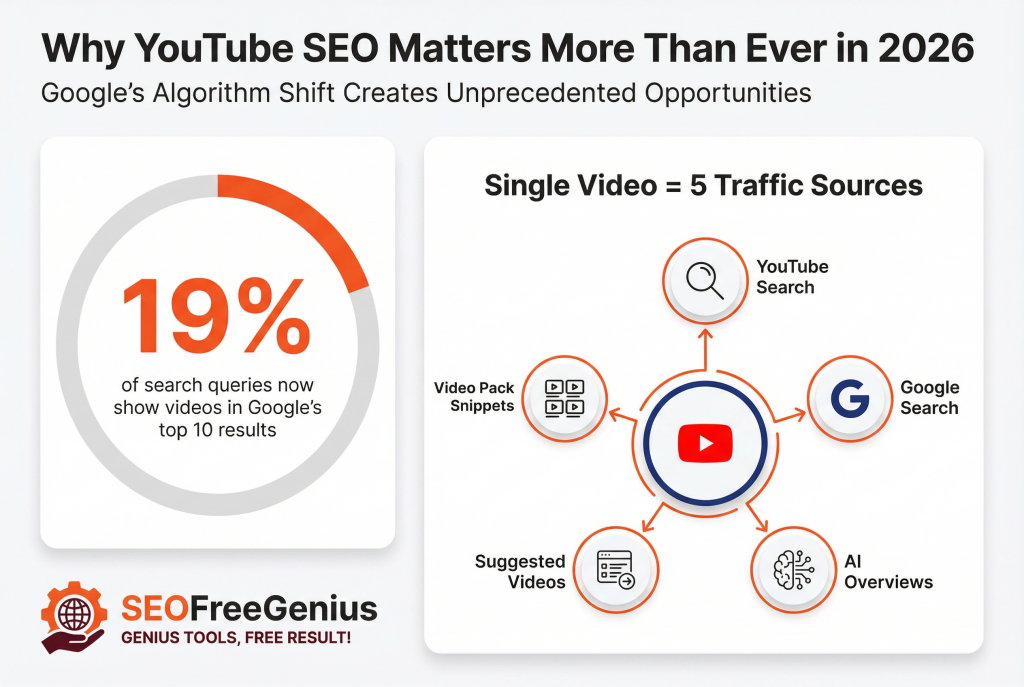
Google’s algorithm has fundamentally shifted. Google Search integrated more video results into its SERPs. A single well-optimized video can now drive traffic from:
- YouTube’s internal search
- Google’s main search engine
- Google’s AI Overviews
- YouTube’s Suggested Videos
- Video Pack snippets in local search
Videos rank in Google’s top 10 results for approximately 19% of all search queries. By optimizing for both YouTube and Google, you’re investing in a single piece of content that drives traffic from multiple sources.
Part 1: Keyword Research Specifically for YouTube Videos
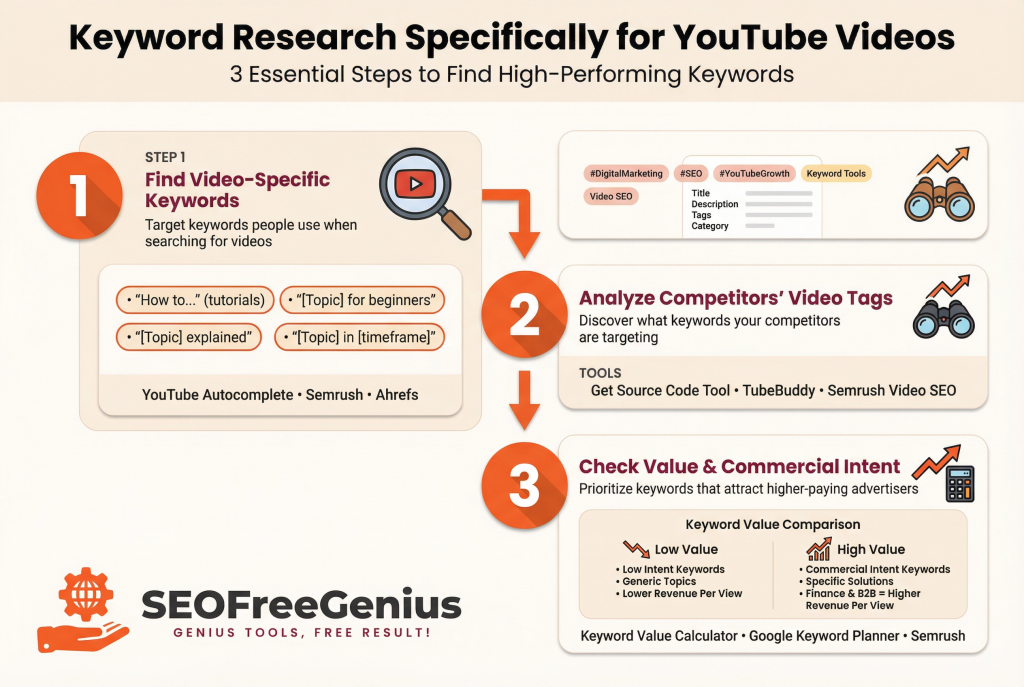
Step 1: Find Video-Specific Keywords
Most creators start with generic keywords. Find keywords specifically searched by people looking for videos:
- “How to…” (tutorials are video-friendly)
- “[Topic] for beginners”
- “[Topic] explained”
- “[Topic] in [timeframe]”
For YouTube SEO 2026, use YouTube search autocomplete as your first research tool.
Extract suggestions at scale using our YouTube Keywords Extractor or professional tools like Semrush and Ahrefs. For comprehensive keyword strategy, visit our SEO Resources Center at.
Step 2: Analyze Competitors’ Video Tags and Metadata
Your competitors’ video tags reveal what keywords they’re targeting. Use our Get Source Code of Webpage tool to download a YouTube video page’s HTML.
For competitive analysis at scale, use Semrush Video SEO Tool and TubeBuddy.
Step 3: Check Keyword CPC Value and Commercial Intent
Understanding keyword CPC (Cost Per Click) helps you prioritize topics that attract higher-paying advertisers.
Use our Keyword CPC Calculator or professional tools like Google Keyword Planner, Semrush, and Ahrefs.
Higher CPC keywords like finance and B2B software generate more revenue per view.
Part 2: Optimizing Your Video Title for Google Ranking
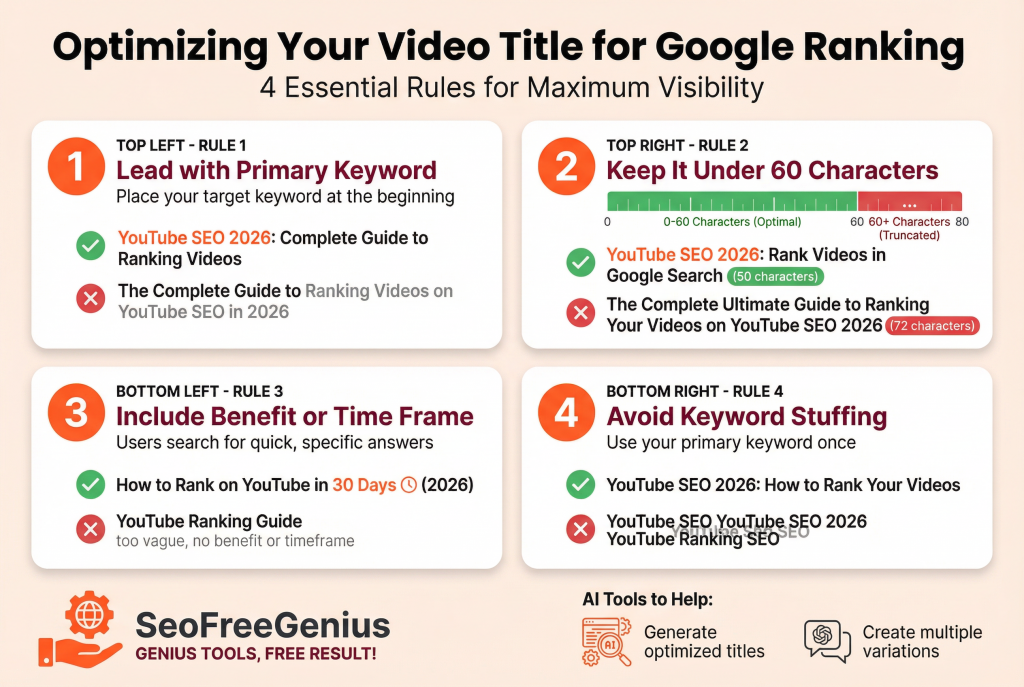
Your video title is the most important on-page ranking factor. It also appears in Google Search results.
Title Best Practices for 2026
Rule 1: Lead with the Primary Keyword
Place your target keyword at the beginning.
✅ Good: “YouTube SEO 2026: Complete Guide to Ranking Videos”
❌ Poor: “The Complete Guide to Ranking Videos on YouTube SEO in 2026”
Rule 2: Keep It Under 60 Characters
Longer titles get truncated in Google Search results.
✅ Good: “YouTube SEO 2026: Rank Videos in Google Search” (50 characters)
Rule 3: Include Benefit or Time Frame
Users search for quick answers.
✅ Good: “How to Rank on YouTube in 30 Days (2026)”
Rule 4: Avoid Keyword Stuffing
Use your primary keyword once.
✅ Good: “YouTube SEO 2026: How to Rank Your Videos”
Generate Optimized Titles with AI
Use our AI SEO Meta Title Generator or ChatGPT to generate multiple title variations.
Part 3: Crafting the Perfect Video Description
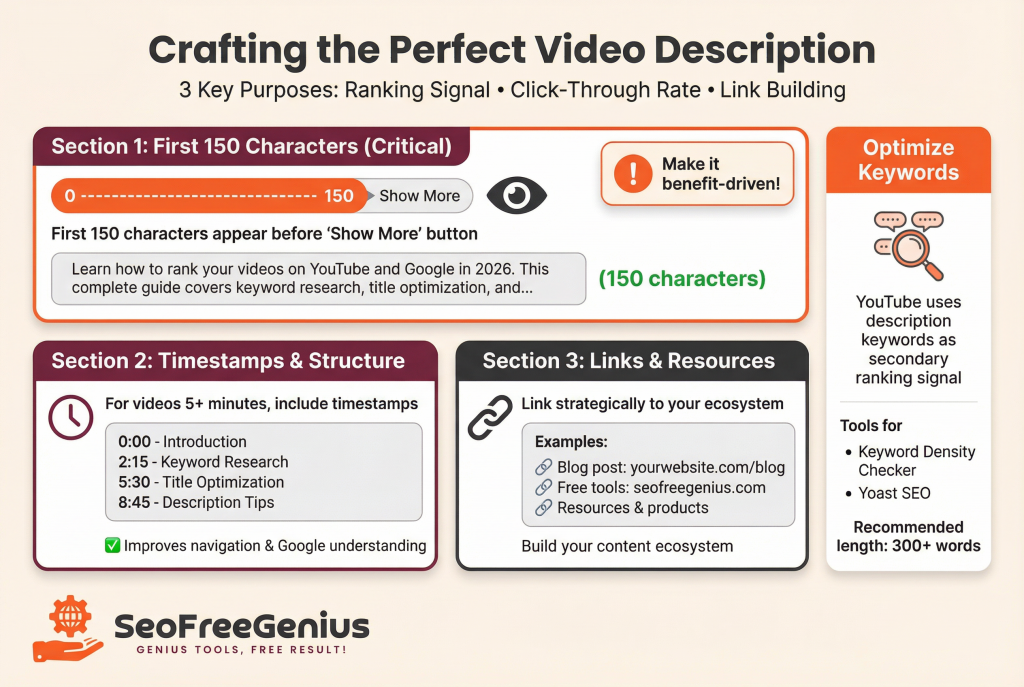
Your video description serves three purposes:
- Ranking signal: YouTube reads your description to understand content
- Click-through rate: First 2-3 lines appear in YouTube search results
- Link building: Link to your website and other resources
Description Structure for YouTube SEO
First 2-3 Lines (Critical)
The first 150 characters appear before “Show More” button. Make this count with a benefit-driven statement.
Second Section: Timestamps and Structure
For videos longer than 5 minutes, include timestamps. YouTube uses them to improve user navigation and help Google understand your content structure.
Third Section: Links & Resources
Link to your website, tools, and resources strategically:
- Your website blog post (https://seofreegenius.com/blog)
- Your free tools (https://seofreegenius.com)
- Third-party resources
- Your products or services
Optimize Description Keywords
YouTube uses description keywords as a secondary ranking signal. Use our Keyword Density Checker or Yoast SEO to verify optimal keyword density.
Part 4: Master Video Thumbnail Design for CTR
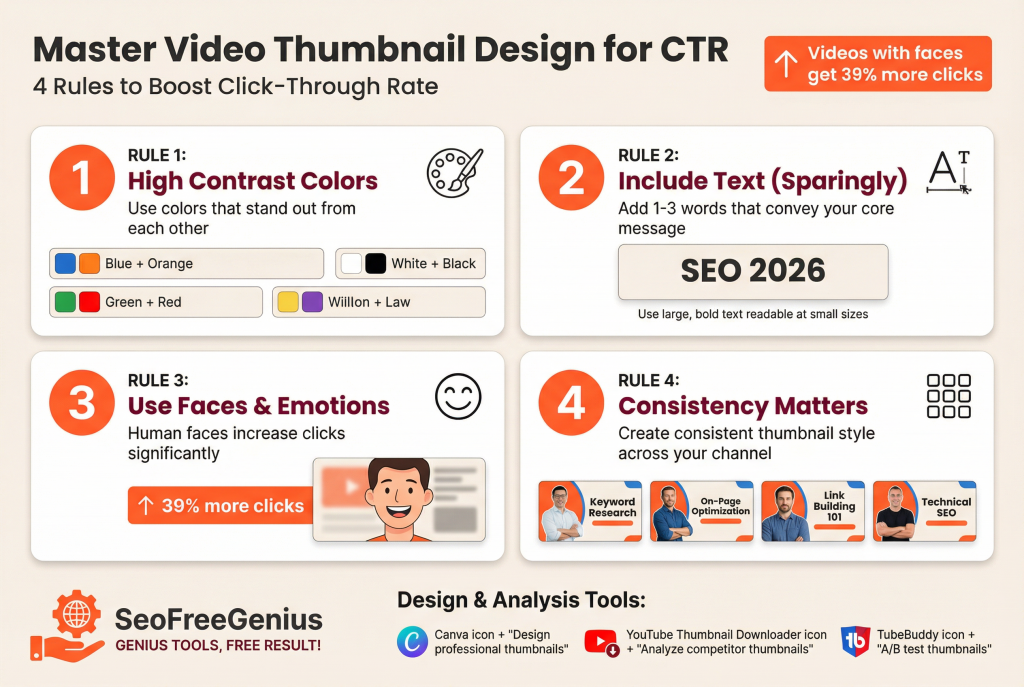
In 2026, click-through rate (CTR) has become increasingly important to YouTube’s ranking algorithm.
Thumbnail Best Practices
Rule 1: High Contrast Colors
Use colors with high contrast. Examples: Blue + Orange, Green + Red, White + Black.
Rule 2: Include Text (Sparingly)
Add 1-3 words that convey your video’s core message. Use large, bold text readable at small sizes.
Rule 3: Use Faces or Emotional Expressions
Videos with human faces get 39% more clicks. Include faces with strong emotional expressions.
Rule 4: Consistency Matters
Create consistent thumbnail style across your channel. Use Canva for easy design.
Analyze Competitor Thumbnails
Use our YouTube Thumbnail Downloader or TubeBuddy to download and analyze high-performing thumbnails.
Part 5: Publishing Strategy for Maximum Visibility
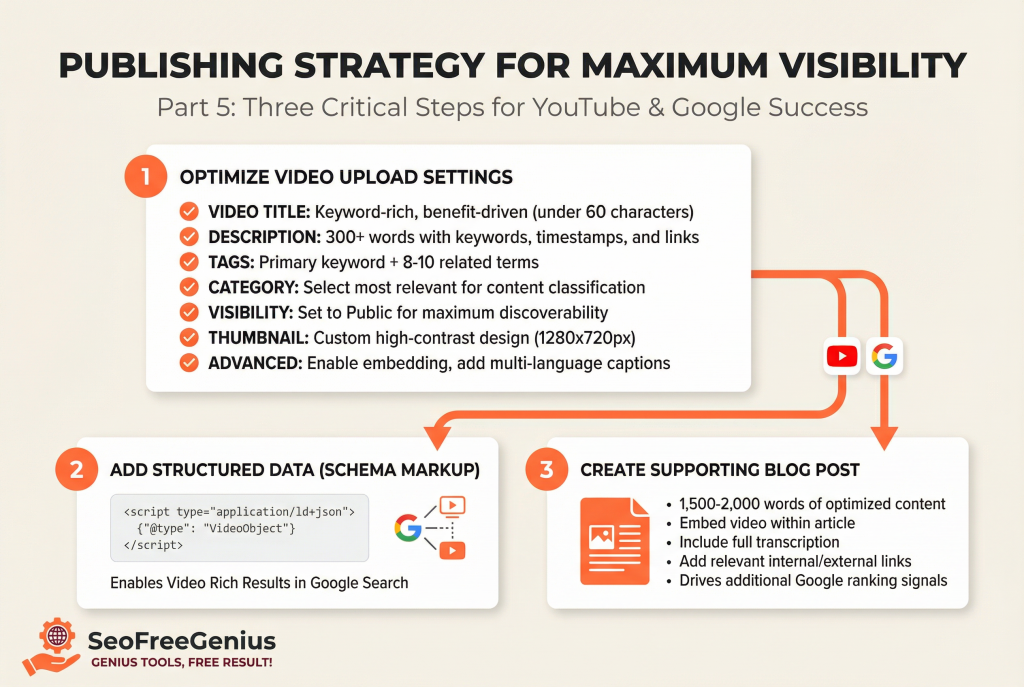
Optimize Your Video Upload Settings
Video Title: Use keyword-rich, benefit-driven titles.
Description: 300+ words with keywords, timestamps, and links.
Tags: Primary keyword + 8-10 related terms.
Category: Select most relevant to help YouTube classify your content.
Visibility: Set to Public for discoverability.
Thumbnail: Upload custom, high-contrast thumbnail.
Advanced: Enable embedding, add captions in multiple languages.
Add Structured Data (Schema Markup)
YouTube videos can include schema markup for Google’s Video Rich Results. Use Schema.org and Google’s Structured Data Testing Tool to validate your markup.
Create a Blog Post Alongside Your Video
A blog post supporting your video on your website (https://seofreegenius.com/blog) is critical for Google ranking.
- Gives Google additional content to rank
- Provides context about video
- Increases topic authority
- Drives backlinks
Target 1,500-2,000 words. Use our Word Counter or Yoast SEO for optimization. Use Semrush for comprehensive content analysis.
Part 6: Technical SEO for Video Ranking
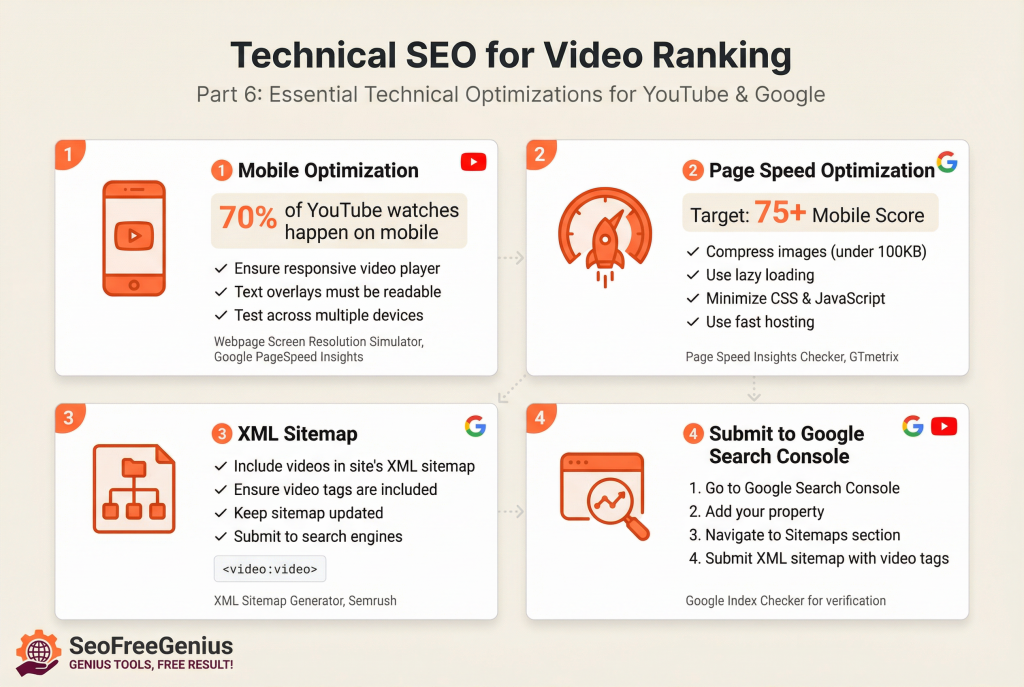
Mobile Optimization
70% of YouTube watches happen on mobile. Ensure video player is responsive and text overlays are readable.
Test on multiple devices using our Webpage Screen Resolution Simulator. To verify mobile performance scores and usability, use Google PageSpeed Insights, which has replaced the legacy Mobile-Friendly Test.
Page Speed
If your video is embedded on a blog, page speed matters for ranking both.
- Compress images (under 100KB per image)
- Use lazy loading
- Minimize CSS and JavaScript
- Use fast hosting
Check speed with our PageSpeed Insights Checker, Google PageSpeed Insights, or GTmetrix. Aim for 75+ on mobile.
XML Sitemap
Include your video in your site’s XML sitemap. Generate with our XML Sitemap Generator or Semrush, ensuring it includes video tags.
Submit to Google Search Console
1. Go to Google Search Console
2. Add your property
3. Go to Sitemaps section
4. Submit your XML sitemap with video tags
Verify indexing with our Google Index Checker.
Part 7: Build Backlinks for Video Authority
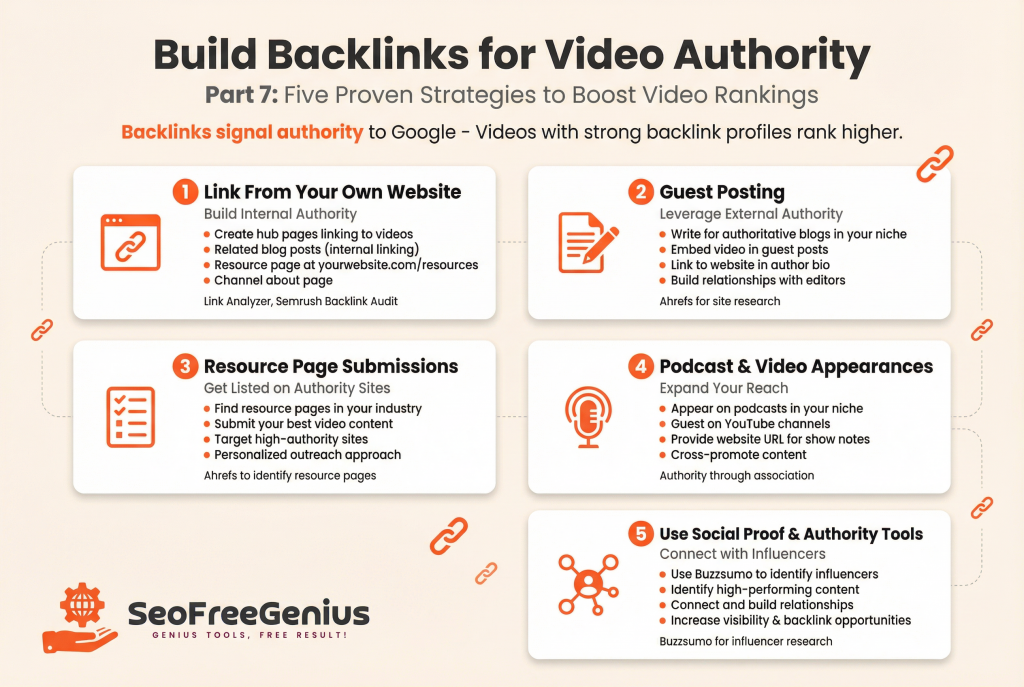
Backlinks signal authority to Google. Videos with strong backlink profiles rank higher.
Strategy 1: Link From Your Own Website
Create hub pages that link to your video from:
- Related blog posts (internal linking)
- Resource page at https://yourwebsite.com/resources
- Channel about page
Use our Link Analyzer or Semrush Backlink Audit to audit your internal linking structure.
Strategy 2: Guest Posting
Write guest posts on authoritative blogs in your niche. Embed your video and link back to your website (https://yourwebsite.com) in your author bio.
Strategy 3: Resource Page Submissions
Find resource pages in your industry. Use Ahrefs to identify the best resource pages in your niche.
Strategy 4: Podcast and Video Appearances
Appear on podcasts or YouTube channels in your niche. Provide your website URL (https://yourwebsite.com) for show notes and video descriptions.
Strategy 5: Use Social Proof and Authority Tools
Tools like Buzzsumo identify influencers and high-performing content. Connect with influencers to increase visibility and backlink opportunities.
Part 8: Monitoring Performance & Iteration
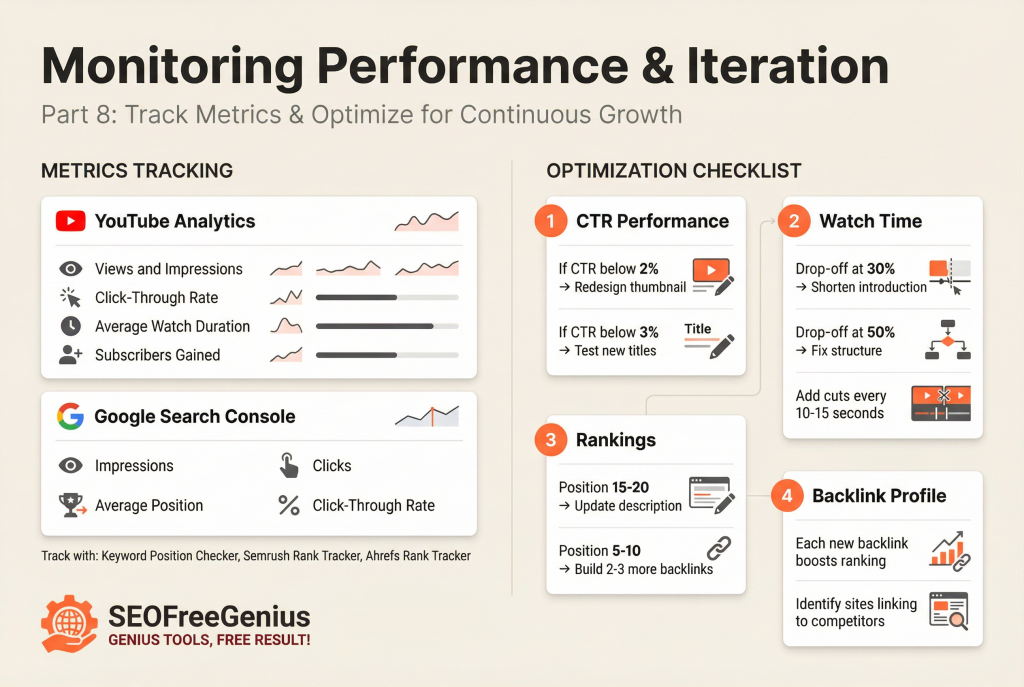
Key Metrics to Track
YouTube Analytics:
- Views and impressions
- Click-through rate
- Average watch duration
- Subscribers gained
Google Search Console:
- Impressions
- Clicks
- Average position
- Click-through rate
Use our Keyword Position Checker , Semrush Rank Tracker, or Ahrefs Rank Tracker to track rankings.
Monthly Optimization Checklist
1. CTR Performance
- If CTR below 2%, redesign thumbnail. If below 3%, test new titles.
2. Watch Time
- If drop-off at 30%, shorten introduction. At 50%, fix structure. Add cuts every 10-15 seconds.
3. Rankings
- At position 15-20, update description. At 5-10, build 2-3 more backlinks.
4. Backlink Profile
Each new backlink boosts ranking. Identify sites linking to competitors.
Part 9: Advanced YouTube SEO Tactics for 2026
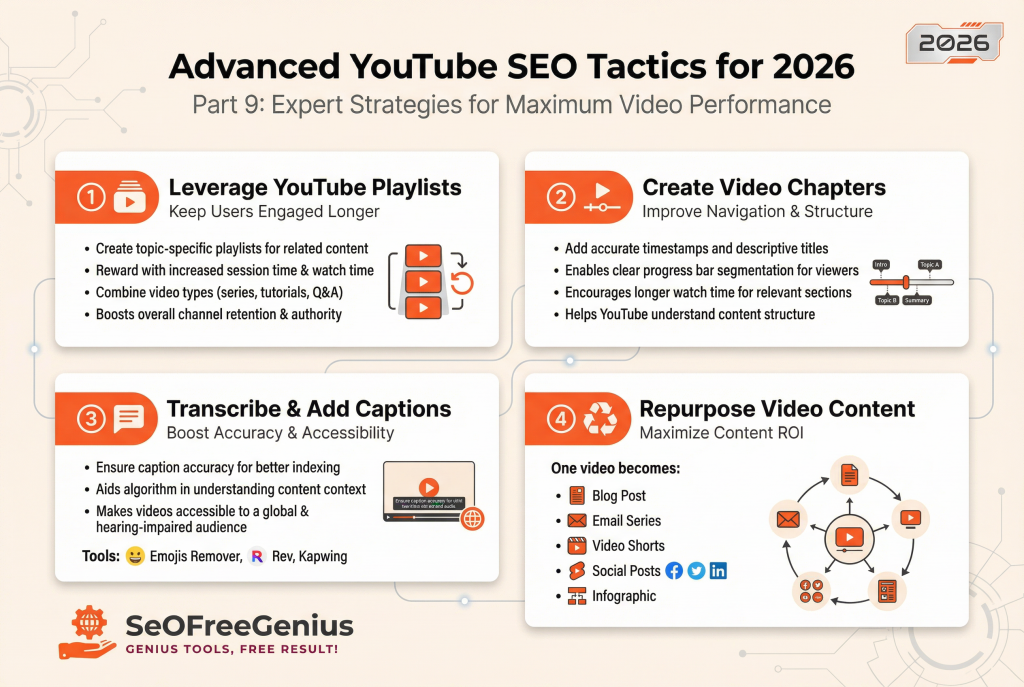
Leverage YouTube Playlists for Ranking
Create playlists around topics. YouTube rewards creators who keep users on platform longer. Include related tutorials, tool reviews, and case studies.
Create Video Chapters
Use timestamps for chapters. YouTube displays them in progress bar. This increases watch time and helps Google understand structure.
Transcribe Your Video and Add Captions
Manually edited captions improve accuracy and help YouTube understand content.
Use our Emojis Remover for clean transcripts. Professional services include Rev and Kapwing.
Repurpose Your Video Content
One video should become:
- 1 blog post on your website (https://yourwebsite.com/blog) – 1,500-2,000 words
- 1 email newsletter series (3-5 emails)
- 3-5 YouTube Shorts (15-60 seconds)
- 1-2 LinkedIn posts or tweets
- 1 infographic
Recommended Tools and Resources
SeoFreeGenius Free Tools (https://seofreegenius.com)
Your free resource suite for SEO optimization:
YouTube Keywords Extractor: Extract keywords from YouTube autocomplete
Get Source Code of Webpage: View competitor meta tags and keywords
Keyword CPC Calculator: Estimate monetization potential
AI SEO Meta Title Generator: Generate optimized video titles
Keyword Density Checker: Verify keyword usage
YouTube Thumbnail Downloader: Analyze competitor thumbnails
Webpage Screen Resolution Simulator: Test mobile responsiveness
Page Speed Insights Checker: Optimize blog post speed
XML Sitemap Generator: Create video-inclusive sitemaps
Google Index Checker: Verify video indexing
Link Analyzer: Audit internal linking
Keyword Position Checker: Track ranking position
Backlink Checker: Monitor backlinks
Emojis Remover: Clean captions
Word Counter: Verify word count
Professional SEO and Analysis Tools
Semrush: https://semrush.com – All-in-one SEO platform with video tools, keywords, competitor analysis
Ahrefs: https://ahrefs.com – Backlink analysis, keyword research, rank tracking
Moz Pro: https://moz.com/products/pro – Rank tracking, keyword research, site audits
TubeBuddy: https://tubebuddy.com – YouTube-specific keyword research and tag analysis
Content Creation Tools
Canva: https://canva.com – Design professional thumbnails and graphics
ChatGPT: https://chatgpt.com – Generate titles, descriptions, content ideas
Yoast SEO: https://yoast.com – Content optimization and readability
Rev: https://rev.com – Professional transcription and captioning
Kapwing: https://kapwing.com – Video editing with captions
Analytics and Monitoring
Google Search Console: https://search.google.com/search-console – Monitor indexing and search performance
Google Analytics 4: https://analytics.google.com – Track traffic from video content
YouTube Studio: https://studio.youtube.com – Built-in analytics for views and watch time
Semrush Position Tracking: https://www.semrush.com/position-tracking – Track keyword rankings
Ahrefs Rank Tracker: https://ahrefs.com/rank-tracker – Monitor ranking positions
Buzzsumo: https://buzzsumo.com – Identify trending content and influencers
Video Hosting and Distribution
YouTube: https://youtube.com – Primary video hosting platform
Your Website: https://yourwebsite.com – Embed videos and create supporting content
Vimeo: https://vimeo.com – Premium hosting with customization
Technical and Validation Tools
Schema.org: https://schema.org – Understand structured data markup
Google Structured Data Tool: https://validator.schema.org – Validate structured data
Google PageSpeed Insights: https://pagespeed.web.dev – Page performance analysis
GTmetrix: https://gtmetrix.com – Comprehensive speed testing
Conclusion
YouTube SEO in 2026 requires optimization across three dimensions:
- YouTube’s algorithm
- Google’s algorithm
- User engagement metrics
By following this guide, you’ll:
- Optimize titles, descriptions, and tags for both platforms
- Create high-CTR thumbnails
- Build supporting blog content on your website
- Implement technical SEO best practices
- Build backlinks and authority
- Monitor performance and iterate
The creators who succeed in YouTube SEO 2026 understand that YouTube SEO and Google SEO are interconnected. Start with one keyword, create one video, write one blog post on your website (https://yourwebsite.com), and build 3-5 backlinks. Within 4-8 weeks, you’ll see measurable ranking improvements.
Use free tools from SeoFreeGenius alongside professional tools like Semrush and Ahrefs to optimize every aspect of your video content and track progress toward top rankings.