
- Published: April 13, 2026
- Author: SEO Free Genius Team
- Reading time: 8-11 minutes
If You Run a Small Site, AI Overviews Can Feel Terrifying
Let’s be honest: when Google’s AI Overviews started taking over the top of the results, a lot of us thought the same thing:
“Great. Now I’ve got to compete with Google’s AI too.”
In 2026, AI Overviews show up on a big chunk of informational searches and they usually sit above the classic blue links. That means if your content isn’t good enough to be cited in that box—or at least sit high in the organic results underneath—you’re mostly invisible. [enfuse-solutions] [heroicrankings] [mikekhorev]
The good news is: AI Overviews don’t magically invent answers. They still pull from real pages. And Google has been clear: the system leans on the same ranking signals as normal Search—relevance, quality, and E‑E‑A‑T. [developers.google] [searchengineland] [semrush]
In this guide, I’ll walk you through how I’d optimize a small site (like seofreegenius.com) for AI Overviews in 2026 using:
- Only free tools (mostly your own tools)
- Straightforward workflows you can repeat for every new article
- A realistic, human tone—no robotic “ultimate guides”
If you’re totally new to SEO, park this tab and read “SEO for Complete Beginners: How Google Finds and Ranks Your Website” first. Then come back and layer AI Overviews on top.
1. First Step: Figure Out Where AI Overviews Even Show Up
Before you “optimize for AI Overviews”, you need to know which queries in your niche actually trigger them. Otherwise you’re shooting in the dark.
1.1 Do a quick “AI sweep” in an incognito window
Open an incognito window and search for:
- Your core topics, like:
- “AI Overviews SEO 2026”
- “Google AI Overviews ranking factors”
- “how to optimize for AI Overviews as a small site”
- The obvious questions your audience would type, starting with “how”, “why”, “what is”, “best way to…”
Each time, check two things: [boralagency] [crklr] [enfuse-solutions]
- Is there an AI Overview at the top?
- Which kinds of pages get cited? Big brands? Forums? Niche blogs?
You’ll quickly see patterns: some topics lean heavily on documentation, others on big publishers, others on niche experts and community threads. [mikekhorev] [wellows] [searcheseverywhere]
1.2 Use free tools to find where you already have a chance
Now, switch from Google to your data. On seofreegenius.com, you can do a simple pass with your own tools:
- Keyword Position Checker
URL: seofreegenius.com/keyword-position-checker- Plug in your key terms and see where you already rank in the top 20. In most studies, AI Overviews mostly cite pages that are already on page one. [heroicrankings] [semrush]
- Keywords Suggestion Tool
URL: seofreegenius.com/keywords-suggestion-tool- Look for long‑tail, conversational queries (the ones that read like a real question). These are much more likely to trigger AI Overviews than a blunt head term.[crklr] [skyseodigital]
- Keyword Density Checker
URL: seofreegenius.com/keyword-density-checker- Use this after writing to catch over‑optimization. In 2026, stuffing “Google AI Overviews” in every paragraph is a fast way to sound like a bot. [credible-content] [sagemg] [developers.google]
- Keyword CPC Calculator
URL: seofreegenius.com/keyword-cpc-calculator- If CPC is very high and ads dominate the SERP, AI Overviews may not be your main opportunity, especially for a small site. [searchengineland]
If you want a broader structure for doing this for every article, combine this process with “Free SEO Tools Workflow Guide” and “Free SEO Tools Checklist 2026”.
2. How to Write in a Way AI (and Humans) Can Use
A lot of AI‑era SEO content sounds like a legal document. That’s exactly what we don’t want.
Google’s own guidance and several 2026 content studies all say roughly the same thing: [zumeirah] [serpmonsters] [hashmeta]
- Write in natural language, like you’re explaining it to a client or friend.
- Give a clear answer near the top.
- Use structure—headings, bullets, FAQs—to make your content easy to skim and easy to extract.
Here’s how I’d do that for an AI Overviews article.
2.1 Start with the answer, not a long warm‑up
Bad intro (what AI ignores):
“In a rapidly evolving digital landscape, AI has transformed the way we…”
Better intro (what AI and humans use):
“If you want your site to show up in AI Overviews in 2026, focus on three things: clear answers near the top of your article, solid E‑E‑A‑T signals, and technical SEO that makes your pages fast and easy to crawl.”
Make that kind of “mini answer” the first or second paragraph. [theadfirm] [sagemg] If you’re not sure how to structure the rest, walk through “Blog SEO Workflow: From Idea to Published, Optimized Article”.
2.2 Talk like a person, not a whitepaper
When you explain a concept, ask yourself:
“How would I say this on a Zoom call with a client?”
Example:
- Instead of: “AI Overviews leverage advanced LLM summarization to synthesize multi‑source answers.”
- Say: “AI Overviews read through the top results and try to stitch the best pieces into one short answer.”
Guides on writing for AI Overviews repeatedly recommend conversational language, simple words, and questions in headings. [exceptional]
2.3 Use structure AI can grab easily
Here’s the structure I’d aim for:
- H2s that match what people search
- Short paragraphs (2–4 sentences, with the occasional longer one)
- Bullet lists for tips, pros/cons, and quick wins
- Numbered lists for workflows or checklists
- A small FAQ section at the end
You can see similar structure in your own articles like “On‑Page SEO Checklist for Small Websites” and “The Complete On‑Page SEO Check”.
3. Make the Article Worth Indexing (and Citing), Not Just “Long”
Google has been blunt: “Crawled – currently not indexed” is often about quality and redundancy, not technical errors. [seotesting] [aioseo] [yoast] So instead of writing more words, make your article different from what’s already ranking.
3.1 Add real examples from your own site
For example, you might have something like:
“When we first published our AI Overviews guide, it sat as ‘Crawled – currently not indexed’ for weeks. After we cut about 25% of generic content, added a section on our own Search Console data, and linked it properly into our AI/SEO cluster, it finally moved to ‘Indexed’ and started getting impressions.”
That kind of story is impossible for another site—or an AI model—to copy exactly. Guides on humanizing AI content say these “lived‑in” details are what make writing feel real. [analyticsinsight] [humanizeai] [trendchaska]
You already do this in “Real‑World SEO Fixes: 5 Changes That Moved Our Pages from Page 2 to Page 1” and “How to Turn a Free SEO Tools Site from 0 to 10K Clicks Using Only Search Console Data”.
3.2 Cut the copy‑and‑paste tool lists
Long generic tool lists are one of the easiest footprints of AI‑style content. Instead of listing every tool on earth, show a small workflow with a few tools:
Example workflow for a new AI Overviews article:
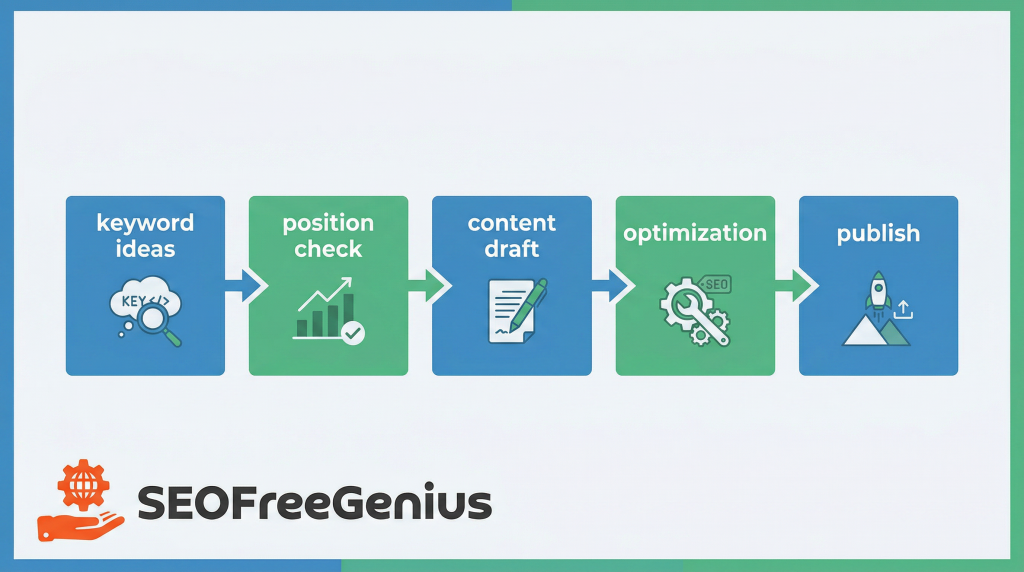
- Use Keywords Suggestion Tool to find question‑style long‑tails.
- Draft an outline using those questions as H2s.
- Write answer‑first sections in a conversational tone.
- Run Keyword Density Checker to catch awkward repetition.
- Before publishing, check for originality with Plagiarism Checker.
This feels like something a person actually does, not a list pulled from another article. [serpmonsters[ [greenmo] [zumeirah]
3.3 Keep the article tight
Most experts now recommend cutting ruthlessly in editing. If a paragraph doesn’t: [serpmonsters] [humanizeai]
- Answer the main question,
- Support an important sub‑topic, or
- Add a real example,
it’s a candidate to delete. A slightly shorter, sharper article usually has a better shot at being indexed than a long, repetitive one. [onely] [seotesting]
4. Technical Basics So Google Can Trust (and Use) the Page
Even the best content won’t show up in AI Overviews if the underlying page is slow, messy, or hard to crawl. [semrush] [searcheseverywhere] [enfuse-solutions]
4.1 Speed and Core Web Vitals
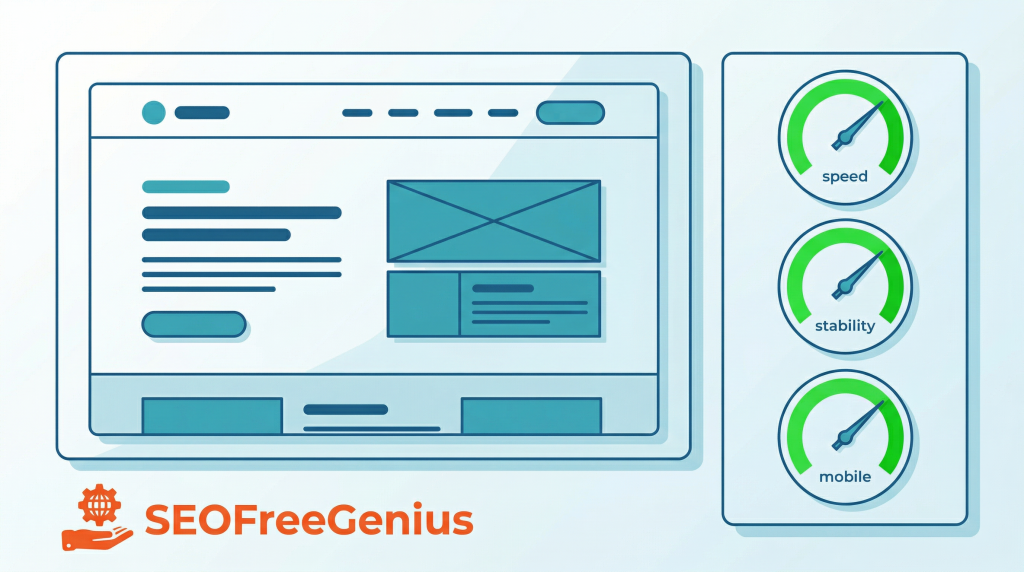
You don’t need a perfect score, but you do want:
- A page that loads quickly on mobile
- A layout that doesn’t jump all over the place
- Basic interactivity that feels responsive
Use your free tools:
If you’re on shared hosting, follow your own guides “Technical SEO on Shared Hosting: How to Make a Fast Crawlable Site on a Budget” and “How to Maximize Site Speed on Shared Hosting” for concrete fixes.
4.2 Crawlability and indexing
From Google’s crawling and indexing docs: [developers.google] [viacon.io]
- Important URLs should be linked internally, not just buried in a sitemap.
- Critical assets (CSS/JS/images) should not be blocked in robots.txt.
- There should be no accidental noindex or conflicting canonical.
On seofreegenius.com, your toolkit already covers most of this:
The full step‑by‑step is in “How to Fix Indexing Problems in Google Using XML Sitemaps and Free Tools”.“`
4.3 Schema without over-complicating it
You don’t need every structured data type under the sun. In 2026, most AI Overviews and rich results benefit from a few basics: [wellows] [skyseodigital] [exceptional]
- Article schema for the main guide
- FAQPage if you add a real FAQ section
- HowTo if you provide a genuine, ordered process
You can then validate titles and meta descriptions with Meta Tags Analyzer, and follow patterns from “Technical SEO for Shared Hosting and Budget Sites”.
5. E‑E‑A‑T: Help Google See There’s a Real Person Behind the Words
By 2026, every serious AI Overviews guide talks about E‑E‑A‑T: experience, expertise, authority, and trust. [trendchaska] [linkedin] [mikekhorev]

Practical steps you can take on your article:
- Add an author box that says what you actually do (e.g., “SEO practitioner working on small sites and free tools”).
- Link to an About page and a simple Contact page.
- Cite authoritative sources when you reference stats or official behavior (Google Search Central, major SEO publications).
At the site level, you’re already thinking this way in “Cleaning Up Thin and Duplicate Content on Your Site: The AdSense Approval Checklist” and “Building Topic Clusters Around Your SEO Content”.
For authority and links:
- Use Backlink Checker
- Follow “Backlink Analysis for Beginners” and “How to Run a Backlink Health Check (Without Getting Penalized)”.
And if you recommend tools, keep it transparent as in “Affiliate‑Friendly SEO: How to Recommend Tools Transparently and Still Rank”.
6. Images, Video, and “Looking” Like a Helpful Result
AI Overviews are increasingly multimodal in 2026—they mix text, images, and sometimes video when it helps the answer. [enfuse-solutions] [heroicrankings] [semrush]
6.1 Practical image plan
You don’t need a gallery, just a few helpful visuals:
- One hero image at the top (prompt above).
- One diagram for your AI Overviews optimization workflow.
- Optionally, a simplified Core Web Vitals/dashboard illustration.
Image slot 2 – near the workflow section
Prompt:
“Flat infographic style illustration of a simple SEO workflow funnel with stages research, write, structure, publish, improve (labels in the UI not giant text), with icons for articles and AI summaries, blue and teal colors, high resolution”
Image slot 3 – near technical section
Prompt:
“Simple dashboard-like illustration showing a web page on the left and three performance gauges (speed, stability, mobile) all in green on the right, modern flat style, high resolution” Prepare and optimize images using the Images Editing Toolkit on seofreegenius.com (Color Picker, RGB to Hex, Hex to RGB, Dummy Image Placeholder), and export in a light format like WebP. [searcheseverywhere] [paragondesign]
6.2 When to embed video
If you have or plan to create videos (for example, a walkthrough of using your tools with AI Overviews in mind):
- Embed the video where it naturally fits.
- Add a short text summary right under it.
- Use Video schema if video is central to the article.skyseodigital+1
For a bigger video strategy, follow “YouTube SEO 2026: The Ultimate Guide to Ranking Videos on Google”.
7. Keep the Article Alive: 2026 Update Routine
AI and search are changing fast. Content that’s two years out of date on AI behavior is less likely to be trusted or cited. [linkedin] [semrush]
Borrow from your “Content Refresh Playbook: How to Update Old Articles Safely”:
- Set a reminder to revisit this article at least once a year.
- Update anything that feels outdated (screenshots, terminology, feature names).
- Add one or two fresh examples from your own experiments.
- Check indexing with Google Index Checker and performance with your PageSpeed tools.
This doesn’t have to be a huge project—small, regular refreshes are enough to tell Google, “This page is still alive and maintained.” [sagemg] [digitalscouts]
8. Quick Checklist Before You Hit Publish (or Request Indexing)
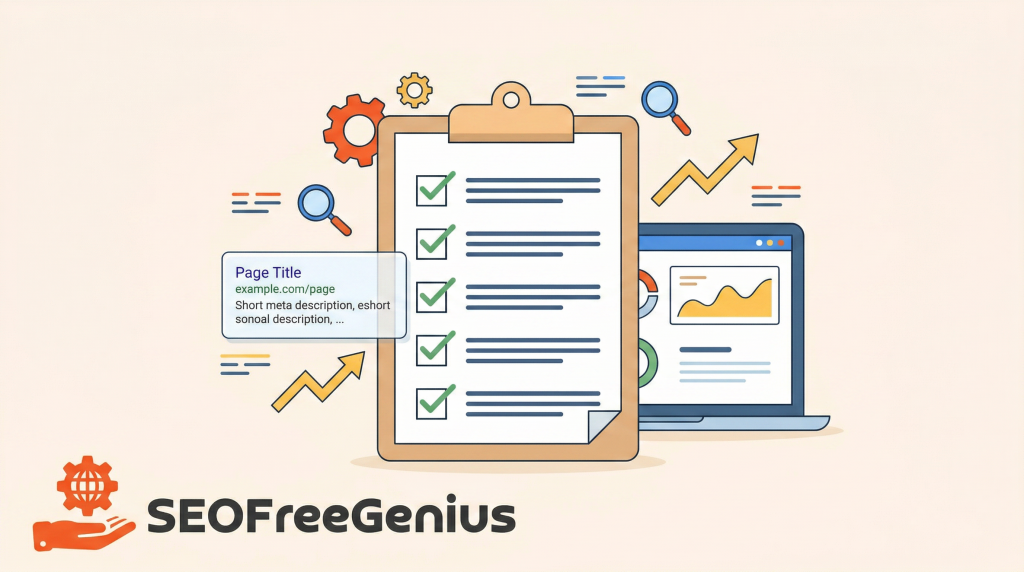
Before you ask Google to index this article again, run through this list:
- Intro gives a clear, direct answer in the first 100–150 words.
- Tone sounds like a human explaining, not a template (“you”, “I”, concrete examples).
- Sections are short, skimmable, and use headings, bullets, and occasional tables.
- You’ve added at least one real example or micro case‑study.
- Internal links point to:
- SEO fundamentals (beginners guide, SEO priorities, 2026 changes, topic clusters, indexing fixes, refresh playbook).
- Relevant tools (Keyword Position Checker, Keywords Suggestion Tool, Keyword Density Checker, Plagiarism Checker, Backlink Checker, PageSpeed tools, Google Index Checker).
- Page is reasonably fast and mobile‑friendly (checked with your tools).
- Basic schema (Article + optional FAQ/HowTo) is in place.
- Images are helpful, compressed, and properly described.
- Author bio and site info clearly show real experience.
If you can honestly tick these boxes, you’ve turned the page from “generic AI‑looking article” into something that feels written by a person who actually does SEO—and that’s exactly the kind of content Google’s AI Overviews have been rewarding in 2026. [semrush] [trendchaska] [developers.google]

Samir H. M. is the creator of [seofreegenius.com], offering 66+ free SEO tools from Riyadh. He’s hands-on tested and built features like plagiarism checkers and backlink tools, plus 36 guides to help sites rank better. Practical, no-BS advice for real users.