
- Published: December 07, 2025
- Author: SEO Free Genius Team
- Reading time: ~12-14 minutes
Introduction
Search rankings improve faster when free SEO tools are used as one connected workflow instead of a disconnected list of random platforms. Google’s own SEO documentation focuses on crawlability, indexing, page quality, descriptive links, and helpful people-first content, so a strong free SEO process should follow that same order: fix technical issues first, choose keywords second, improve on-page relevance third, strengthen content quality fourth, build internal connections fifth, review backlink opportunities sixth, and measure results every week as recommended in Google’s documentation on crawling and indexing, helpful‑content page, best practices, and Google search Essential.
That sequence matters because every later step depends on the earlier one. If a page is blocked from crawling, excluded from indexing, slow on mobile, or poorly matched to search intent, publishing more content will not solve the core problem. Google Search Console and PageSpeed Insights help identify these foundational problems, while Google’s helpful content guidance makes it clear that ranking gains come from content designed to help readers, not pages built mainly to manipulate rankings.
This guide is built for publishers, bloggers, and small business sites that want better rankings without paying for a large SEO stack. It is also designed to align with AdSense-friendly content expectations because Google emphasizes unique, relevant content and discourages low-value pages, thin articles, and manipulative practices. Instead of promoting tools for their own sake, this guide shows how to use free SEO tools to make practical decisions, improve weak pages, and create content that deserves to rank.
The workflow below uses mostly Google’s own free resources, supported by a small set of trusted third-party references from Moz, Ahrefs, Semrush, Search Engine Journal, and Backlinko. That combination is useful because Google provides the primary source for technical and policy guidance, while respected industry publishers help translate those principles into repeatable editorial and optimization habits. [Google Ads][Moz][Aherfs][Semrush][Backlinko]
Why a workflow beats a tool list
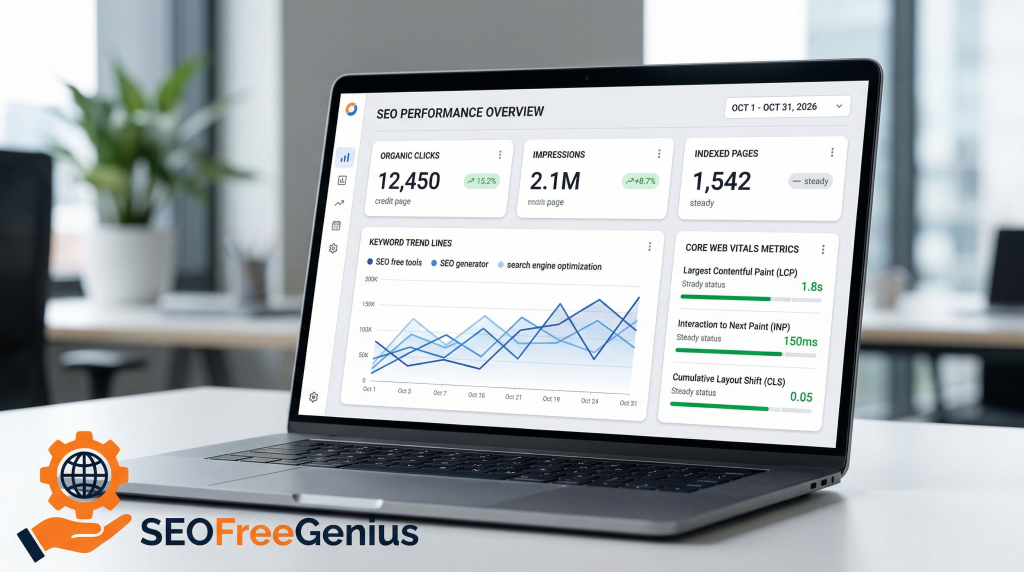
Most free SEO articles fail because they present software names without explaining what each tool should decide. A workflow is more useful because each tool has one job inside a sequence: diagnose, prioritize, optimize, connect, validate, and track. Google Search Central describes the fundamentals in this same spirit by emphasizing crawlable links, useful titles, accessible pages, and content that genuinely serves users. [Google Search Central documentation on crawling and indexing, helpful‑content page, Google search Essential, and SEO Starter Guide]
A simple example shows the difference. Suppose a guide receives 6,000 impressions per month in Search Console, a 1.1% click-through rate, and an average position of 16. A weak tool-list approach might recommend “get backlinks” or “add more keywords.” A workflow approach would first confirm indexing and canonical status, test mobile performance, compare keyword modifiers in Keyword Planner and Trends, rewrite the title and opening section to better match intent, add contextual internal links, and then watch whether CTR rises toward 2% while average position improves over the next month. [Google Search Console][Google Trends][Google Ads]
| Approach | What it looks like | Likely outcome |
| Random tool usage | Multiple reports, overlapping scores, unclear next steps | More data, weak prioritization |
| Sequential workflow | One tool answers one decision at a time | Cleaner execution and better compounding gains |
Step 1: Technical Audit
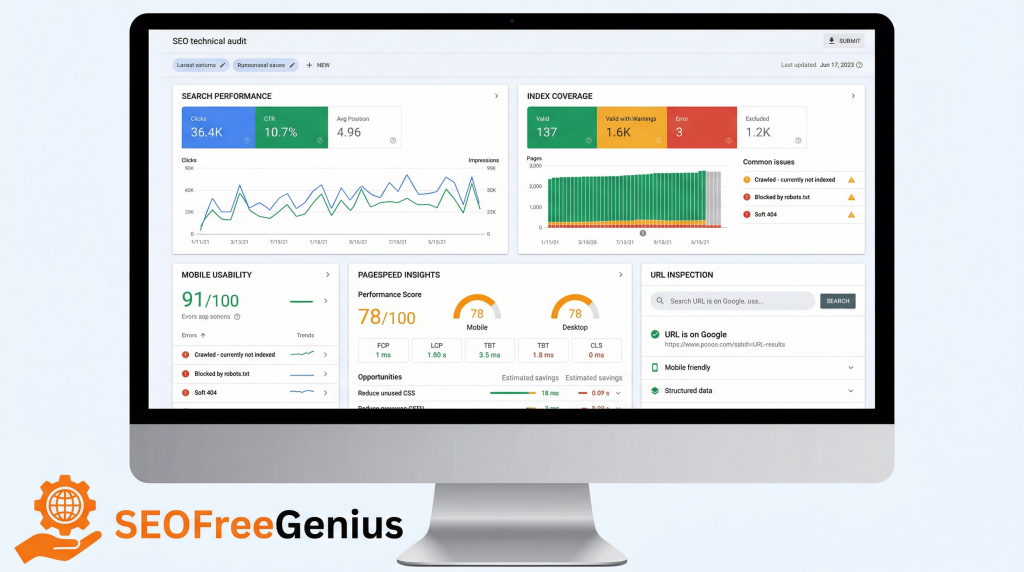
Start with technical SEO because Google cannot rank pages it cannot efficiently crawl, render, understand, or index. Google’s crawling and indexing documentation covers the importance of crawl accessibility, canonicals, sitemaps, crawlable links, and handling issues that prevent proper indexing. Google Search Console is the most important free tool here because it shows how Google sees the site and where visibility problems exist.
- Check whether priority pages are indexed and whether Google-selected canonicals match the intended URLs.
- Review coverage or indexing reports for excluded pages and identify patterns such as duplicate content, blocked resources, or incorrect noindex directives. Learn more in Google’s crawling and indexing overview.
- Submit and validate the XML sitemap so important URLs are easier to discover
- Run important URLs through PageSpeed Insights and note mobile performance issues affecting Core Web Vitals and usability. [backlinko]
- Confirm internal links are crawlable and use descriptive anchor text, since Google specifically recommends this for discoverability and site understanding. [Google search Essential]
- Open Google Search Console and inspect one important URL from each major content cluster.
- Confirm index status, canonical selection, and any coverage warnings that explain why the page may not perform well.
- Run the same URL in PageSpeed Insights and record major mobile issues such as oversized images, render-blocking scripts, or layout instability.[pagespeed]
- Fix repeating template issues before editing individual pages, because one template problem can hurt dozens of URLs at once.
- Request reindexing only after the live page reflects the actual fix.
| Metric | Weak signal | Better target | Why it matters |
| Index status | Not indexed | Indexed normally | No indexing means no ranking opportunity |
| Mobile load speed | 4 seconds or more | Under 3 seconds | Slow pages reduce usability and may hurt engagement [pagespeed] [backlinko] |
| Canonical handling | Wrong canonical | Self-referencing or intended canonical | Prevents duplication confusion. |
| Internal crawl paths | Orphan or weakly linked | Linked from strong relevant pages | Helps discovery and topical flow.[best practices] |
Real-world example: a tutorial page may sit at position 15 for months because it loads slowly, uses a weak title pattern, and is only linked from an archive page. Compressing the lead image, removing a blocking script, and adding two contextual internal links from related articles often creates a measurable lift before any major rewrite is needed.
Internal link recommendation: Read the technical SEO guide on shared hosting for a deeper look at crawlability, speed, and budget‑friendly indexing fixes: https://seofreegenius.com/blog/technical-seo-shared-hosting
Step 2: Keyword Research
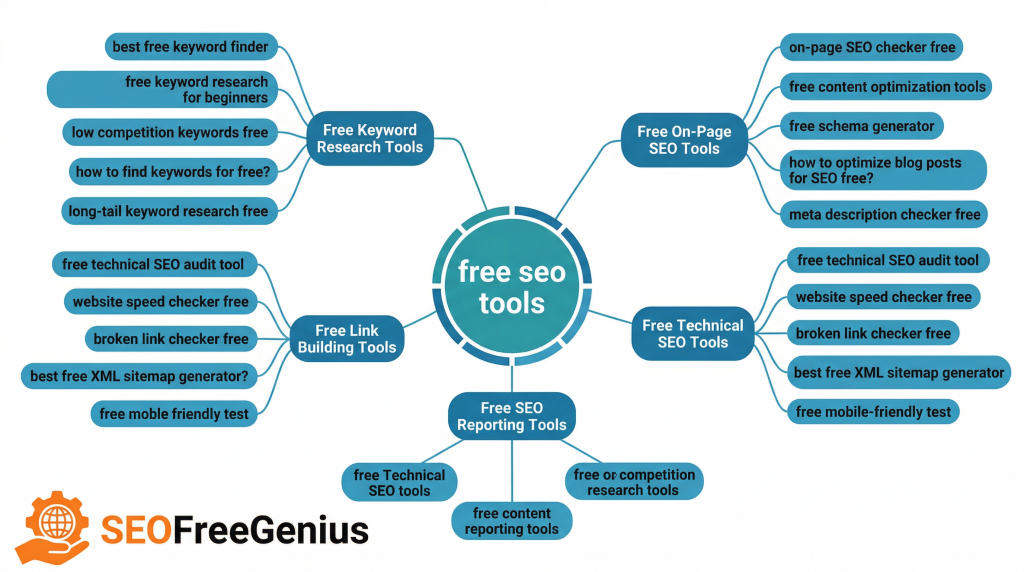
Once the site is technically healthy enough to rank, use free keyword tools to identify what people actually search for and how interest changes over time. Google Keyword Planner helps discover keywords, build lists, and estimate demand patterns, while Google Trends helps compare topics, identify seasonality, and spot rising query modifiers.
The goal is not to collect the biggest keyword spreadsheet possible. The goal is to build one usable cluster per page. That means assigning one primary keyword, several secondary variations, and a group of related questions or subtopics that support the same search intent. Moz’s beginner guide explains keyword research as part of a broader SEO system, and this is where that advice becomes practical: match the content to the query, not just the volume.[moz]
- Start with one seed term tied to a real page or future article topic.
- Use Keyword Planner to discover related phrases, modifiers, and adjacent topic ideas.
- Use Google Trends to compare promising phrases and avoid targeting declining or misleading variants.
- Group the winning terms into a cluster built around one core intent.
- Assign that cluster to one page only to avoid keyword cannibalization.
| Seed topic | Weak target | Better primary keyword | Supporting variations |
| Free SEO tools | seo | free seo tools workflow | free seo audit checklist; search console workflow; free keyword research process |
| Bakery marketing | bakery tips | local seo for bakeries | bakery near me seo; bakery keyword research; google business profile bakery |
| Coffee grinders | coffee | best coffee grinder for home use | burr vs blade grinder; espresso grinder guide; grinder buying guide |
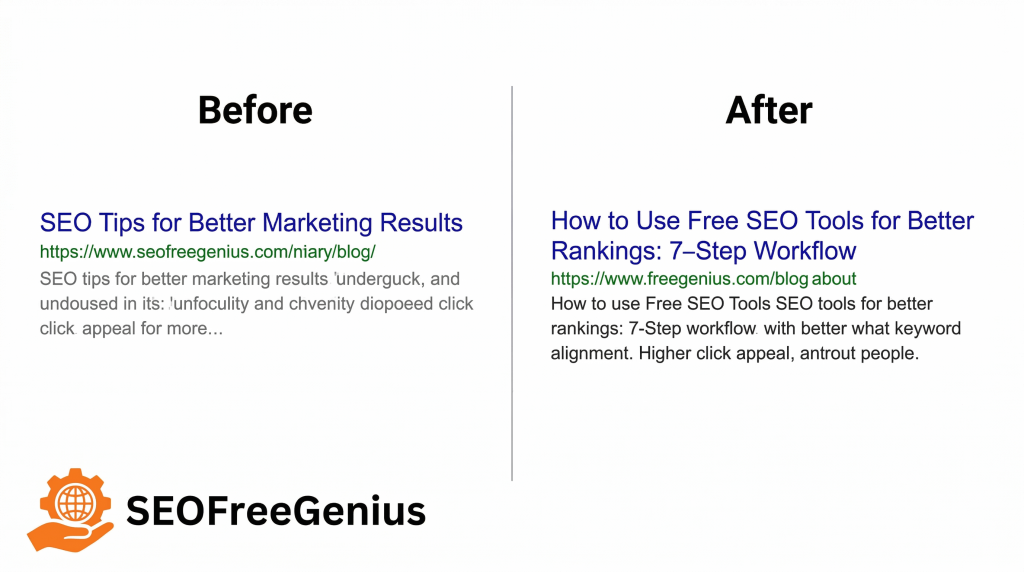
Before and after snippet logic
Before: “SEO Tips for Better Marketing Results.”
After: “How to Use Free SEO Tools for Better Rankings: 7-Step Workflow.”
The second version is stronger because it names the benefit, matches the page structure, and reflects a clear search intent. Google’s SEO starter guidance also supports descriptive titles, descriptive URLs, and terms that help people understand whether a result will be useful. [Google Search Essential][SEO Guide]
Internal link recommendation: For a deeper method on clustering topics and validating intent, read https://seofreegenius.com/blog/topic-clusters-seo-small-sites/ and https://seofreegenius.com/blog/how-to-do-keyword-research-using-only-free-tools-step-by-step-guide/
Step 3: On-Page Optimization
On-page optimization turns keyword research into a page that search engines and readers can understand quickly. Google’s documentation emphasizes using words people search for in prominent locations such as titles, headings, alt text, and link text, while also making pages useful and easy to interpret. [Google Search Essential]
This step is not about stuffing the same phrase everywhere. It is about making the topic unmistakably clear. A strong page usually includes a descriptive title tag, a single focused H1, logical H2 and H3 headings, a concise introduction that delivers the promise quickly, helpful media, and descriptive internal anchor text. [best practices]
- Put the primary keyword naturally in the title tag, H1, and opening paragraph.
- Use a meta description that improves click-through rate by clearly explaining the value of the page.
- Organize subtopics with H2 and H3 headings based on real related questions.
- Use descriptive URLs and avoid bloated or vague slugs. [SEO Guide]
- Add alt text that describes the image and supports context when relevant.
- Replace generic anchor text like “read more” with meaningful anchors.
| Element | Weak version | Better version |
| Title tag | SEO Tools Guide | How to Use Free SEO Tools for Better Rankings: 7-Step Guide |
| H2 heading | Keyword Ideas | How to build a keyword cluster with free Google data |
| Intro sentence | SEO matters for every business | Use this free SEO workflow to fix indexing issues, target better queries, and improve ranking visibility each week |
| Anchor text | click here | technical SEO guide |
A useful editing habit is to review the first 150 words of a page and ask one question: would a searcher instantly know what they will learn and why it matters? If not, the introduction is usually too vague.
Step 4: Content Quality Improvements
High rankings require more than clean formatting and keyword use. Google’s helpful content guidance says content should be created for people first and provide reliable, useful information, while Google Search Essentials reinforces helpful, reliable, people-first content as a core principle. That makes content quality an editorial discipline, not just an SEO tactic as recommended in Google’s documentation on helpful‑content page and Google search Essential.
A good free SEO page usually improves because it becomes clearer, more specific, and more credible. Instead of generic advice like “create engaging content,” strong pages explain what to do, why it works, what to measure, and what to avoid. Google’s quality guidance around people-first content and the broader quality rater framework both point toward experience, expertise, trust, and usefulness rather than shallow aggregation. [Search Quality Rater Guidelines][Google blog]
Improve content quality with this checklist
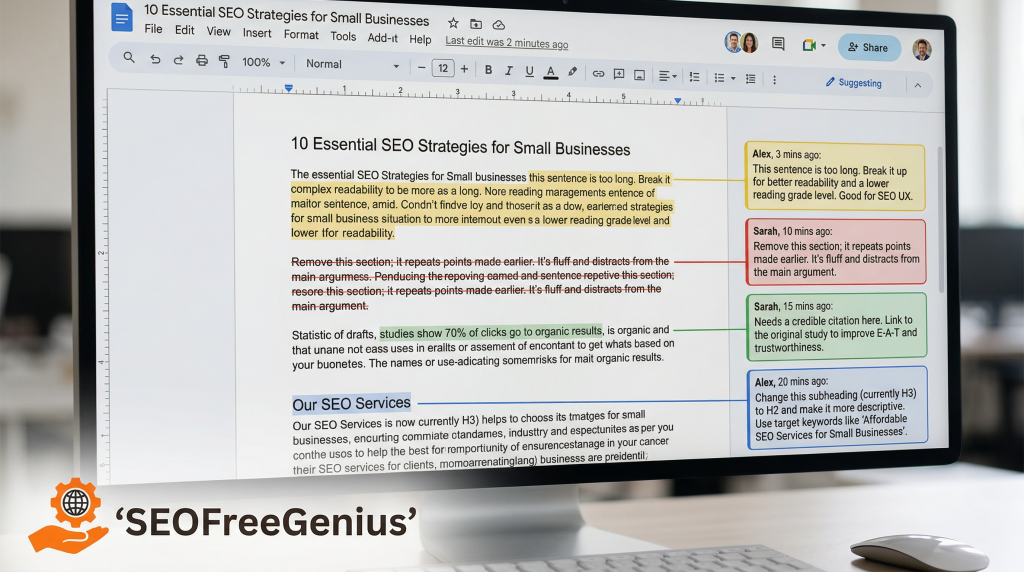
- Add examples from real usage, screenshots, annotated workflows, or actual page changes.
- Explain decisions, not just instructions; tell readers why the step matters.
- Cite authoritative sources when making technical or policy claims. [Google documentation on crawling and indexing, helpful‑content page, and use Keyword Planner]
- Remove filler paragraphs that only repeat obvious statements.
- Answer likely objections directly in the body so readers do not need to leave the page.
- Make the article complete enough that it solves the problem without forcing unnecessary extra clicks.
| Weak content pattern | Better content pattern |
| Thin list of tools with one-line descriptions | Full workflow with decisions, examples, metrics, and checklists |
| Vague claims like “boost your SEO fast” | Specific explanations tied to indexing, CTR, or search intent |
| No citations or evidence | Links to Google docs and trusted industry studies |
| Rewritten summaries of common advice | Original framing, examples, and implementation notes |
Example improvement: a 900-word article called “Best Free SEO Tools” may be too shallow to compete if it simply lists products. Expanding it into a structured workflow guide with screenshots, before-and-after examples, an FAQ, and concrete weekly actions creates much more value for readers and aligns far better with Google’s people-first expectations.
Step 5: Internal Linking Strategy
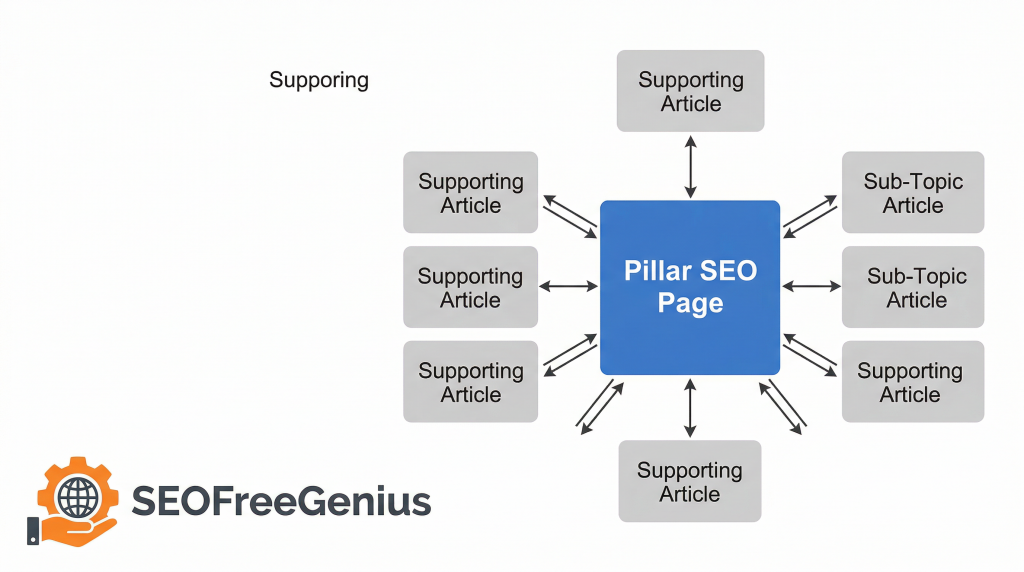
Internal links help both users and Google understand how pages relate to one another. Google explicitly recommends using crawlable internal links and helpful anchor text so people and search engines can make sense of the site more easily. This makes internal linking one of the strongest free SEO improvements available to most websites. [Google search Essential]
The best internal link strategy is contextual, not automated. Link from relevant pages that already earn traffic to pages that need support. Use anchors that clearly describe the destination. Make sure important pages receive links from at least one other crawlable page, and preferably from several closely related ones. [best practices]
- Build pillar-and-supporting-page relationships.
- Link from strong pages to strategic pages that need more visibility.
- Use descriptive anchor text based on the destination topic.
- Avoid excessive sitewide repetition that adds little value.
- Review orphan pages monthly and connect them to relevant content.
| Page type | Best link target | Anchor example |
| Pillar guide | Supporting tutorials | technical SEO guide |
| Blog post | Cornerstone guide | free SEO workflow checklist |
| Comparison article | Tutorial or explainer | keyword research companion article |
Step 6: Backlink Analysis with Free Methods
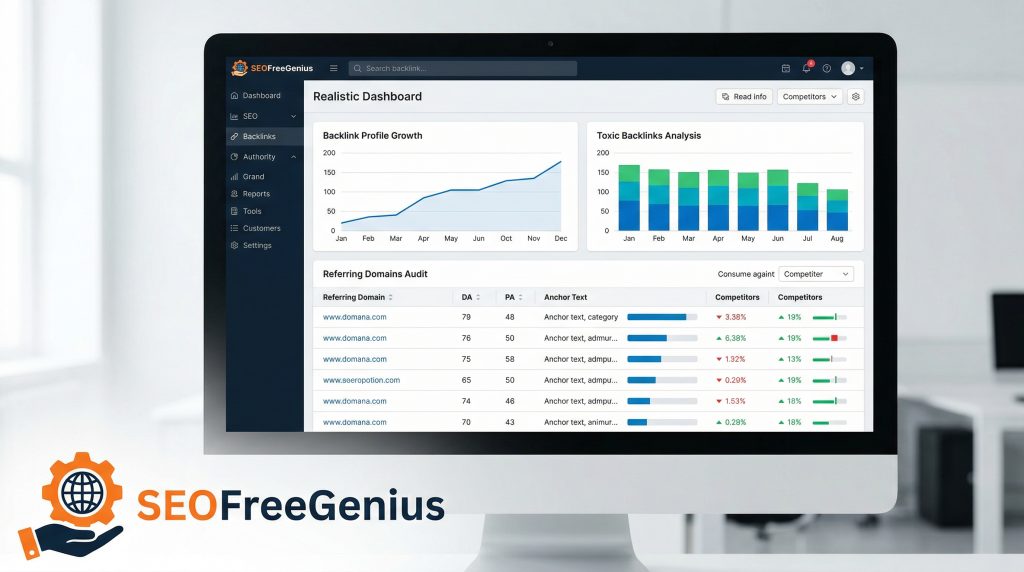
Backlinks still matter, but the best free backlink work is selective and strategic. The goal is not to chase raw link volume. The goal is to understand which pages attract links, where competitors are earning relevant mentions, and what kinds of assets journalists, bloggers, or industry sites are willing to reference. Moz, Ahrefs, and Semrush all provide educational resources or limited free tools that can support this analysis. [Moz][Aherfs][Semrush]
- Check your domain and two competitors in a backlink checker or free site overview tool.
- Record top linked pages, referring domains, and the content format that earned links.
- Look for patterns such as original research, templates, statistics pages, or definitive tutorials.
- Focus on relevant domains and ignore obviously low-quality noise.
- Refresh or expand older link-worthy pages, then connect them to money pages with useful internal links.
| Finding | Likely meaning | Best response |
| Competitor earns links to a statistics page | Publishers cite useful data | Build a fresher and more focused statistics asset |
| Old guide on your site has most links | Authority sits on outdated content | Refresh the page and internally link it to newer priorities |
| Many low-quality referring domains | Link profile may be noisy | Prioritize relevance and editorial quality over counts |
Semrush’s ranking factors study is especially useful as a reminder that SEO performance usually reflects a mix of signals rather than one isolated variable. Backlinks work best when they support already useful, relevant pages instead of trying to rescue weak content.
Step 7: Performance Tracking and Iteration
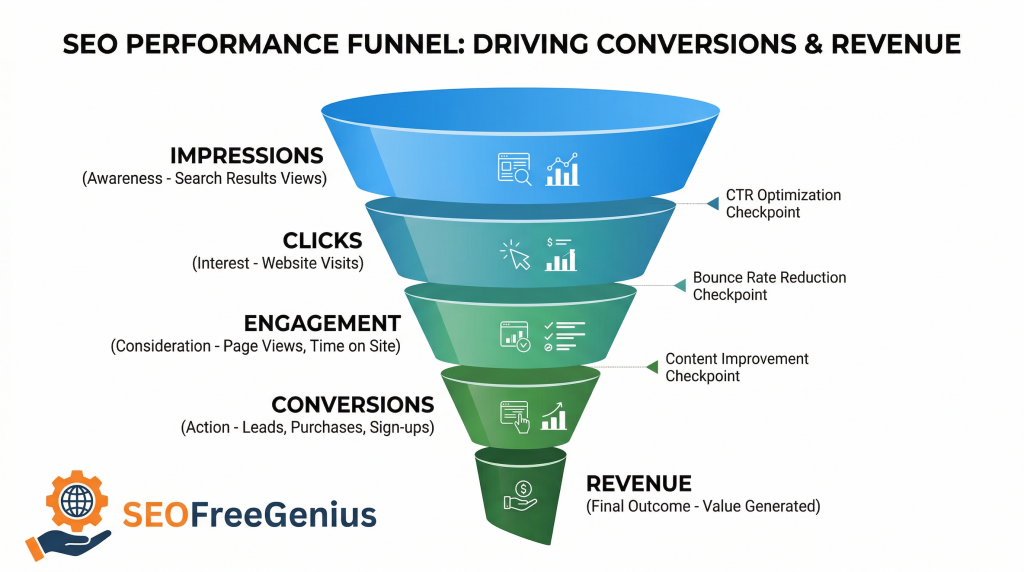
SEO improvement is not a one-time project. It is a recurring loop of measurement, interpretation, and revision. Search Console is the most important free platform for this because it shows impressions, clicks, click-through rate, and average position for real queries and pages. Google Trends can help explain changing demand, and PageSpeed Insights helps confirm that technical regressions are not undermining page performance.[pagespeed][Google trends]
Track these metrics every week [Google search console]
- Indexed status for priority URLs.
- Impressions and clicks for top landing pages.
- CTR after title and meta description changes.
- Average position for primary keyword clusters.
- Mobile performance and Core Web Vitals status. [pagespeed]
- New referring domains to link-worthy pages. [semrush]
| URL | Before | After 30 days | Interpretation |
| /free-seo-tools-workflow/ | 3,000 impressions, 1.1% CTR, position 17.6 | 4,300 impressions, 2.2% CTR, position 12.8 | Better intent match and stronger snippet |
| /technical-seo-guide/ | inconsistent indexing, zero clicks | indexed, 540 impressions, 16 clicks | Crawl and indexing fixes helped discovery |
| /keyword-research-companion/ | position 21.4 | position 15.9 | Improved content cluster and internal linking |
These example metrics are directional illustrations for a realistic editorial workflow. The key principle is to connect one meaningful change to one measurable outcome. If CTR rises but rankings do not, improve page depth or authority. If rankings rise but CTR stays flat, improve titles and descriptions. If neither improves, revisit intent, indexing, and usefulness first.
Weekly Workflow Template
Use this schedule to keep the process manageable and repeatable.
| Day | Main task | Free tools | Output |
| Monday | Review indexing, URL inspection, and technical issues | Google Search Console, PageSpeed Insights | Fix list and reindex priorities |
| Tuesday | Build or refresh one keyword cluster | Keyword Planner, Google Trends | Primary keyword, variations, search intent notes |
| Wednesday | Optimize one existing page | CMS editor, Search Console | Better title, headings, intro, links |
| Thursday | Improve content depth and trust | Editorial checklist, helpful‑content page | Stronger examples, citations, clearer explanations |
| Friday | Add internal links and review backlinks | Site search, Moz, Ahrefs, Semrush free tools | New internal links and outreach ideas |
| Month-end | Measure results and decide next tests | Search Console, Trends, analytics | KPI review and next priorities |
Immediate Checklist
- Verify Search Console ownership and submit the sitemap [Google search console]
- Inspect five important URLs and note indexing, canonical, and performance issues. [pagespeed]
- Build one keyword cluster using Keyword Planner and validate it in Trends. [Google trends]
- Rewrite one title tag, one meta description, and the first 120 words of one weak page. [best practices]
- Add two contextual internal links from stronger pages to a priority page.
- Review competitors’ top linked pages and list three ideas worth creating. [semrush]
- Track impressions, CTR, and position every week for the same set of pages. [Google search console]
FAQ
Can free SEO tools really improve rankings?
Yes. Google already provides the most important technical and search performance data through Search Console, Search Central documentation, and PageSpeed Insights, which is enough to solve many of the issues holding back small and medium sites. [pagespeed]
Is Google Keyword Planner accurate enough for organic SEO?
It is useful for discovering phrase patterns, grouping topics, and estimating relative demand, but it works best when combined with Trends, Search Console, and direct SERP review instead of being treated as an exact prediction engine. [Google trends]
How many internal links should a long article include?
Only the ones that help readers take the next relevant step. Google recommends descriptive internal links and crawlable structure, not inflated link counts for their own sake. [best practices]
What matters more: content quality or backlinks?
Content quality comes first because weak pages rarely sustain rankings even when they attract links. Google’s people-first guidance and Search Essentials both center usefulness, while industry studies suggest links work best alongside strong relevance and site quality. [semrush]
How long should this workflow run before judging results?
A four-to-eight-week window is reasonable for many editorial SEO changes, especially when measuring the same pages consistently through Search Console. Urgent technical fixes can show faster effects, but broader content and CTR improvements often need time for recrawling and re-evaluation. [Google search console]
Key Takeaways
Free SEO tools are enough to build a serious ranking workflow when they are used in the right order. Start with technical health using Google’s guidance on crawling and indexing, then apply helpful, people‑first content practices, strengthen your site with crawlable, descriptive internal links, and measure results in Google Search Console to refine your pages over time.
This process also aligns well with AdSense-safe publishing because it favors original, useful, well-structured content over thin pages and manipulative publishing habits. The best SEO gains usually come from making pages more helpful, more discoverable, and easier to interpret, not from piling up more tools.
Useful Links
1- Keyword research companion article
- How to Do Keyword Research Using Only Free Tools (Step-by-Step Guide)
- Keyword Research for Beginners Using Only Free Tools
- SEO for Complete Beginners: How Google Finds and Ranks Your Website
2- Technical SEO guide
- Technical SEO on Shared Hosting: Fast, Crawlable Site on a Budget
- Technical SEO for Shared Hosting and Budget Sites: How to Outperform Competitors Without Breaking the Bank
3- Tools overview
- Free SEO Tools Checklist 2026: The Complete Guide to Boost Your Rankings
- How to Turn a Free SEO Tools Website Into a Sustainable Business (Without Annoying Users)
4- External Links
- Google Search Central crawling and indexing: https://developers.google.com/search/docs/crawling-indexing
- Google Search Console: https://search.google.com/search-console/about
- Google Keyword Planner documentation: https://support.google.com/google-ads/answer/7337243?hl=en
- Google Trends: https://trends.google.com/trends/
- PageSpeed Insights: https://pagespeed.web.dev/
- Google helpful content guidance: https://developers.google.com/search/docs/fundamentals/creating-helpful-content
- Google SEO Starter Guide: https://developers.google.com/search/docs/fundamentals/seo-starter-guide
- Google link best practices: https://developers.google.com/search/docs/crawling-indexing/links-crawlable
- Moz Beginner’s Guide to SEO: https://moz.com/beginners-guide-to-seo
- Ahrefs Blog: https://ahrefs.com/blog/
- Semrush ranking factors study: https://www.semrush.com/blog/ranking-factors-semrush-study/
- Search Engine Journal: https://www.searchenginejournal.com/
- Backlinko page speed guide: https://backlinko.com/hub/seo/pagespeed
Samir H. M. — SEO Expert
5+ years building SEO tools. SEOFreeGenius creator—50+ sites to #1.
All Articles →
Samir H. M. is the creator of [seofreegenius.com], offering 66+ free SEO tools from Riyadh. He’s hands-on tested and built features like plagiarism checkers and backlink tools, plus 36 guides to help sites rank better. Practical, no-BS advice for real users.